Forums on Intune, SCCM, and Windows 11

Welcome to the forums. Register a free account today to become a member! Once signed in, you'll be able to participate on this site by adding your topics and posts, as well as connect with other members through your own private inbox!

PENDING Unable to install client on SCCM server

  • Thread starter Thread starter coconut
  • Start date Start date
  • Replies Replies 13
  • Views Views 5K
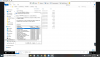
I have reboot the server but ccm notification agent still showing as disabled and under Actions it's still showing as 2 items
 
  1. Restart the client machine.
  2. Uninstall the client with ccmsetup.exe /uninstall command line.
  3. Reinstall again the client then check the ccmsetup.log file.
  4. Run the CfgMgr Client, Actions tab, run the Machine Policy Retrieval & Evaluation Cycle action.

If the issue still present, share with us the ccmsetup.log & client.msi.log files.
 
  1. Restart the client machine.
  2. Uninstall the client with ccmsetup.exe /uninstall command line.
  3. Reinstall again the client then check the ccmsetup.log file.
  4. Run the CfgMgr Client, Actions tab, run the Machine Policy Retrieval & Evaluation Cycle action.

If the issue still present, share with us the ccmsetup.log & client.msi.log files.
Hi,

I have tried the steps above and issue persist.

I have rebooted the machine after it shows exit code 7.

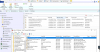
Attached logs for reference.
 

Attachments

"Name: 'DC1IFSCCM.issInfra.sps.gov.sg' HTTPS: 'N' ForestTrust: 'Y', Locality: '3', MPBGRFallbackType: 'None', MPFallbackTime: '0'"

Make sure that the SCCM client certificate is present in the Personal certificates account computer. Share with us the ClientIDManagerStartup.log & ClientLocation.log files.

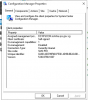
In addition to logs, take a screenshot of your Configuration Manager Client (General tab).
 
Last edited:
"Name: 'DC1IFSCCM.issInfra.sps.gov.sg' HTTPS: 'N' ForestTrust: 'Y', Locality: '3', MPBGRFallbackType: 'None', MPFallbackTime: '0'"

Make sure that the SCCM client certificate is present in the Personal certificates account computer. Share with us the ClientIDManagerStartup.log & ClientLocation.log files.

In addition to logs, take a screenshot of your Configuration Manager Client (General tab).
 

Attachments

ClientLocation.log: Assigned MP changed from <DC1IFSCCM.issInfra.sps.gov.sg> to <DC1IFSCCM.issInfra.sps.gov.sg>

Something wrong in the configuration causes a conflict, how many MP do you have?

Check the configuration of your boundaries and boundary groups, It's recommended to use boundaries based on IP subnet.

Btw, you have to install the following latest SCCM 1902 Hotfix:
 
ClientLocation.log: Assigned MP changed from <DC1IFSCCM.issInfra.sps.gov.sg> to <DC1IFSCCM.issInfra.sps.gov.sg>

Something wrong in the configuration causes a conflict, how many MP do you have?

Check the configuration of your boundaries and boundary groups, It's recommended to use boundaries based on IP subnet.

Btw, you have to install the following latest SCCM 1902 Hotfix:
Only 1 MP which is DC1IFSCCM.issInfra.sps.gov.sg. I have not install the hotfix
 

Forum statistics

Threads
7,171
Messages
27,989
Members
18,297
Latest member
Kahnrym

Trending content

Back
Top