MJ-Tech
Well-Known Member
- Messages
- 217
- Solutions
- 25
- Reaction score
- 21
- Points
- 18
Hi Team,
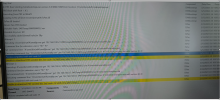
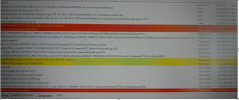
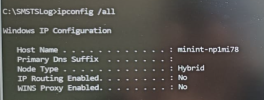
We recently bought a few Dell laptops, and the model name is Dell Latitude 5540. The PXE OS deployment is working fine for the models Latitude 5520 and 5530, but not for the latest one - Latitude 5540. When attempting PXE boot, after clicking the IPv4 option, the machine acquires an IP address from the DHCP server and initially loads all the drivers. On the next screen, I expected to see the task sequence window to proceed with the OS installation, but instead, it shows a blank page for a few seconds and then restarts the device. The error message I received from smsts.log is 'Unable to download PXE variable file. Exit code=14 + 0x8004016c'. Additionally, I noticed that I didn't get the IP address from the command line.
Could you please help to assist with this issue, please?
We recently bought a few Dell laptops, and the model name is Dell Latitude 5540. The PXE OS deployment is working fine for the models Latitude 5520 and 5530, but not for the latest one - Latitude 5540. When attempting PXE boot, after clicking the IPv4 option, the machine acquires an IP address from the DHCP server and initially loads all the drivers. On the next screen, I expected to see the task sequence window to proceed with the OS installation, but instead, it shows a blank page for a few seconds and then restarts the device. The error message I received from smsts.log is 'Unable to download PXE variable file. Exit code=14 + 0x8004016c'. Additionally, I noticed that I didn't get the IP address from the command line.
Could you please help to assist with this issue, please?