Forums on Intune, SCCM, and Windows 11

Welcome to the forums. Register a free account today to become a member! Once signed in, you'll be able to participate on this site by adding your topics and posts, as well as connect with other members through your own private inbox!

PENDING Unable to connect to WMI on remote machine "name-pc.domain.local", error = 0x800706ba.

Sergei

Member
Messages
5
Reaction score
0
Points
1
Good day everyone.

SCCM 2016 on Windows Server 2016.
I have some problem.
I have several offices in different subnets:
General Office - 192.168.xxx.0/24
Office 2 - 10.2.0.0/16
Office 3 - 10.3.0.0/16
These offices connected through VPN and ping between offices 500-600 ms.
The server SCCM installed in General Office. I am installing the sccm client and everything ok, but if I am installing the sccm client to Office 2 or Office 3 I have that problem.
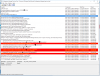
upload_2016-12-21_10-42-38.png


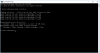
Firewall on all machines turned off and on the SCCM server also. All machines in other offices available. I can connect to machines in other offices without problems.
Every PC has Windows Defender.
upload_2016-12-21_10-20-46.png
upload_2016-12-21_10-50-36.png

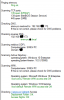
But if I'll check the PC in General Office everything ok.
upload_2016-12-21_11-3-7.png


upload_2016-12-21_10-38-57.png

And it very interested, if colleague brings his laptop in the general office, the sccm client will install.


Could you help me, please?
 
Last edited:
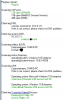
If I am starting check RPC connection on the Server which has ping to machines 200-300 ms, it's working.
The problem with very high ping.

upload_2016-12-21_13-16-30.png
 
Last edited:
Have you tried installing the client agent manually on any machine in office 2/3 location ?. Do you see ccmsetup folder under windows directory on the client machine and do you see any logs inside that folder ?. I would suggest you configure a separate account for client push rather than administrator account.
http://prajwaldesai.com/community/t...te-machine-computername-error-0x800706ba.768/
Prajwal, yes I tried installing the client agent manually and automatically.
upload_2016-12-21_13-27-59.png

Do you see ccmsetup folder under windows directory on the client machine and do you see any logs inside that folder ?
I don't see it because this directory was deleted.

---> Searching for SMSClientInstall.* under '\\svirid-pc.xx.local\admin$\'
---> Unable to connect to WMI on remote machine "svirid-pc.xx.local", error = 0x800706ba.
---> Unable to connect to WMI on remote machine "SVIRID-PC", error = 0x800706ba.
---> Deleting SMS Client Install Lock File '\\svirid-pc.xx.local\admin$\SMSClientInstall.001'


I would suggest you configure a separate account for client push rather than administrator account.
it's not a problem for me, but it does not solve the problem. It will very important for security.
 
Sergei did you find a fix for this I am having the same issue but mine is related to SEP. I have put in all the allowed FW ports and have even disabled the FW and the client will not install. If I uninstall SEP and then disabled MS firewall (because that becomes activated once SEP is uninstalled) I can then push the SCCM client to the system.

Is this a script you have written? If so could you post it?
 

Attachments

  • 1.JPG
    1.JPG
    40.7 KB · Views: 7

Forum statistics

Threads
7,142
Messages
27,884
Members
18,178
Latest member
Vishan
Back
Top