Hi,
I'm having an issue with adding a bootimage WIM file to SCCM and I really hope someone could help me find out what to do.
After I selected the winpe.wim file which copied from the "C:\Program Files (x86)\Windows Kits\10\Assessment and Deployment Kit\Windows Preinstallation Environment\amd64\en-us" to a shared folder "\\mcm01\MCM$\BOOTWIMS\amd64" (because it won't work if I'm not using a shared path).
I went next, give it a name, next and install.
The the following happend:
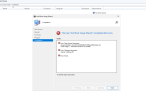
Status: The SMS Provider reported an error.
ConfigMgr Error Object:
instance of SMS_ExtendedStatus
{
Description = "Error retrieving object PackageID=";
ErrorCode = 2151811598;
File = "D:\\dbs\\sh\\cmgm\\1213_044837_0\\cmd\\1b\\src\\SiteServer\\SDK_Provider\\SMSProv\\SspInterface.h";
Line = 1199;
Operation = "GetObject";
ParameterInfo = "SMS_BootImagePackage.PackageID=\"\"";
ProviderName = "ExtnProv";
StatusCode = 2147749890;
};
-------------------------------
Microsoft.ConfigurationManagement.ManagementProvider.WqlQueryEngine.WqlQueryException
The SMS Provider reported an error.
Stack Trace:
at Microsoft.ConfigurationManagement.ManagementProvider.WqlQueryEngine.WqlResultObjectBase.get_ObjectClass()
at Microsoft.ConfigurationManagement.AdminConsole.OsdCommon.OsdImageWizardForm.PostApply(BackgroundWorker worker, DoWorkEventArgs e)
at Microsoft.ConfigurationManagement.AdminConsole.ProgressPage.backgroundWorkerPostApply_DoWork(Object sender, DoWorkEventArgs e)
at System.ComponentModel.BackgroundWorker.OnDoWork(DoWorkEventArgs e)
at System.ComponentModel.BackgroundWorker.WorkerThreadStart(Object argument)
-------------------------------
System.Management.ManagementException
Not found
Stack Trace:
at Microsoft.ConfigurationManagement.ManagementProvider.WqlQueryEngine.WqlResultObjectBase.get_ObjectClass()
at Microsoft.ConfigurationManagement.AdminConsole.OsdCommon.OsdImageWizardForm.PostApply(BackgroundWorker worker, DoWorkEventArgs e)
at Microsoft.ConfigurationManagement.AdminConsole.ProgressPage.backgroundWorkerPostApply_DoWork(Object sender, DoWorkEventArgs e)
at System.ComponentModel.BackgroundWorker.OnDoWork(DoWorkEventArgs e)
at System.ComponentModel.BackgroundWorker.WorkerThreadStart(Object argument)
-------------------------------
There is no single sollutions I could find on any forum. Hopefully anyone could help me. ;(
Thanks in advanced.
Regards,
Pascal
I'm having an issue with adding a bootimage WIM file to SCCM and I really hope someone could help me find out what to do.
After I selected the winpe.wim file which copied from the "C:\Program Files (x86)\Windows Kits\10\Assessment and Deployment Kit\Windows Preinstallation Environment\amd64\en-us" to a shared folder "\\mcm01\MCM$\BOOTWIMS\amd64" (because it won't work if I'm not using a shared path).
I went next, give it a name, next and install.
The the following happend:
Status: The SMS Provider reported an error.
ConfigMgr Error Object:
instance of SMS_ExtendedStatus
{
Description = "Error retrieving object PackageID=";
ErrorCode = 2151811598;
File = "D:\\dbs\\sh\\cmgm\\1213_044837_0\\cmd\\1b\\src\\SiteServer\\SDK_Provider\\SMSProv\\SspInterface.h";
Line = 1199;
Operation = "GetObject";
ParameterInfo = "SMS_BootImagePackage.PackageID=\"\"";
ProviderName = "ExtnProv";
StatusCode = 2147749890;
};
-------------------------------
Microsoft.ConfigurationManagement.ManagementProvider.WqlQueryEngine.WqlQueryException
The SMS Provider reported an error.
Stack Trace:
at Microsoft.ConfigurationManagement.ManagementProvider.WqlQueryEngine.WqlResultObjectBase.get_ObjectClass()
at Microsoft.ConfigurationManagement.AdminConsole.OsdCommon.OsdImageWizardForm.PostApply(BackgroundWorker worker, DoWorkEventArgs e)
at Microsoft.ConfigurationManagement.AdminConsole.ProgressPage.backgroundWorkerPostApply_DoWork(Object sender, DoWorkEventArgs e)
at System.ComponentModel.BackgroundWorker.OnDoWork(DoWorkEventArgs e)
at System.ComponentModel.BackgroundWorker.WorkerThreadStart(Object argument)
-------------------------------
System.Management.ManagementException
Not found
Stack Trace:
at Microsoft.ConfigurationManagement.ManagementProvider.WqlQueryEngine.WqlResultObjectBase.get_ObjectClass()
at Microsoft.ConfigurationManagement.AdminConsole.OsdCommon.OsdImageWizardForm.PostApply(BackgroundWorker worker, DoWorkEventArgs e)
at Microsoft.ConfigurationManagement.AdminConsole.ProgressPage.backgroundWorkerPostApply_DoWork(Object sender, DoWorkEventArgs e)
at System.ComponentModel.BackgroundWorker.OnDoWork(DoWorkEventArgs e)
at System.ComponentModel.BackgroundWorker.WorkerThreadStart(Object argument)
-------------------------------
There is no single sollutions I could find on any forum. Hopefully anyone could help me. ;(
Thanks in advanced.
Regards,
Pascal