Forums on Intune, SCCM, and Windows 11

Welcome to the forums. Register a free account today to become a member! Once signed in, you'll be able to participate on this site by adding your topics and posts, as well as connect with other members through your own private inbox!

PENDING Task Sequence Failed - 0x00000001

  • Thread starter Thread starter Seppic
  • Start date Start date
  • Replies Replies 3
  • Views Views 19K

Seppic

Member
Messages
7
Reaction score
0
Points
1
Right after the end of the application install section of my Task Sequence, I get the below pictured message. If I manually close it or wait it out, the system reboots and it appears my task sequence was successful. All the software is installed, all the settings are there, bitlocker is enabled, it's on the domain, etc. Digging through logs on the client, I'm not seeing anything crazy wrong. So... what logs should I be looking at exactly on the client/server? I want to make sure I'm not missing something. With it "working" I guess it's not that high of a priority, but I'd like the sequence to finish successfully and not deal with this on every deploy.
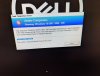

IMG_20191204_140015.jpg
 
Last edited:
One thing what you could do to quickly see the part that is causing the error is to drag that error window away from the middle and you might see a window lying under which might be the one causing the problem. If you are formatting a machine, the smsts.log might not be on the drive. You need to press F8 bring up the command prompt and type cmtrace
Then from there, you would have to scroll to the smsts.log which is under the smsts folder and in the X: drive.
 

Forum statistics

Threads
7,169
Messages
27,980
Members
18,282
Latest member
SirTimbit

Trending content

Back
Top