Hello,
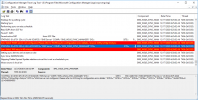
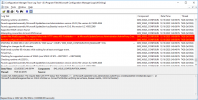
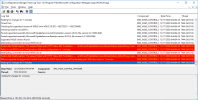
Out SCCM prod has not synchronized in a while, per \Monitoring\Overview\Software Update Point Synchronization Status on the console. Looking at WCM.log, I'm seeing these two errors:
System.Net.WebException: The request failed with HTTP status 403: Forbidden.~~ at Microsoft.UpdateServices.Administration.AdminProxy.CreateUpdateServer(Object[] args)~~ at Microsoft.SystemsManagementServer.WSUS.WSUSServer.ConnectToWSUSServer(String ServerName, Boolean UseSSL, Int32 PortNumber)
Remote configuration failed on WSUS Server.
SCCM/WSUS does not need proxy to access the web. Not sure why it stopped synchronizing with Microsoft. Any thoughts on this?
Out SCCM prod has not synchronized in a while, per \Monitoring\Overview\Software Update Point Synchronization Status on the console. Looking at WCM.log, I'm seeing these two errors:
System.Net.WebException: The request failed with HTTP status 403: Forbidden.~~ at Microsoft.UpdateServices.Administration.AdminProxy.CreateUpdateServer(Object[] args)~~ at Microsoft.SystemsManagementServer.WSUS.WSUSServer.ConnectToWSUSServer(String ServerName, Boolean UseSSL, Int32 PortNumber)
Remote configuration failed on WSUS Server.
SCCM/WSUS does not need proxy to access the web. Not sure why it stopped synchronizing with Microsoft. Any thoughts on this?