Hi guys,
I was able to get the client working successfully on all of my workstations and somehow a couple of my Server 2016 machines, but now it won't push to the other Server 2012 R2 or Server 2016 machines. I was able to find them through the discovery method and I've also tried rebuilding/rediscovering my boundary groups. The client installs, but get these errors:
Could not retrieve value for MDM_ConfigSetting . Error 0x8004100e
Failed to read assigned site code from registry. Error code = 0x80070002
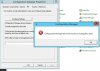
I try going into Configuration Manager on the machines and click "Find Site" with my site code but it will not find it.
In the ccm.log I get these errors:
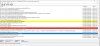
---> Unable to connect to WMI (root\ccm) on remote machine "machine", error = 0x8004100e.
Execute query exec [sp_CP_SetLastErrorCode] 2097152089, 0
However, the firewall is turned off so I'm not sure why I'm getting WMI errors on all 10 machines.
Any advise would be helpful.
Thank you,
D
I was able to get the client working successfully on all of my workstations and somehow a couple of my Server 2016 machines, but now it won't push to the other Server 2012 R2 or Server 2016 machines. I was able to find them through the discovery method and I've also tried rebuilding/rediscovering my boundary groups. The client installs, but get these errors:
Could not retrieve value for MDM_ConfigSetting . Error 0x8004100e
Failed to read assigned site code from registry. Error code = 0x80070002
I try going into Configuration Manager on the machines and click "Find Site" with my site code but it will not find it.
In the ccm.log I get these errors:
---> Unable to connect to WMI (root\ccm) on remote machine "machine", error = 0x8004100e.
Execute query exec [sp_CP_SetLastErrorCode] 2097152089, 0
However, the firewall is turned off so I'm not sure why I'm getting WMI errors on all 10 machines.
Any advise would be helpful.
Thank you,
D