Forums on Intune, SCCM, and Windows 11

Welcome to the forums. Register a free account today to become a member! Once signed in, you'll be able to participate on this site by adding your topics and posts, as well as connect with other members through your own private inbox!

PENDING Server 2012 R2 not finding updates on SCCM

  • Thread starter Thread starter adispy
  • Start date Start date
  • Replies Replies 7
  • Views Views 8K

adispy

Member
Messages
10
Reaction score
2
Points
3
Hi all,
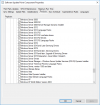
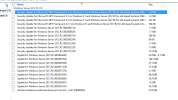
I have a SCCM 2006 build and starting today I have to patch some 2012 R2 servers. I have installed a test machine and a few updates got installed, but then the machine does not find any more updates on my SCCM server. I have changed the key in registry so I can bypass the SCCM client and go online, and it finds way more updates (look at the attached screenshot). Once I install these updates (skipping the security and .NET Framework ones), the 2012 R2 machine discovers without any issue the rest of the updates it need from my SCCM server.
The updates that the client found online (screenshot), could not be found my SCCM server. Is like SCCM is not downloading everything from Microsoft, or Microsoft not publishing all the updates.

Using another test machine and doing a full patch directly from Microsoft, looks like I need to install more than 130 patches. This is a brand new install of server 2012 R2 that's why the high number of updates.
Am I missing something? Like, do I need to install some updates manually in order for the servers to find the rest of the updates on my SCCM host?
 

Attachments

  • 111.png
    111.png
    57.4 KB · Views: 17
Copy-pasted from a different question. This question comes up often, it seems. Glad it's not just me.

I just went through this. Any time I thought a Software Update should have been installed, and it wasn't, and MECM reported the device as compliant, without fail, the server was missing a pre-requisite update.

Firstly, you need to know that in MECM Compliant != Up-to-date. It means that the Software Update Deployment Evaluation Cycle is reporting back to MECM that all updates deployed to the client that can be installed are installed.

Secondly, Cumulative Updates (CUs) and a Security Rollup Updates, and that even these updates, despite their name, have pre-requisites.

Thirdly, I'd assumed SUP automatically detects pre-reqs for a Software Update and installs them in the correct order. It does not. Even if it has them in the WSUS database and they're synced and downloaded to a Software Update Deployment Package. You must find out what the pre-reqs are for any given Software Update using Microsoft's documentation and ensure they're deployed to your clients. In a lot of cases this is due to a missing Servicing Stack Update (SSU), but it could be that you're missing anything from a .NET Framework Version, to another pre-requisite Cumulative Update, or in the case of Server 2008 R2/Win 7 boxes, an update that preps them for Extended Security Updates (ESUs).

If you're not seeing updates you expect in MECM, double-check the Products and Classifications you're synchronizing in your SUP role settings. Also, search for the KB in the underlying WSUS console. If you don't see it there, chances are you're missing something in your settings.

1616101183913.png1616101260318.png

I only recently started patching Servers using MECM and this has been a huge pain point for me. One thing I did to mitigate this problem was filter under All Software Updates for any update that has a Required greater than or equal to '1', and including those in my deployments as a way to catch up after many years of updates not being cared for correctly due to a lack of bandwidth.

If you're just starting this process you may have a long road ahead of you that will take time and effort to resolve, including a lot of babysitting and research to get the environment to a good baseline where Software Updates will start reliably installing as expected during their maintenance windows and your environment will actually be up-to-date.

GOOD LUCK!
 
Thanks for your reply.
Everything is set up correctly in Products and Classifications since I was testing all day today with this damn missing patches. Once I installed them by hand on my test machine (the ones in the screenshot), everything else started flowing great.
Now I need to identify which of those is the "problem" or what am I missing like you said. If I find something I'll come back and post it.
 
When you look at All Software Updates in MECM, what shows as "Required" for this server? I'd start by deploying those updates, running the Software Update Deployment Evaluation Cycle on that server, rinse and repeat.

You could also try using Recast Right-Click Tools and the "Install Missing Updates" option and see if that gets things moving. Then you could look at the date the update was installed.
 
Well, there is nor Required updates because I cannot find the updates in SCCM that you see in the screenshot. I have to manually download them form the Update Catalog.
This is what I don't understand: why are they missing from SCCM?
Once I install those "missing" updates, everything flows great and I have like 130 required patches after this in my SCCM console.
 
Also, I randomly checked one of the updates in your screen shot. It has been superseded by Security Rollups

E.g.,
Security Update for Windows Server 2012 R2 (KB2862152)
ultimately rolls up into
2021-03 Security Monthly Quality Rollup for Windows Server 2012 R2 for x64-based Systems (KB5000848)

Do you see that KB in WSUS/MECM?

I would also make absolutely doubly sure that you have the latest SSU installed on Server 2012 R2. SSUs not being installed block, like, everything. It's a prereq, including for KB5000848 above.


Try deploying just the SSU Software Update all by itself first and see if that fixes the problem.
 

Forum statistics

Threads
7,180
Messages
28,008
Members
18,313
Latest member
tedasdf

Trending content

Back
Top