Forums on Intune, SCCM, and Windows 11

Welcome to the forums. Register a free account today to become a member! Once signed in, you'll be able to participate on this site by adding your topics and posts, as well as connect with other members through your own private inbox!

PENDING SCCM - There are no task sequences available to this computer

Marek Belan

Well-Known Member
Messages
105
Solutions
2
Reaction score
9
Points
18
Hi today we have some strange thing.
From today we can install unknown computers (new computers). Existing computers can be reinstalled with no problem with same TS.
I redeploy TS to all unknown computers but no help.

We have turned on unknown computers support in boot media, we have deployed TS to unknown computer.
But we cant see TS in list.

I attach smsts.log
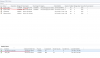
 

Attachments

  • smsts.log
    smsts.log
    129.2 KB · Views: 11
  • Capture.PNG
    Capture.PNG
    76.4 KB · Views: 11
OK with premier support we find problem.
It describe it as SCCM bug and resolution is to update boot images on DP.
We also have one PC with the same UUID as unknown computer x64 this was be recreated.

query for unknown computers: select * from UnknownSystem_DISC
find the same UUID in select * from System_Disc

recreate new unknown computer entry
HKEY_LOCAL_MACHINE\SOFTWARE\Microsoft\SMS\Components\SMS_DISCOVERY_DATA_MANAGER\CreatedUnknownDDR to 0.
 
Im getting exactly the same issue - i have 1702 with the hotfix for this issue (https://support.microsoft.com/en-us...center-configuration-manager-current-branch-v)

I have imaged and captured fine using MDT, imported the image into SCCM and setup multiple task sequences within SCCM all set to the unknown client collection. PXE boot configured all correctly but am finding that on PXE boot all that happens is that it PXE boots and all I see are the MDT Task Sequences (ones that I used to capture) rather then the SCCM Task Sequences.

I cannot use the Select * from UnknownSystem_DISC query - within SCCM it errors - not even sure if I should be running that with SCCM or whether I should use SQL studio to run the query within SQL directly....
Any advice most welcome, thank you
 
In case anyone gets this issue...fix is to disable PXE on the DP, restart the SCCM server. Then enable PXE again on the DP and again restart the server - all working after that...
 
Another update...can only get this to work for one machine at a time - to get another to build have to repeat the above, so not a solution..something broken clearly somewhere
 
OK with premier support we find problem.
It describe it as SCCM bug and resolution is to update boot images on DP.
We also have one PC with the same UUID as unknown computer x64 this was be recreated.

query for unknown computers: select * from UnknownSystem_DISC
find the same UUID in select * from System_Disc

recreate new unknown computer entry
HKEY_LOCAL_MACHINE\SOFTWARE\Microsoft\SMS\Components\SMS_DISCOVERY_DATA_MANAGER\CreatedUnknownDDR to 0.
---
Thank you for this! Our SCCM stopped showing task sequences when we tried to clone (PXE or Media boot).
After finding your message, I was able to find the problem and resolve it.
These are the steps that worked for me:
  1. Searched for and deleted "Unknown" computers in Assets and Compliance\Devices (Except for the 2 auto-created ones; x86 Unknown Computers and x64 Unknown Computers, you can't directly delete those).
  2. Went into Sql Server Management Studio drilled down to our CM_xxx database, Right clicked and selected New Query
  3. Entered the following into the query and executed: select * from UnknownSystem_DISC
  4. Grabbed the SMS_Unique_Identifier0 of the 2 auto-created x86/x64 Unknown Computers objects
  5. Ran each one of those through this query: select * from System_Disc Where SMS_Unique_Identifier0 Like '%placeUUIDhere%'
  6. Found that one of our computers received the same ID as our x64 Unknown Computers object on 3/29/18.
  7. Backed up the SCCM database
  8. Ran the following query: delete from UnknownSystem_DISC where SMS_Unique_Identifier0 Like '%placeUUIDhere%'
    1. This will remove the auto-generated X86 or x64 Unknown Computers object that is in conflict
  9. Edited the registry as you stated
    1. HKEY_LOCAL_MACHINE\SOFTWARE\Microsoft\SMS\Components\SMS_DISCOVERY_DATA_MANAGER\CreatedUnknownDDR to 0.
  10. After a few seconds, the deleted x86/x64 Unknown Computers object was recreated and the registry key changed back to 1
  11. Disabled PXE on the distribution point and selected to remove WDS when prompted.
  12. Rebooted SCCM
  13. Enabled PXE on the distribution point
  14. Tested and we finally had imaging task sequences back on our clients when PXE or media booted.
  15. Did a happy dance!
This was with SCCM 1802 although I just upgraded to 1802 from 1706. Based on the creation date of the computer I found that had taken over/conflicted with the x64 Unknown Computer GUID we were on 1706 when this happened so hopefully it's resolved in 1802 and will not happen again, but I know how to resolve it if it does! Thanks again
 

Forum statistics

Threads
7,144
Messages
27,894
Members
18,190
Latest member
BaconBandit

Trending content

Back
Top