Forums on Intune, SCCM, and Windows 11

Welcome to the forums. Register a free account today to become a member! Once signed in, you'll be able to participate on this site by adding your topics and posts, as well as connect with other members through your own private inbox!

SOLVED SCCM Task Sequence fails with new Boot Image

AlTu

Active Member
Messages
37
Solutions
1
Reaction score
5
Points
8
Hi,

I've upgraded to SCCM 1606 recently.
My OSD Task Sequence works fine the way it is now with the older boot image that I've used before the upgrade.

Older boot image is based on ADK 1511 (version 10.0.10586.0)

I've updated ADK to the latest version before the upgrade and created a new Boot Image because my custom Boot Image was not updated during upgrade (normal behaviour).

The Task Sequence keeps failing when I boot with this new Boot Image.
It starts downloading the Toolkit Package and does a few things and fails after a couple of seconds.
It works fine with the older boot image though.

I need this new Boot Image to work in order to be able to deploy Windows 10 1607.
Any suggestions?

Attached you can find the complete smsts.log file
Here is a screenshot of smsts.log
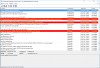
2017-01-20_9-12-49.png
 

Attachments

I have the same situation, when i got Dell's E5470 to my office . I got an IP from dhcp in pxe boot, i even can chose that image install from menu's. But then it start to download images, laptop reboots. Solution was to me , put network drivers to boot image ( boot image 10.0.10586.0 )
 
I have the same situation, when i got Dell's E5470 to my office . I got an IP from dhcp in pxe boot, i even can chose that image install from menu's. But then it start to download images, laptop reboots. Solution was to me , put network drivers to boot image ( boot image 10.0.10586.0 )
Interesting.
I usually only add drivers when I don't receive an IP when I boot into WinPE.
I will add the drivers now and check what it does.

Thanks!
 
ok, hope it works :)
Unfortunately, still failing with new Boot Image.

The error I see coming back (also in ZTIValidate.log):
"ERROR - Machine is not authorized for upgrading (OSInstall=N), aborting"

So I looked in ZTIGather.log file and see these two errors:
"ERROR - Unable to create ADODB.Connection object, impossible to query SQL Server: ActiveX component can't create object (429)"
"Unable to establish database connection using [CSETTINGS] properties."

So the problem is that the TS can't establish a connection to the SQL Server to check whether machine is authorized for deployment.
And as a safety measure it sets OSInstall=N in order not to install it.

I honestly don't know why the connection cannot be established because this works with an older Boot Image.

Maybe Prajwal knows?
 
I was so stupid.
The ADO/MDAC components were missing because I just created the Boot Image with Right Click > Add Boot Image.
For ZTI you actually have to "Create Boot Image using MDT" and include the ADO/MDAC components in order to be able to connect to your DB.
This is because I was using the same Boot Image for a very long time and actually completely forgot about this.

Anyway, thx for everything.
I love this community.
 
Back
Top