Forums on Intune, SCCM, and Windows 11

Welcome to the forums. Register a free account today to become a member! Once signed in, you'll be able to participate on this site by adding your topics and posts, as well as connect with other members through your own private inbox!

PENDING SCCM Software metering reports

mels_101

Well-Known Member
Messages
51
Solutions
3
Reaction score
1
Points
8
Hi all

Wondering how you set this up and create metering reports?

Apps such as ms project not sure how to go about this. Looked online but couldn't see much info.

Thanks
 
its by process name. so make sure the process name is right and it takes at least a few days for sccm to start capturing those processes and write it to the database. so dont expect to see the result after you set the rule.
 
Thanks for the replies. When you say by process name, would an example be excel.exe if you were testing office use.

On the reporting side, what built in report do you launch to check the rule?

Software metering on the clients was set up last month but on the console machines don't report back a date for last software scan. If that's normal.

Thanks
 
Thanks for the replies. When you say by process name, would an example be excel.exe if you were testing office use.

On the reporting side, what built in report do you launch to check the rule?

Software metering on the clients was set up last month but on the console machines don't report back a date for last software scan. If that's normal.

Thanks
excel.exe is correct for process name.

Reports \Monitoring\Overview\Reporting\Reports\Software Metering

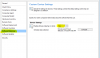
Make sure Software Metering on the Client Settings is enabled
 

Attachments

  • upload_2017-9-26_8-26-53.png
    upload_2017-9-26_8-26-53.png
    17 KB · Views: 6
Back
Top