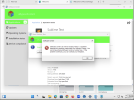
Yes, when I hit the copy button to share an application link.
<![LOG[Unhandled exception was caught. (Microsoft.SoftwareCenter.Client.SingleInstanceApplication at OnGetException)]LOG]!><time="09:56:01.2648398" date="5-7-2025" component="SCClient" context="" type="3" thread="1" file="">
<![LOG[Exception caught in OnGetException, line 193, file F:\dbs\el\emra\src\SoftwareCenterApplication\App.cs - Type System.Runtime.InteropServices.COMException: OpenClipboard Failed (Exception from HRESULT: 0x800401D0 (CLIPBRD_E_CANT_OPEN)) (Microsoft.SoftwareCenter.Client.SingleInstanceApplication at OnGetException)]LOG]!><time="09:56:01.2670622" date="5-7-2025" component="SCClient" context="" type="3" thread="1" file="">
<![LOG[StackTrace: at System.Runtime.InteropServices.Marshal.ThrowExceptionForHRInternal(Int32 errorCode, IntPtr errorInfo)
at System.Windows.Clipboard.Flush()
at System.Windows.Clipboard.CriticalSetDataObject(Object data, Boolean copy)
at System.Windows.Clipboard.SetDataInternal(String format, Object data)
at System.Windows.Clipboard.SetText(String text, TextDataFormat format)
at System.Windows.Clipboard.SetText(String text)
at Microsoft.SoftwareCenter.Client.Pages.ShareAppDialog.buttonCopy_Click(Object sender, RoutedEventArgs e)
at System.Windows.RoutedEventHandlerInfo.InvokeHandler(Object target, RoutedEventArgs routedEventArgs)
at System.Windows.EventRoute.InvokeHandlersImpl(Object source, RoutedEventArgs args, Boolean reRaised)
at System.Windows.UIElement.RaiseEventImpl(DependencyObject sender, RoutedEventArgs args)
at System.Windows.UIElement.RaiseEvent(RoutedEventArgs e)
at System.Windows.Controls.Primitives.ButtonBase.OnClick()
at System.Windows.Controls.Button.OnClick()
at System.Windows.Controls.Primitives.ButtonBase.OnMouseLeftButtonUp(MouseButtonEventArgs e)
at System.Windows.UIElement.OnMouseLeftButtonUpThunk(Object sender, MouseButtonEventArgs e)
at System.Windows.Input.MouseButtonEventArgs.InvokeEventHandler(Delegate genericHandler, Object genericTarget)
at System.Windows.RoutedEventArgs.InvokeHandler(Delegate handler, Object target)
at System.Windows.RoutedEventHandlerInfo.InvokeHandler(Object target, RoutedEventArgs routedEventArgs)
at System.Windows.EventRoute.InvokeHandlersImpl(Object source, RoutedEventArgs args, Boolean reRaised)
at System.Windows.UIElement.ReRaiseEventAs(DependencyObject sender, RoutedEventArgs args, RoutedEvent newEvent)
at System.Windows.UIElement.OnMouseUpThunk(Object sender, MouseButtonEventArgs e)
at System.Windows.Input.MouseButtonEventArgs.InvokeEventHandler(Delegate genericHandler, Object genericTarget)
at System.Windows.RoutedEventArgs.InvokeHandler(Delegate handler, Object target)
at System.Windows.RoutedEventHandlerInfo.InvokeHandler(Object target, RoutedEventArgs routedEventArgs)
at System.Windows.EventRoute.InvokeHandlersImpl(Object source, RoutedEventArgs args, Boolean reRaised)
at System.Windows.UIElement.RaiseEventImpl(DependencyObject sender, RoutedEventArgs args)
at System.Windows.UIElement.RaiseTrustedEvent(RoutedEventArgs args)
at System.Windows.UIElement.RaiseEvent(RoutedEventArgs args, Boolean trusted)
at System.Windows.Input.InputManager.ProcessStagingArea()
at System.Windows.Input.InputManager.ProcessInput(InputEventArgs input)
at System.Windows.Input.InputProviderSite.ReportInput(InputReport inputReport)
at System.Windows.Interop.HwndMouseInputProvider.ReportInput(IntPtr hwnd, InputMode mode, Int32 timestamp, RawMouseActions actions, Int32 x, Int32 y, Int32 wheel)
at System.Windows.Interop.HwndMouseInputProvider.FilterMessage(IntPtr hwnd, WindowMessage msg, IntPtr wParam, IntPtr lParam, Boolean& handled)
at System.Windows.Interop.HwndSource.InputFilterMessage(IntPtr hwnd, Int32 msg, IntPtr wParam, IntPtr lParam, Boolean& handled)
at MS.Win32.HwndWrapper.WndProc(IntPtr hwnd, Int32 msg, IntPtr wParam, IntPtr lParam, Boolean& handled)
at MS.Win32.HwndSubclass.DispatcherCallbackOperation(Object o)
at System.Windows.Threading.ExceptionWrapper.InternalRealCall(Delegate callback, Object args, Int32 numArgs)
at System.Windows.Threading.ExceptionWrapper.TryCatchWhen(Object source, Delegate callback, Object args, Int32 numArgs, Delegate catchHandler)]LOG]!><time="09:56:01.2670622" date="5-7-2025" component="SCClient" context="" type="3" thread="1" file="">
<![LOG[Exiting... (Microsoft.SoftwareCenter.Client.SingleInstanceApplication at OnExit)]LOG]!><time="09:59:59.4113948" date="5-7-2025" component="SCClient" context="" type="1" thread="1" file="">