Joe Clough
Active Member
- Messages
- 39
- Reaction score
- 2
- Points
- 8

Showing 0Bytes?? but theres full content on that DP
Error log:
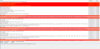
MP Control Manager detected management point is not responding to HTTP requests. The HTTP status code and text is 500, Internal Server Error.
Possible cause: Management point encountered an error when connecting to SQL Server.
Solution: Verify that the SQL Server is properly configured to allow Management Point access. Verify that management point computer account or the Management Point Database Connection Account is a member of Management Point Role (smsdbrole_MP) in the SQL Server database.
Possible cause: The SQL Server Service Principal Names (SPNs) are not registered correctly in Active Directory
Solution: Ensure SQL Server SPNs are correctly registered. Review Q829868.
Possible cause: Internet Information Services (IIS) isn't configured to listen on the ports over which the site is configured to communicate.
Solution: Verify that the designated Web Site is configured to use the same ports which the site is configured to use.
Possible cause: The designated Web Site is disabled in IIS.
Solution: Verify that the designated Web Site is enabled, and functioning properly.
Possible cause: The MP ISAPI Application Identity does not have the requisite logon privileges.
Solution: Verify that the account that the MP ISAPI is configured to run under has not been denied batch logon rights through group policy.
For more information, refer to Microsoft Knowledge Base article 838891.
I have removed and reinstated the Role
Removed Client on azure server and reinstalled
Rebooted
Primary site computer object is administrator on azure server with Service account too.
Clutching at straws!!
SMS_NOTIFICATION_SERVER
Notification Server on LKSAZSCCMCORPS1.LksSAZURE.COM failed to connect to the site database SCCM_GRP.
Possible cause: Notification Server failed to connect to the site database. Possible causes:
1. The network is temporally unavailable.
2. Firewall misconfiguration.
3. Authentication issues.
Verify that the site database is up and running.
To help identify the problem, see the bgbserver.log on the management point LKSAZSCCMCORPS1.LKSAZURE.COM.
IIS page
Attachments
Last edited: