Forums on Intune, SCCM, and Windows 11

Welcome to the forums. Register a free account today to become a member! Once signed in, you'll be able to participate on this site by adding your topics and posts, as well as connect with other members through your own private inbox!

SOLVED SCCM Reporting 'empty' blank

  • Thread starter Thread starter Damon
  • Start date Start date
  • Replies Replies 18
  • Views Views 17K
Status
Not open for further replies.

Damon

Member
Messages
9
Reaction score
0
Points
1
Hi,

I've been trying to get the reporting service on our SCCM server working without any luck, so hoping someone may know a fix. The server was previously reloaded and the old database restored, however I've obviously missed something somewhere.

I've configured the Reporting Services Configuration manager, as well as adding the role in SCCM to the server, however when I open up http://192.168.0.5/Reports the SQL page loads properly, but says the home folder is empty rather than having ConfigMgr_sitename folder in it.

The only thing I've noticed that after reinstalling the reporting role several times, the srsrp.log file contains:

SMS_EXECUTIVE started SMS_SRS_REPORTING_POINT as thread ID 19852 (0x4D8C). SMS_SRS_REPORTING_POINT 11/08/2020 9:30:49 PM 5352 (0x14E8)
Initializing, verbose logging is enabled. SMS_SRS_REPORTING_POINT 11/08/2020 9:31:05 PM 19852 (0x4D8C)
This is a SRS Reporting Point Role as SRSRP registry key exists. SMS_SRS_REPORTING_POINT 11/08/2020 9:31:05 PM 19852 (0x4D8C)
[DataSource]: Unable to read one of the keys associated with the Reporting Role. Please verify the reporting role is configured correctly SMS_SRS_REPORTING_POINT 11/08/2020 9:31:05 PM 19852 (0x4D8C)
[DataSource]: Unable to read one of the keys associated with the Reporting Role. Please verify the reporting role is configured correctly SMS_SRS_REPORTING_POINT 11/08/2020 9:31:05 PM 19852 (0x4D8C)
Waiting for change or shutdown for 0 minutes SMS_SRS_REPORTING_POINT 11/08/2020 9:31:05 PM 19852 (0x4D8C)
Wait timed out. SMS_SRS_REPORTING_POINT 11/08/2020 9:31:05 PM 19852 (0x4D8C)

I'm assuming the issue with the keys is going to be my issue as I cannot see another other errors.

for reference the srsrpsetup log:


<08/11/20 21:30:17> ======== Installing Pre Reqs for Role SMSSRSRP ========
<08/11/20 21:30:17> Found 1 Pre Reqs for Role SMSSRSRP
<08/11/20 21:30:17> Pre Req SqlNativeClient found.
<08/11/20 21:30:17> SqlNativeClient is already installed (Product Code: {9D93D367-A2CC-4378-BD63-79EF3FE76C78}). But to support TLS1.2, a new version with Product Code: {B9274744-8BAE-4874-8E59-2610919CD419} needs to be manually installed
<08/11/20 21:30:17> Pre Req SqlNativeClient is already installed. Skipping it.
<08/11/20 21:30:18> ======== Completed Installation of Pre Reqs for Role SMSSRSRP ========
<08/11/20 21:30:18> Installing the SMSSRSRP
<08/11/20 21:30:18> Passed OS version check.
<08/11/20 21:30:18> .NET Framework 4.0 Full profile is installed.
<08/11/20 21:30:18> Clean up old files
<08/11/20 21:30:18> No versions of SMSSRSRP are installed. Installing new SMSSRSRP.
<08/11/20 21:30:18> Enabling MSI logging. srsrp.msi will log to C:\Program Files\Microsoft Configuration Manager\logs\srsrpMSI.log
<08/11/20 21:30:18> Installing C:\Program Files\Microsoft Configuration Manager\bin\x64\srsrp.msi SRSRPINSTALLDIR="C:\Program Files\SMS_SRSRP" SRSRPLANGPACKFLAGS=0
<08/11/20 21:30:28> srsrp.msi exited with return code: 0
<08/11/20 21:30:28> Installation was successful.
<08/11/20 21:30:28> CTool::RegisterManagedBinary: run command line: "C:\Windows\Microsoft.NET\Framework64\v4.0.30319\RegAsm.exe" "C:\Program Files\SMS_SRSRP\srsserver.dll" /unregister
<08/11/20 21:30:28> CTool::RegisterManagedBinary: Registered C:\Program Files\SMS_SRSRP\srsserver.dll successfully
<08/11/20 21:30:28> Unregistered DLL C:\Program Files\SMS_SRSRP\srsserver.dll
<08/11/20 21:30:28> CTool::RegisterManagedBinary: run command line: "C:\Windows\Microsoft.NET\Framework64\v4.0.30319\RegAsm.exe" "C:\Program Files\SMS_SRSRP\srsserver.dll" /codebase
<08/11/20 21:30:28> CTool::RegisterManagedBinary: Registered C:\Program Files\SMS_SRSRP\srsserver.dll successfully
<08/11/20 21:30:28> Registered DLL C:\Program Files\SMS_SRSRP\srsserver.dll
<08/11/20 21:30:28> No versions of SMSSRSRP are installed. Installing new SMSSRSRP.
<08/11/20 21:30:28> Enabling MSI logging. srsrp.msi will log to C:\Program Files\Microsoft Configuration Manager\logs\srsrpMSI.log
<08/11/20 21:30:28> Installing C:\Program Files\Microsoft Configuration Manager\bin\x64\srsrp.msi SRSRPINSTALLDIR="C:\Program Files\SMS_SRSRP" SRSRPLANGPACKFLAGS=0
<08/11/20 21:30:47> srsrp.msi exited with return code: 0
<08/11/20 21:30:47> Installation was successful.
<08/11/20 21:30:47> ~RoleSetup().

Can anyone offer any advice?
 
Solution
Well looks like I found my issue. It was 100% user error. After migration I failed to re-enter the password in Administration - Security - Accounts within SCCM.
Unless you save the certificates, your restoring the database is useless. Remove SSRS and start fresh with a new SSRS database.
 
Hi Garth,
When I installed it, I had to create a new database under the SCCM SQL instance, rather than selecting an existing one.
happy to remove it all and start again, but is there anything I should be manually removing as well?
 
When I do this, I remove the SCCM reporting point.
Remove SSRS
Delete the database
Install SSRS
Install the SCCM reporting point.

There might be one step less option but I like this and it ensures that everything is clean.
 
Thanks for your help, I removed the role, then the reporting services, deleted the databases and then restarted. I still haven't had any luck. I'm still seeing in the log:

[DataSource]: Unable to read one of the keys associated with the Reporting Role. Please verify the reporting role is configured correctly
 
Did you confirm that SSRS is setup correctly?
What permission did you assign the Site server?
Is the remote registry service enabled?
 
As far as I'm aware SSRS is setup properly, I actually pulled our old server that previously ran these services out of storage and fired it up, I compared all the settings between it and the current server and everything seems to be the same.

The remote registry service is running, and the machine is also part of the local administrators group (if thats what you're referring to for the site server permissions?)

I hadn't originally thought of the encryption keys from the old server, so I removed reporting services from SCCM, imported the encryption keys from the old server and reinstalled reporting in SCCM, however I still got that same message.

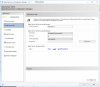
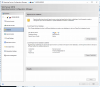
I could be missing something really obvious, so I'll take some screenshots of the configuration of both SSRS and SCCM to see if you can see something that I'm missing.
 
here is a blog I wrote on how to setup SSRS. If you did all of these steps it should work.
 
Thanks Garth, what you've got there is the same way that I have it configured, so the problem obviously lies with SCCM rather than SSRS.

After I reinstalled the reporting services point on SCCM today, I copied the logs, I'll also include some screenshots to see if you can spot anything..

srsrp.log:
SMS_EXECUTIVE started SMS_SRS_REPORTING_POINT as thread ID 16092 (0x3EDC). SMS_SRS_REPORTING_POINT 24/08/2020 2:53:44 PM 1152 (0x0480)
Initializing, verbose logging is enabled. SMS_SRS_REPORTING_POINT 24/08/2020 2:53:59 PM 16092 (0x3EDC)
This is a SRS Reporting Point Role as SRSRP registry key exists. SMS_SRS_REPORTING_POINT 24/08/2020 2:53:59 PM 16092 (0x3EDC)
[DataSource]: Unable to read one of the keys associated with the Reporting Role. Please verify the reporting role is configured correctly SMS_SRS_REPORTING_POINT 24/08/2020 2:53:59 PM 16092 (0x3EDC)
[DataSource]: Unable to read one of the keys associated with the Reporting Role. Please verify the reporting role is configured correctly SMS_SRS_REPORTING_POINT 24/08/2020 2:53:59 PM 16092 (0x3EDC)
Waiting for change or shutdown for 0 minutes SMS_SRS_REPORTING_POINT 24/08/2020 2:53:59 PM 16092 (0x3EDC)
Wait timed out. SMS_SRS_REPORTING_POINT 24/08/2020 2:53:59 PM 16092 (0x3EDC)
Checking reporting server health. SMS_SRS_REPORTING_POINT 24/08/2020 2:53:59 PM 16092 (0x3EDC)
Verifing registry change notification is configured. SMS_SRS_REPORTING_POINT 24/08/2020 2:53:59 PM 16092 (0x3EDC)
Waiting for change or shutdown for 1 minutes SMS_SRS_REPORTING_POINT 24/08/2020 2:53:59 PM 16092 (0x3EDC)
Wait timed out. SMS_SRS_REPORTING_POINT 24/08/2020 2:54:59 PM 16092 (0x3EDC)
Checking reporting server health. SMS_SRS_REPORTING_POINT 24/08/2020 2:54:59 PM 16092 (0x3EDC)
Verifing registry change notification is configured. SMS_SRS_REPORTING_POINT 24/08/2020 2:54:59 PM 16092 (0x3EDC)
Waiting for change or shutdown for 1 minutes SMS_SRS_REPORTING_POINT 24/08/2020 2:54:59 PM 16092 (0x3EDC)
Wait timed out. SMS_SRS_REPORTING_POINT 24/08/2020 2:55:59 PM 16092 (0x3EDC)

srsrpsetup.log

<08/24/20 14:53:20> ====================================================================
<08/24/20 14:53:20> SMSSRSRP Setup Started....
<08/24/20 14:53:20> Parameters: C:\Program Files\Microsoft Configuration Manager\bin\x64\rolesetup.exe /install /siteserver:our-server SMSSRSRP 0
<08/24/20 14:53:20> Installing Pre Reqs for SMSSRSRP
<08/24/20 14:53:20> ======== Installing Pre Reqs for Role SMSSRSRP ========
<08/24/20 14:53:20> Found 1 Pre Reqs for Role SMSSRSRP
<08/24/20 14:53:20> Pre Req SqlNativeClient found.
<08/24/20 14:53:20> SqlNativeClient is already installed (Product Code: {9D93D367-A2CC-4378-BD63-79EF3FE76C78}). But to support TLS1.2, a new version with Product Code: {B9274744-8BAE-4874-8E59-2610919CD419} needs to be manually installed
<08/24/20 14:53:20> Pre Req SqlNativeClient is already installed. Skipping it.
<08/24/20 14:53:20> ======== Completed Installation of Pre Reqs for Role SMSSRSRP ========
<08/24/20 14:53:20> Installing the SMSSRSRP
<08/24/20 14:53:20> Passed OS version check.
<08/24/20 14:53:20> .NET Framework 4.0 Full profile is installed.
<08/24/20 14:53:20> Clean up old files
<08/24/20 14:53:21> No versions of SMSSRSRP are installed. Installing new SMSSRSRP.
<08/24/20 14:53:21> Enabling MSI logging. srsrp.msi will log to C:\Program Files\Microsoft Configuration Manager\logs\srsrpMSI.log
<08/24/20 14:53:21> Installing C:\Program Files\Microsoft Configuration Manager\bin\x64\srsrp.msi SRSRPINSTALLDIR="C:\Program Files\SMS_SRSRP" SRSRPLANGPACKFLAGS=0
<08/24/20 14:53:28> srsrp.msi exited with return code: 0
<08/24/20 14:53:28> Installation was successful.
<08/24/20 14:53:28> CTool::RegisterManagedBinary: run command line: "C:\Windows\Microsoft.NET\Framework64\v4.0.30319\RegAsm.exe" "C:\Program Files\SMS_SRSRP\srsserver.dll" /unregister
<08/24/20 14:53:28> CTool::RegisterManagedBinary: Registered C:\Program Files\SMS_SRSRP\srsserver.dll successfully
<08/24/20 14:53:28> Unregistered DLL C:\Program Files\SMS_SRSRP\srsserver.dll
<08/24/20 14:53:28> CTool::RegisterManagedBinary: run command line: "C:\Windows\Microsoft.NET\Framework64\v4.0.30319\RegAsm.exe" "C:\Program Files\SMS_SRSRP\srsserver.dll" /codebase
<08/24/20 14:53:29> CTool::RegisterManagedBinary: Registered C:\Program Files\SMS_SRSRP\srsserver.dll successfully
<08/24/20 14:53:29> Registered DLL C:\Program Files\SMS_SRSRP\srsserver.dll
<08/24/20 14:53:29> No versions of SMSSRSRP are installed. Installing new SMSSRSRP.
<08/24/20 14:53:29> Enabling MSI logging. srsrp.msi will log to C:\Program Files\Microsoft Configuration Manager\logs\srsrpMSI.log
<08/24/20 14:53:29> Installing C:\Program Files\Microsoft Configuration Manager\bin\x64\srsrp.msi SRSRPINSTALLDIR="C:\Program Files\SMS_SRSRP" SRSRPLANGPACKFLAGS=0
<08/24/20 14:53:41> srsrp.msi exited with return code: 0
<08/24/20 14:53:41> Installation was successful.
<08/24/20 14:53:41> ~RoleSetup().
 
SSRS running on the MSSQLSERVER instance, have also tried running on it on the same instance as the SCCM database.
1.png

3.png

4.png

5.png

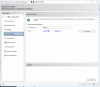
SCCM showing that the reporting service is online
8.png

However the end result is the home folder is still empty.
7.png
 
Hi Garth,

Just checking in to see if you had any other suggestions? - or if you had completely missed my update to this post :)
 
I am having the same problem as this after migrating over to a new VM. I was about to post a new thread but found this is exactly the same issue. Was this ever resolved?
 
Did you remove and add the reporting point back? did you review the srsp.log on your SSRS server?
 
Did you remove and add the reporting point back? did you review the srsp.log on your SSRS server?
Yes, the role and the SQL Reporting Service has been removed and added back a few times with the same result.

The srsrpsetup.log shows installation was successful. The srsrp.log is the only log I found an error in.

srsrp.log

Initializing, verbose logging is enabled. SMS_SRS_REPORTING_POINT 4/15/2021 2:12:18 PM 2604 (0x0A2C)
This is a SRS Reporting Point Role as SRSRP registry key exists. SMS_SRS_REPORTING_POINT 4/15/2021 2:12:18 PM 2604 (0x0A2C)
[DataSource]: Unable to read one of the keys associated with the Reporting Role. Please verify the reporting role is configured correctly SMS_SRS_REPORTING_POINT 4/15/2021 2:12:18 PM 2604 (0x0A2C)
[DataSource]: Unable to read one of the keys associated with the Reporting Role. Please verify the reporting role is configured correctly SMS_SRS_REPORTING_POINT 4/15/2021 2:12:18 PM 2604 (0x0A2C)
Waiting for change or shutdown for 0 minutes SMS_SRS_REPORTING_POINT 4/15/2021 2:12:18 PM 2604 (0x0A2C)
Wait timed out. SMS_SRS_REPORTING_POINT 4/15/2021 2:12:18 PM 2604 (0x0A2C)
Checking reporting server health. SMS_SRS_REPORTING_POINT 4/15/2021 2:12:18 PM 2604 (0x0A2C)
Verifing registry change notification is configured. SMS_SRS_REPORTING_POINT 4/15/2021 2:12:18 PM 2604 (0x0A2C)
Waiting for change or shutdown for 1 minutes SMS_SRS_REPORTING_POINT 4/15/2021 2:12:18 PM 2604 (0x0A2C)
Wait timed out. SMS_SRS_REPORTING_POINT 4/15/2021 2:13:18 PM 2604 (0x0A2C)
Checking reporting server health. SMS_SRS_REPORTING_POINT 4/15/2021 2:13:18 PM 2604 (0x0A2C)
Verifing registry change notification is configured. SMS_SRS_REPORTING_POINT 4/15/2021 2:13:18 PM 2604 (0x0A2C)
Waiting for change or shutdown for 1 minutes SMS_SRS_REPORTING_POINT 4/15/2021 2:13:18 PM 2604 (0x0A2C)
Wait timed out. SMS_SRS_REPORTING_POINT 4/15/2021 2:14:18 PM 2604 (0x0A2C)
 
Well looks like I found my issue. It was 100% user error. After migration I failed to re-enter the password in Administration - Security - Accounts within SCCM.
 
Solution
Status
Not open for further replies.

Forum statistics

Threads
7,178
Messages
28,003
Members
18,308
Latest member
McShek

Trending content

Back
Top