eavenhuang
Member
- Messages
- 23
- Solutions
- 3
- Reaction score
- 0
- Points
- 1
Dear Experts,
In our Prod SCCM server, we are running into this issue where when we pxe boot from the client machines (new ones), F12 boot fine, but then it didn't load the .wim file, instead it showed the blue screen
"Recovery
Your PC/Device needs to be repaired The Windows Boot Configuralion Data (BCD) file from the PXE server does not contain a valid operating system enlry. Ensure thatthe server has boot images installed for this architecture File:\Tmp\x86x64{E9C9C3CD-A5ED-4543-89AF-AB9C1F99BA641}.bcd Error code:0xc0000098 You'l need to use recovery tools. lf you don' have any installtion media (ike a disc or UsB device), conlact your Pc administrator olPC/Device manufacturer."
From the SCCM smspxe.log, I can see the following that seems to be cert issue but I have no clue how to fix it, we had PKI for our SCCM environment.
Certificate [Thumbprint 0A1159C6EDD6DDA05421673EA3F4BFD481A2DB11] issued to 'MECMServer.edu.cn' has expired.
Certificate not valid.. A required certificate is not within its validity period when verifying against the current system clock or the timestamp in the signed file. (Error: 800B0101; Source: Windows) SMSPXE 08/02/2024 16:41:24 2588 (0x0A1C)
From certlm.msc on SCCM server, I can find the certificate via FIND option but I didn't see it actually in the personal folder as shown via FIND field.
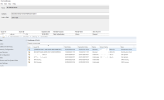
I went to Administration, Security and then Certificates on SCCM console. In there I had 2 blocked DP certificates and the issued to fields were showing as GUIDs rather than actual FQDNs. If I checked their properties, they are not trusted.
What is the certificate being expired and how can we renew it?
I suspect it was the DP certificate but I'm not sure at all
Any advice would be much appreciated.
In our Prod SCCM server, we are running into this issue where when we pxe boot from the client machines (new ones), F12 boot fine, but then it didn't load the .wim file, instead it showed the blue screen
"Recovery
Your PC/Device needs to be repaired The Windows Boot Configuralion Data (BCD) file from the PXE server does not contain a valid operating system enlry. Ensure thatthe server has boot images installed for this architecture File:\Tmp\x86x64{E9C9C3CD-A5ED-4543-89AF-AB9C1F99BA641}.bcd Error code:0xc0000098 You'l need to use recovery tools. lf you don' have any installtion media (ike a disc or UsB device), conlact your Pc administrator olPC/Device manufacturer."
From the SCCM smspxe.log, I can see the following that seems to be cert issue but I have no clue how to fix it, we had PKI for our SCCM environment.
Certificate [Thumbprint 0A1159C6EDD6DDA05421673EA3F4BFD481A2DB11] issued to 'MECMServer.edu.cn' has expired.
Certificate not valid.. A required certificate is not within its validity period when verifying against the current system clock or the timestamp in the signed file. (Error: 800B0101; Source: Windows) SMSPXE 08/02/2024 16:41:24 2588 (0x0A1C)
From certlm.msc on SCCM server, I can find the certificate via FIND option but I didn't see it actually in the personal folder as shown via FIND field.
I went to Administration, Security and then Certificates on SCCM console. In there I had 2 blocked DP certificates and the issued to fields were showing as GUIDs rather than actual FQDNs. If I checked their properties, they are not trusted.
What is the certificate being expired and how can we renew it?
I suspect it was the DP certificate but I'm not sure at all
Any advice would be much appreciated.