

surfrock66
Member
- Messages
- 23
- Solutions
- 2
- Reaction score
- 0
- Points
- 1
I have a single SCCM Server with all our roles; it is Server 2016 running SCCM 5.00.8634.1000. It has successfully been deploying MDT task sequences of Windows 7 and WIndows 10 version 1709 for some time. I've been refreshing our infrastructure in preparation to support Win10 1803.
We went from MDT 6.3.8443.1000 to 6.2.8450.1000; ADK 1709 -> 1803. I have created new boot images, MDT Files Packages, MDT Settings Packages (though we don't use a customsettings.ini file), and updated our Unattend.xml and validated it against the new wim.
Our old Windows 7 and Windows 10 task sequences with the old OS Images work great in the new environment with the new Boot Image.
The task sequence has the following steps:
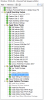
The "Apply Settings for Laptops" and "Apply Settings for Desktops" are "Apply Network Settings" tasks which selectively run based on the IsLaptop and IsDesktop variables (which work fine). This step joins the computer to the Domain in and places the machine in the correct OU. After this, the SCCM client installs and a reboot happens, when our package refresh tasks kick off.
This doesn't work with our new Win10 1803 image. I have exactly copied the above task sequence to test deploying the new OS Image. I was able to sysprep and capture a new image, and the image appears to work ok. When the task sequence runs, we get to the "Apply Settings for" task, and the task APPEARS to complete successfully per the logs, but the computer is not joined to the domain, and the SCCM Client step "fails" (though reports success) . The computer reboots to a fully functional Windows 10 instance, though one without any domain customizations. The apps in the image are all there, and I can then manually join the computer to the domain.
If I understand it correctly, the domain join fails, and at that point the SCCM client installation fails due to not being able to access a share on the SCCM server. I can verify that there is no computer object in the OU in AD. I have also verified the credentials used to join to the domain using the UI in the task sequence step.
I've attached part of the smsts.log file. This part of the log represents everything from the point that the IsLaptop variable is populated and everything from there forward. Below are some relevant snippets with time codes removed:
I'm stumped, any assistance at this point is appreciated.
We went from MDT 6.3.8443.1000 to 6.2.8450.1000; ADK 1709 -> 1803. I have created new boot images, MDT Files Packages, MDT Settings Packages (though we don't use a customsettings.ini file), and updated our Unattend.xml and validated it against the new wim.
Our old Windows 7 and Windows 10 task sequences with the old OS Images work great in the new environment with the new Boot Image.
The task sequence has the following steps:
The "Apply Settings for Laptops" and "Apply Settings for Desktops" are "Apply Network Settings" tasks which selectively run based on the IsLaptop and IsDesktop variables (which work fine). This step joins the computer to the Domain in and places the machine in the correct OU. After this, the SCCM client installs and a reboot happens, when our package refresh tasks kick off.
This doesn't work with our new Win10 1803 image. I have exactly copied the above task sequence to test deploying the new OS Image. I was able to sysprep and capture a new image, and the image appears to work ok. When the task sequence runs, we get to the "Apply Settings for" task, and the task APPEARS to complete successfully per the logs, but the computer is not joined to the domain, and the SCCM Client step "fails" (though reports success) . The computer reboots to a fully functional Windows 10 instance, though one without any domain customizations. The apps in the image are all there, and I can then manually join the computer to the domain.
If I understand it correctly, the domain join fails, and at that point the SCCM client installation fails due to not being able to access a share on the SCCM server. I can verify that there is no computer object in the OU in AD. I have also verified the credentials used to join to the domain using the UI in the task sequence step.
I've attached part of the smsts.log file. This part of the log represents everything from the point that the IsLaptop variable is populated and everything from there forward. Below are some relevant snippets with time codes removed:
Code:
<![LOG[==============================[ OSDNetSettings.exe ]===========================]LOG]!>
<![LOG[Command line: "osdnetsettings.exe" configure]LOG]!>
<![LOG[Setting %SystemRoot% to "C:\WINDOWS"]LOG]!>
<![LOG[Loading existing answer file "C:\WINDOWS\panther\unattend\unattend.xml"]LOG]!>
<![LOG[Configuring global network settings]LOG]!>
<![LOG[Join type: 0]LOG]!>
<![LOG[Joining domain: AD.SEIU1000.org]LOG]!>
<![LOG[Join OU: LDAP://OU=Laptops.Win10,OU=Computers,OU=Sacramento,DC=AD,DC=SEIU1000,DC=org]LOG]!>
<![LOG[Getting namespace "Microsoft-Windows-UnattendedJoin" for architecture "amd64"]LOG]!>
<![LOG[DNS domain: ]LOG]!>
<![LOG[DNS domain search order: ]LOG]!>
<![LOG[IP filter sec enabled: false]LOG]!>
<![LOG[No adapters found in environment.  Performing global configuration only.]LOG]!>
<![LOG[Writing configuration information to C:\WINDOWS\panther\unattend\unattend.xml]LOG]!>
<![LOG[Successfully saved configuration information to C:\WINDOWS\panther\unattend\unattend.xml]LOG]!>
<![LOG[Configuring "OSDNetSettings.exe finalize" to run on first boot]LOG]!>
<![LOG[OSDNetSettings finished: 0x00000000]LOG]!>
<![LOG[Process completed with exit code 0]LOG]!>
<![LOG[!--------------------------------------------------------------------------------------------!]LOG]!>
<![LOG[Successfully completed the action (Apply Settings for Laptops) with the exit win32 code 0]LOG]!>
Code:
<![LOG[SMSTSPersistContent: . The content for package L1K00087 will be persisted]LOG]!>
<![LOG[Package location: _SMSTSL1K00087, \\SEIU-SCCM-01.AD.SEIU1000.org\SMSPKGF$\L1K00087\]LOG]!>
<![LOG[nPos != CCM::Utility::String::npos, HRESULT=80004005 (..\resolvesource.cpp,249)]LOG]!>
<![LOG[Creating a connection to \\SEIU-SCCM-01.AD.SEIU1000.org\SMSPKGF$\L1K00087\ with default account]LOG]!>
<![LOG[Connection request for "\\SEIU-SCCM-01.AD.SEIU1000.org\SMSPKGF$\L1K00087"]LOG]!>
<![LOG[No credentials available for connecting to "\\SEIU-SCCM-01.AD.SEIU1000.org\SMSPKGF$\L1K00087". See whether the share has already been connected.]LOG]!>
<![LOG[Connecting to "\\SEIU-SCCM-01.AD.SEIU1000.org\SMSPKGF$\L1K00087"]LOG]!>
<![LOG[Successfully connected to "\\SEIU-SCCM-01.AD.SEIU1000.org\SMSPKGF$\L1K00087"]LOG]!>
<![LOG[Copying SMS client package source from "\\SEIU-SCCM-01.AD.SEIU1000.org\SMSPKGF$\L1K00087\" to "C:\_SMSTaskSequence\OSD\L1K00087".]LOG]!>
<![LOG[Locating architecture-specific OSDGina.dll]LOG]!>
<![LOG[Successfully copied file OSDSETUPHOOK.EXE to C:\WINDOWS\SYSTEM32]LOG]!>
<![LOG[Successfully copied file TSProgressUI.exe to C:\WINDOWS\SYSTEM32\_SMSOSDSetup]LOG]!>
<![LOG[Successfully copied file tsres.dll to C:\WINDOWS\SYSTEM32\_SMSOSDSetup\1033]LOG]!>
<![LOG[Saving desktop wallpaper information.]LOG]!>
<![LOG[ReleaseSource() for \\SEIU-SCCM-01.AD.SEIU1000.org\SMSPKGF$\L1K00087\.]LOG]!>
<![LOG[reference count 1 for the source \\SEIU-SCCM-01.AD.SEIU1000.org\SMSPKGF$\L1K00087\ before releasing]LOG]!>
<![LOG[Released the resolved source \\SEIU-SCCM-01.AD.SEIU1000.org\SMSPKGF$\L1K00087\]LOG]!>
<![LOG[Exiting ConfigureEx: 0x00000000]LOG]!>
<![LOG[Process completed with exit code 0]LOG]!>
<![LOG[Installing hook to 'C:\WINDOWS']LOG]!>
<![LOG[Command line for extension .EXE is "%1" %*]LOG]!>
<![LOG[Set command line: "X:\sms\bin\x64\OSDSETUPHOOK.EXE" "/install:C:\WINDOWS" /version:10.0]LOG]!>
<![LOG[Executing command line: "X:\sms\bin\x64\OSDSETUPHOOK.EXE" "/install:C:\WINDOWS" /version:10.0]LOG]!>
<![LOG[Installing OSD setup hook]LOG]!>
<![LOG[Setup hook install completed successfully]LOG]!>
<![LOG[Process completed with exit code 0]LOG]!>
<![LOG[OfflineRegistry::Init("C:\WINDOWS")]LOG]!>
<![LOG[Loading offline registry hive "C:\WINDOWS\system32\config\software" into HKLM\OfflineRegistry1]LOG]!>
<![LOG[Loading offline registry hive "C:\WINDOWS\system32\config\system" into HKLM\OfflineRegistry2]LOG]!>
<![LOG[CurrentControlSet is mapped to ControlSet001]LOG]!>
<![LOG[SMS Client is not installed]LOG]!>
<![LOG[Unloading offline SOFTWARE registry hive]LOG]!>
<![LOG[Unloading offline SYSTEM registry hive]LOG]!>
<![LOG[Exiting with code 0x00000000]LOG]!>
<![LOG[Process completed with exit code 0]LOG]!>
<![LOG[!--------------------------------------------------------------------------------------------!]LOG]!>
<![LOG[Successfully completed the action (Setup Windows and ConfigMgr) with the exit win32 code 0]LOG]!>
I'm stumped, any assistance at this point is appreciated.

