Forums on Intune, SCCM, and Windows 11

Welcome to the forums. Register a free account today to become a member! Once signed in, you'll be able to participate on this site by adding your topics and posts, as well as connect with other members through your own private inbox!

SOLVED SCCM Apps Stuck Downloading 0% (Windows 10 1903 ONLY)

  • Thread starter Thread starter Daptonic
  • Start date Start date
  • Replies Replies 11
  • Views Views 7K
Status
Not open for further replies.

Daptonic

Member
Messages
20
Reaction score
4
Points
3
I am testing Windows 10 1903 and SCCM 1902 (Client version 2.00.8790.1007 - the latest version) in my lab ... and in doing so I've noticed that App Installs, Software Updates and scripts don't install or run either through Software Center, automated pushes and scripts. I have had this happen consistently on 4 different systems running Win10_1903 so far.

App installs get stuck at 0% for ... ever.

1911

Anyone else testing Windows 10 1903 yet and come across this issue? It's not a show stopper yet, as we're not planning on pushing 1903 for another month or 2, but eventually it'll be a problem.

I have attached the _SCClient_user_1.log file from one of the test systems. The same app package installs on Windows 10 1703/1709/1803/1809 without issues.

Thanks!
 

Attachments

It's usually a missing boundary group when download is 0%. can you verify that you have a Content Location BG?
 
I have the proper boundary groups, we only really have 1 and all the systems default to it. These systems were upgraded to 1903 via an SCCM Task Sequence so they all worked at one point ...

But once the system is running 1903, either through an TS upgrade or a fresh install, SCCM stops being able to do anything on it.

I can deploy to systems on 1703, 1709, 1803 and 1809 ... just not 1903.
 
Hi
I have installed 1903 in my lab and don't have this problem at all...
So I would go for a boundary problem on your side
 
I just dont understand how it can be a boundary problem when I only have issues with w10 1903.

If other systems had the problem regardless of OS I'd agree. But i have 2000 systems in the same site that are working as intended.

For example, Machine A is running 1703 and I can push and pull apps no problem. I then run the task sequence update to 1903 which works... once that same machine is in 1903, I cannot push or pull apps via sccm.

What am I missing where this is being suggested as a boundary problem??
 
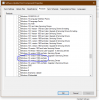
I found on reddit that with with later version of SCCM selecting the "windows 10" Product is no longer a catch all. There is now a 1903 and later option that has been solving many issues regarding this topic.
 

Attachments

  • SUP Components.png
    SUP Components.png
    48.4 KB · Views: 16
Thank you for the reply, but that had absolutely nothing to do with the issue I was researching at the time. I was having issues with Application Packages, not software updates.
 
As it was issue was happening across the board, and if I didn't have 1903 & Later already selected I wouldn't have found the updates to try installing in the first place, the issue was not related to that.

Either way, this is no longer an issue. Please mark it as closed.
 
Status
Not open for further replies.

Forum statistics

Threads
7,165
Messages
27,971
Members
18,271
Latest member
prashantrm

Trending content

Back
Top