Forums on Intune, SCCM, and Windows 11

Welcome to the forums. Register a free account today to become a member! Once signed in, you'll be able to participate on this site by adding your topics and posts, as well as connect with other members through your own private inbox!

SOLVED SCCM 2012 Reporting Not Working

  • Thread starter Thread starter namerg
  • Start date Start date
  • Replies Replies 7
  • Views Views 21K
Status
Not open for further replies.

namerg

New Member
Messages
4
Reaction score
0
Points
1
Hello,

I am testing SCCM 2012 but somehow I am not able to load reports fine.

SSRS is installed and working but not the sccm reports ?

Thoughts ?

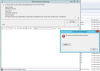
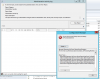
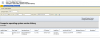
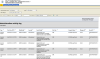
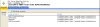
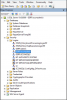
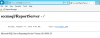
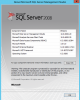
I am uploading some screenshots when i double click on the "Administrative activity log." report.

I get this also:

An error has occurred during report processing. (rsProcessingAborted)
Cannot impersonate user for data source 'AutoGen__5C6358F2_4BB6_4a
1b_A16E_8D96795D8602_'. (rsErrorImpersonatingUser)
Log on failed. (rsLogonFailed)
The user name or password is incorrect. (Exception from HRESULT: 0x8007052E)

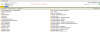
I do not see the Folder Settings icon on IE when I open the Reports Manager

Thanks for your help,

 

Attachments

  • ReportingError_00.png
    ReportingError_00.png
    25.6 KB · Views: 86
  • ReportingError_01.png
    ReportingError_01.png
    45.1 KB · Views: 86
  • ReportingError_02.png
    ReportingError_02.png
    50.1 KB · Views: 80
  • ReportingError_03.png
    ReportingError_03.png
    48.2 KB · Views: 85
I guess the issue with the user account that you are trying to access the reports. Check if its valid (not locked).
 
I guess the issue with the user account that you are trying to access the reports. Check if its valid (not locked).
Correct Prajwal. I do not understand why. I used a domain admin account to install sccm and sql, then i created a non domain admin account and gave full administrator right inside sccm. Eveything works fine except presenting data via ssrs. I am able to query data with both accounts inside SQL mgmt console. All is good. But not able to present data via reports.
 
Does it works fine with a domain account ?.
Prajwal, both accounts work fine inside SQL Mgtm Console.
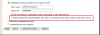
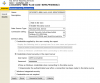
Almost got it. Once i checked mark "Impersonate the authenticated user after a connection has been made to the data source" then i was able to run any reports. But, somehow the option "Impersonate the authenticated user after a connection has been made to the data source" does not remain checked mark. See screenshots/attachments.

So, how do i make the setting "Impersonate the authenticated user after a connection has been made to the data source" to be checked mark for good ?
 

Attachments

  • Screenshot_1.png
    Screenshot_1.png
    14.9 KB · Views: 232
  • Screenshot_3.png
    Screenshot_3.png
    39 KB · Views: 196
  • Screenshot_2.png
    Screenshot_2.png
    155.2 KB · Views: 143
  • Screenshot_4.png
    Screenshot_4.png
    140.2 KB · Views: 133
  • Screenshot_5.png
    Screenshot_5.png
    119 KB · Views: 158
  • Screenshot_6.png
    Screenshot_6.png
    20.2 KB · Views: 118
  • Screenshot_7.png
    Screenshot_7.png
    154.6 KB · Views: 126
  • Screenshot_8.png
    Screenshot_8.png
    20.4 KB · Views: 114
  • Screenshot_9.png
    Screenshot_9.png
    314.5 KB · Views: 153
Hello,

SQL Server Analysis Services only supports Windows account credentials. Therefore select both options "Use as Windows credentials when connecting to the data source" and "Impersonate the authenticated user after a connection has been made to the data source" for an Analysis Services data source.

Hope this will work for sure :)

Problem was with domain account as per Prjawal said..
Please check either you are an SSAS admin or not . If not , get the access and be SSAS Admin..
 
Status
Not open for further replies.

Forum statistics

Threads
7,126
Messages
27,829
Members
18,139
Latest member
KumarGourav

Latest posts

Trending content

Back
Top