

StevenB
Member
- Messages
- 6
- Reaction score
- 2
- Points
- 3
Hi,
I have apply the KB4132447 on my SCCM server the last week, but now when i capture my master WIM of Windows 10 1803 or Windows 10 1709 and i want to deploy it with my TS, i have an error 0x80070002 when he tried to download the WIM. If i use the default WIM from the ISO of Windows 10 all work fine.
I have tried with an old capture USB stick or with the new, the problem is the same. The ADK version is 10.0.17134.0
When i read the smsts.log, it say Failed to run the action: Windows 10 Enterprise 1803 base. The system cannot find the file specified. (Error: 80070002; Source: Windows).
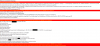
But the file is OK and distributed on my DP.

The user account for deployment is OK (my old WIM deployment work fine) and i can access to the WIM information and modify it with no problem.
Does someone have an idea ?
Thank you for your help
I have apply the KB4132447 on my SCCM server the last week, but now when i capture my master WIM of Windows 10 1803 or Windows 10 1709 and i want to deploy it with my TS, i have an error 0x80070002 when he tried to download the WIM. If i use the default WIM from the ISO of Windows 10 all work fine.
I have tried with an old capture USB stick or with the new, the problem is the same. The ADK version is 10.0.17134.0
When i read the smsts.log, it say Failed to run the action: Windows 10 Enterprise 1803 base. The system cannot find the file specified. (Error: 80070002; Source: Windows).
But the file is OK and distributed on my DP.
The user account for deployment is OK (my old WIM deployment work fine) and i can access to the WIM information and modify it with no problem.
Does someone have an idea ?
Thank you for your help
Last edited:


