
I am having challenges with installing the client agent on most of the machines. on some of the machines the client is installed but its failing to get the site code.
We initially had SCCM 2012, when we tried to upgrade we encountered some errors so we decided to do a fresh install of SCCM 1606. everything installed fine but when I decided to install the client on the machines, tried using both client push and group policy I only have 84 out of 844 discovered machines registered in the console.
When I try to check on some machines, I can see the client has been installed, when I open the agent on the site code its showing blank.
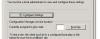
When I check the logs I am seeing the following error message showing:
<![LOG[RegTask: Failed to refresh site code. Error: 0x8000ffff]LOG]!><time="11:29:15.580-120" date="10-03-2017" component="ClientIDManagerStartup" context="" type="2" thread="3148" file="regtask.cpp:218">
How do i ensure that the machines with old client get a fresh installation of the client or refreshes it to get the new side code and registers so that they can be managed.
We initially had SCCM 2012, when we tried to upgrade we encountered some errors so we decided to do a fresh install of SCCM 1606. everything installed fine but when I decided to install the client on the machines, tried using both client push and group policy I only have 84 out of 844 discovered machines registered in the console.
When I try to check on some machines, I can see the client has been installed, when I open the agent on the site code its showing blank.
When I check the logs I am seeing the following error message showing:
<![LOG[RegTask: Failed to refresh site code. Error: 0x8000ffff]LOG]!><time="11:29:15.580-120" date="10-03-2017" component="ClientIDManagerStartup" context="" type="2" thread="3148" file="regtask.cpp:218">
How do i ensure that the machines with old client get a fresh installation of the client or refreshes it to get the new side code and registers so that they can be managed.

