Forums on Intune, SCCM, and Windows 11

Welcome to the forums. Register a free account today to become a member! Once signed in, you'll be able to participate on this site by adding your topics and posts, as well as connect with other members through your own private inbox!

SOLVED Remove Office 365 Click to run via SCCM

  • Thread starter Thread starter harveybham
  • Start date Start date
  • Replies Replies 9
  • Views Views 21K
Status
Not open for further replies.

harveybham

Well-Known Member
Messages
86
Solutions
1
Reaction score
5
Points
8
Hi All

I am trying to remove CTR from a load of machines. I have put in the uninstall path setup.exe /configure "remove.xml". My remove .xml file is

<Configuration>
<Remove All="TRUE">
</Remove>
<Display Level="None" AcceptEULA="TRUE" />
<Logging Path ="C:\temp\O365"/>
</Configuration>

I have tested this from a command line and it works.

I can not get it to work via sccm. It comes back with error "Removal Failed" and the code is 0x87D00325(-2016410843). This code means can not detect it. How ever when it install, it install fine and says installed. I only have this issue when trying to remove

Any ideas? Driving me mad this is
 
Hi All

I am trying to remove CTR from a load of machines. I have put in the uninstall path setup.exe /configure "remove.xml". My remove .xml file is

<Configuration>
<Remove All="TRUE">
</Remove>
<Display Level="None" AcceptEULA="TRUE" />
<Logging Path ="C:\temp\O365"/>
</Configuration>

I have tested this from a command line and it works.

I can not get it to work via sccm. It comes back with error "Removal Failed" and the code is 0x87D00325(-2016410843). This code means can not detect it. How ever when it install, it install fine and says installed. I only have this issue when trying to remove

Any ideas? Driving me mad this is
How did you install it originally was it via SCCM!?
1- If yes what was the detection method you have used?

2- If no, it means you have created a new application for the office ctr to uninstall using the uninstall field, what was the detection method you used for the uninstall!?
 
Hi

It was originally installed via SCCM

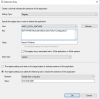
1) Detection method that was used is as follows

1898

The software does appear as successful in the sccm console and the client side
 
0x87D00325
Means "Application was still detected after uninstall completed"

Try to copy the application folder with the remove.xml to one of the target machines and run cmd as admin and run the same command you run in SCCM uninstall field and see what will happen. Check to see any CTR process still hanging in the task manager, look and make sure the process exited successfully.
 
Is Office actually being uninstalled? The windows application event log will tell you what the msiinstaller is doing. I had a hell of a time getting Office Professional Plus 2016 off systems via SCCM. Was using the recommended "msiexec /x (9016000-0011-0000-1000-0000000FF1CE} /qn" but it was just reconfiguring the product not uninstalling it. Ended up having to do "setup.exe /uninstall proplus /config uninstall.xml". Bear in mind I wasn't using CTR so my solution may need to shift to meet your needs. I'd examine what the msiinstaller is doing.
 
Last edited:
In my case, Office is not being uninstalled. It does pop up the orange window of Microsoft Office ProPlus but then quits immediately.
 
I found my issue. the uninstall xml was working. it is just that it was there in the source folder but i did not re-distribute the contents. i manually copied the xml from source folder to \Windows\ccmcache\copied-folder and then ran the Uninstall in Software centre again. Then it worked and did what it had to.

I have re distributed the contents and nowits owrking fine.
 
Nice. Yup I've been bitten in the past by either forgetting to update the DP after a change in the source directory or by not giving enough time after doing so before retying the action on the client and it still has an older version.
 
Status
Not open for further replies.

Forum statistics

Threads
7,165
Messages
27,971
Members
18,271
Latest member
prashantrm

Trending content

Back
Top