
Hassan Almanasrah
Member
- Messages
- 16
- Reaction score
- 0
- Points
- 1
Hello Prajwal,
Many thanks for your kind support. I have a question which is:
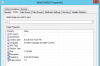
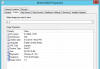
What are the 1-1 and 2-2 Images that are existed in captured and imported Operating Syatem Images in the SCCM. I have added win file of original windows 7 and there is only 1-1, but on the other hand captured Win7 and Win8.1 from virtual machine and found that there are 1-1 and 2-2 images. I forced to disable 1-1 image in the TS as its size is only 17.99 and the installation of windows succeeded. I am attaching a screen shot for the two images I have.
Many thanks for your kind support. I have a question which is:
What are the 1-1 and 2-2 Images that are existed in captured and imported Operating Syatem Images in the SCCM. I have added win file of original windows 7 and there is only 1-1, but on the other hand captured Win7 and Win8.1 from virtual machine and found that there are 1-1 and 2-2 images. I forced to disable 1-1 image in the TS as its size is only 17.99 and the installation of windows succeeded. I am attaching a screen shot for the two images I have.


