Forums on Intune, SCCM, and Windows 11

Welcome to the forums. Register a free account today to become a member! Once signed in, you'll be able to participate on this site by adding your topics and posts, as well as connect with other members through your own private inbox!

PENDING Operating System and Build number no records in SCCM

  • Thread starter Thread starter kem
  • Start date Start date
  • Replies Replies 12
  • Views Views 5K

kem

Member
Messages
9
Reaction score
0
Points
1
Hi all,

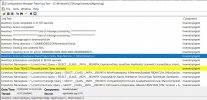
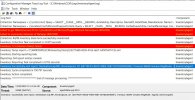
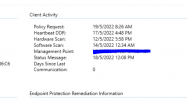
I just noticed that my new client installed with agent unable to display any data at the OS and OS build console column. I ran hardware inventory cycle multiple times and check the logs (InventoryAgent, CcmExec, CcmMessenging until dataldr.log) but still unable what is the real problem. I've reinstalled the agent multiple times as well but still not solving the issue. Please help me as I need to start patch all my client with the windows patches soon. Thanks all
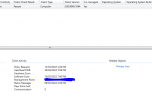
1652433942849.png
 

Attachments

This happened only at new machine installed with the agent. The story start after I moved the site from another VM server and restore it at new VM due to office relocation. Some said that reinstalling MP role can solve this but i doubt it since i couldn't see any error logs triggered from the role. Should i try to reinstall it or look for another option?
 
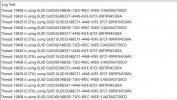
I've running again the hardware inventory scanning and monitor the logs. Starting from Inventory Agent until the IIS log. Everything is fine and i can see the report is uploaded successfully to MP. However when i checked at dataldr.log, there is a lot of notification saying thread: xxxxx is using GUID GUID:xxxxxxxxx. Is it something that i need to worried of?

InventoryAgent.JPGInventoryAgent1.JPGdataldr.JPG
 
Last edited:
I can see from your screenshot that is is NOT a full HW inventory. it is the third one on a new(ish) install.
Just for clarity, are you saying that you CAN'T see the HW inventory within the MP or IIS Logs?
 
I couldn't see it at MP.
So you saw them within the IIS logs?? If not there you likely have a BITS problem and you need to look at BITS on the local computer. If you saw it within IIS and NOT MP then you have a CM problem.
 
Owh man,its getting worst than i thought. Is it worth to try running a full hardware scan? I feel like need to get support from microsoft now as this is far beyond my expertise anymore.
 
Owh man,its getting worst than i thought. Is it worth to try running a full hardware scan? I feel like need to get support from microsoft now as this is far beyond my expertise anymore.
ok. Let us know how that works out for you.
 
Hi all,

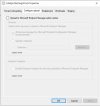
Surprisingly, the cloud services caught my eyes. Someone has click on this check box at CoManagement option which causing all this issue. After turn this thing off my hardware scanning is now working fine! Yes, we are using Intune as well but I remember this option was turn off all this while and we're not using CMG.

1652927142624.png

1652927488963.png
 

Forum statistics

Threads
7,164
Messages
27,964
Members
18,255
Latest member
Robo

Trending content

Back
Top