Nitin_ted
Well-Known Member
- Messages
- 87
- Solutions
- 1
- Reaction score
- 2
- Points
- 8
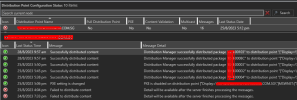
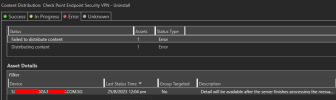
We changed DP from S********02Z to S*********02A, after i added this DP in my sccm i was not able to deploy anything to it. (IP address and others will be same from old to new server) i get an error "Failed to distribute content". For example, i deploy uninstall application but it's not working. i still not remove my old Dp (i don't want to delete can please share how to make it offline? or i remove it after new DP working fine) and which log file to check for this issue?
I added ISS manager but i dont see Defult web site as other DP's. is it possible to come auto or i need to add (CCMTOKENAUTH_SMS_DP_SMSPKG$, CCMTOKENAUTH_SMS_DP_SMSSIG$, SMS_DP_SMSPKG$ and SMS_DP_SMSSIG$)

I added ISS manager but i dont see Defult web site as other DP's. is it possible to come auto or i need to add (CCMTOKENAUTH_SMS_DP_SMSPKG$, CCMTOKENAUTH_SMS_DP_SMSSIG$, SMS_DP_SMSPKG$ and SMS_DP_SMSSIG$)
Last edited: