Forums on Intune, SCCM, and Windows 11

Welcome to the forums. Register a free account today to become a member! Once signed in, you'll be able to participate on this site by adding your topics and posts, as well as connect with other members through your own private inbox!

SOLVED Issue with Upgrade Task Sequence Reporting

  • Thread starter Thread starter Nav4339
  • Start date Start date
  • Replies Replies 18
  • Views Views 4K
Status
Not open for further replies.

Nav4339

Well-Known Member
Messages
82
Reaction score
3
Points
8
I have a strange problem with reporting. I have created my upgrade TS to upgrade to from Windows 7 to Windows 10. The TS runs successfully and the machine does upgrade with no issues. My problem is that SCCM is stills reporting that the machines are still on Windows 7. Any suggestions on how to resolve this issue. I have even tried to create a new TS, but that made no difference.
 

Attachments

  • win7_1.png
    win7_1.png
    135.9 KB · Views: 6
  • win7_2.jpg
    win7_2.jpg
    52.2 KB · Views: 4
Have you force a Heartbeat discovery and Hardware inventory to happen?
 
Hi Garth, yes I have. One my other deployment which was more that 7 days ago, it also reporting the same as well
 
Hi there - I ran it form the Control Panel on the client - Hardware Inventory Cycle. Let me try your suggestions though
 
I have tried all the options from the action center.

I have also tested the Right Click Tools now and there is no update. The machine still displays as Windows 7 OS
 
Check your site health for duplicate computers, to make sure inventory is getting processed, etc.
 
Check your site health for duplicate computers, to make sure inventory is getting processed, etc.
I have a collection the scans for duplicate computers every hour and I manually delete objects from there. There has not been any duplicates for the past few days
 
Okay so I forced the Discovery Data Collection Cycle on 3 clients now and the OS has updated almost immediately on the Console. For some reason the other times it did not work. How can I do this for all machines to scan on a schedule?
 
That is from the client though as this means this needs to be setup on each client? Is it possible to do this from CM itself?
 
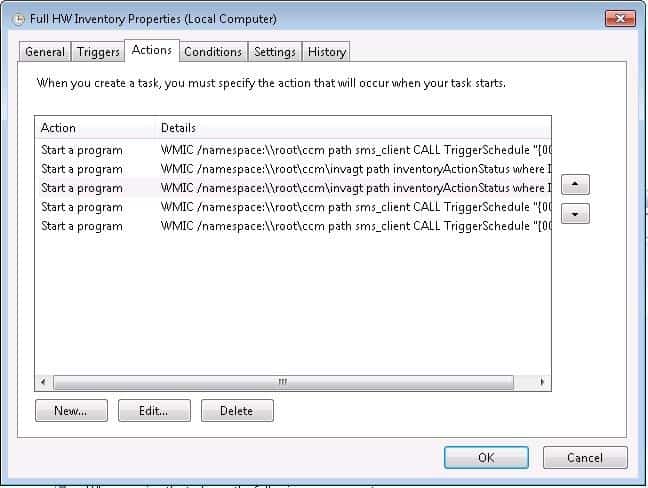
You can convert the script to a Batch file and deploy it via CM. OR you can convert it to a script and use the script feature within CM. But these commands must be run on the client.
 
Thank you - is there no other way to do this from the CM console or sever though? To do this on even 50 machines is a problem. And worse is that some users dont restart or shut down their devices.
 
Sure you can do it via the console. You need to create a package or covert the batch file to a script and use the CM script feature.
 
So basically if I do that, the Data Discovery runs, and the update happens without the need for the client to be restarted?
 
Status
Not open for further replies.

Forum statistics

Threads
7,171
Messages
27,990
Members
18,297
Latest member
Kahnrym

Trending content

Back
Top