Forums on Intune, SCCM, and Windows 11

Welcome to the forums. Register a free account today to become a member! Once signed in, you'll be able to participate on this site by adding your topics and posts, as well as connect with other members through your own private inbox!

SOLVED In-Console Update 1910 Installed - Not moving past Post Install steps

  • Thread starter Thread starter Wardan513
  • Start date Start date
  • Replies Replies 10
  • Views Views 16K
Status
Not open for further replies.

Wardan513

Member
Messages
8
Reaction score
0
Points
1
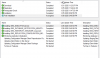
Ran the in-console update moving from 1902 to 1910 and everything appeared to go smooth. Now, however, the post install steps state not started. This is a single Primary site server

1580097939096.png
The console itself did prompt to get restarted and does show 1910 as the current version. Antivirus has been removed and did try a reboot.
 
******************************************************************************* CONFIGURATION_MANAGER_UPDATE 1/26/2020 6:06:24 AM 6192 (0x1830)

CONFIGURATION_MANAGER_UPDATE service is starting... CONFIGURATION_MANAGER_UPDATE 1/26/2020 6:06:24 AM 6192 (0x1830)

Microsoft Endpoint Configuration Manager v5.00 (Build 8913) CONFIGURATION_MANAGER_UPDATE 1/26/2020 6:06:24 AM 6192 (0x1830)

Process ID: 3640 CONFIGURATION_MANAGER_UPDATE 1/26/2020 6:06:24 AM 6192 (0x1830)

Worker thread ID: 6192 CONFIGURATION_MANAGER_UPDATE 1/26/2020 6:06:24 AM 6192 (0x1830)

Inbox source is local on SCCM1.domain.NET CONFIGURATION_MANAGER_UPDATE 1/26/2020 6:06:24 AM 6192 (0x1830)

Set inbox to C:\Program Files\Microsoft Configuration Manager\inboxes\cmupdate.box CONFIGURATION_MANAGER_UPDATE 1/26/2020 6:06:24 AM 6192 (0x1830)

This running on active site server SCCM1.domain.NET. CONFIGURATION_MANAGER_UPDATE 1/26/2020 6:06:24 AM 6192 (0x1830)

Inbox source is local on SCCM1.domain.NET CONFIGURATION_MANAGER_UPDATE 1/26/2020 6:06:24 AM 6192 (0x1830)

INFO: Executing SqlCMUpdateInitScripts[0]. CONFIGURATION_MANAGER_UPDATE 1/26/2020 6:06:26 AM 6192 (0x1830)

INFO: Executing SqlCMUpdateInitScripts[1]. CONFIGURATION_MANAGER_UPDATE 1/26/2020 6:06:26 AM 6192 (0x1830)

INFO: Executing SqlCMUpdateInitScripts[2]. CONFIGURATION_MANAGER_UPDATE 1/26/2020 6:06:26 AM 6192 (0x1830)

INFO: Executing SqlCMUpdateInitScripts[3]. CONFIGURATION_MANAGER_UPDATE 1/26/2020 6:06:26 AM 6192 (0x1830)

INFO: Executing SqlCMUpdateInitScripts[4]. CONFIGURATION_MANAGER_UPDATE 1/26/2020 6:06:26 AM 6192 (0x1830)

INFO: Executing SqlCMUpdateInitScripts[5]. CONFIGURATION_MANAGER_UPDATE 1/26/2020 6:06:26 AM 6192 (0x1830)

INFO: Executing SqlCMUpdateInitScripts[6]. CONFIGURATION_MANAGER_UPDATE 1/26/2020 6:06:26 AM 6192 (0x1830)

INFO: Executing SqlCMUpdateInitScripts[7]. CONFIGURATION_MANAGER_UPDATE 1/26/2020 6:06:26 AM 6192 (0x1830)

INFO: Executing SqlCMUpdateInitScripts[8]. CONFIGURATION_MANAGER_UPDATE 1/26/2020 6:06:26 AM 6192 (0x1830)

INFO: Executing SqlCMUpdateInitScripts[9]. CONFIGURATION_MANAGER_UPDATE 1/26/2020 6:06:27 AM 6192 (0x1830)

INFO: Executing SqlCMUpdateInitScripts[10]. CONFIGURATION_MANAGER_UPDATE 1/26/2020 6:06:27 AM 6192 (0x1830)

Getting SYSCENTERID & iLicenseType CONFIGURATION_MANAGER_UPDATE 1/26/2020 6:06:27 AM 6192 (0x1830)

Initializing the status message reporting system... CONFIGURATION_MANAGER_UPDATE 1/26/2020 6:06:27 AM 6192 (0x1830)

Inbox source is local on SCCM1.domain.NET CONFIGURATION_MANAGER_UPDATE 1/26/2020 6:06:27 AM 6192 (0x1830)

The path to the "Status Manager" inbox is "C:\Program Files\Microsoft Configuration Manager\inboxes\statmgr.box\statmsgs". CONFIGURATION_MANAGER_UPDATE 1/26/2020 6:06:27 AM 6192 (0x1830)

SMS_STATUS_MANAGER is not running as part of this process, the SMS_EXECUTIVE to SMS_STATUS_MANAGER in-memory status message queue will not be used. CONFIGURATION_MANAGER_UPDATE 1/26/2020 6:06:27 AM 6192 (0x1830)

Registered this process as a source of "SMS Server" events. CONFIGURATION_MANAGER_UPDATE 1/26/2020 6:06:30 AM 6192 (0x1830)

Registered this process as a source of "SMS Client" events. CONFIGURATION_MANAGER_UPDATE 1/26/2020 6:06:30 AM 6192 (0x1830)

Registered this process as a source of "SMS Provider" events. CONFIGURATION_MANAGER_UPDATE 1/26/2020 6:06:30 AM 6192 (0x1830)

Status message reporting system initialized successfully. CONFIGURATION_MANAGER_UPDATE 1/26/2020 6:06:30 AM 6192 (0x1830)

Starting ConfigMgr Update post installation monitor thread... CONFIGURATION_MANAGER_UPDATE 1/26/2020 6:06:30 AM 6192 (0x1830)

post installation monitor thread is starting, thread ID = 0x2434 (9268) CONFIGURATION_MANAGER_UPDATE 1/26/2020 6:06:30 AM 6192 (0x1830)

Waiting for changes to the "C:\Program Files\Microsoft Configuration Manager\inboxes\cmupdate.box" directories, updates will be polled in 600 seconds... CONFIGURATION_MANAGER_UPDATE 1/26/2020 6:06:30 AM 6192 (0x1830)

ConfigMgr update post installation monitoring thread started. CONFIGURATION_MANAGER_UPDATE 1/26/2020 6:06:30 AM 9268 (0x2434)

Successfully reported ConfigMgr update status (SiteCode=2AV, SubStageID=0xe0001, IsComplete=1, Progress=1, Applicable=1) CONFIGURATION_MANAGER_UPDATE 1/26/2020 6:06:30 AM 9268 (0x2434)

successfully detected service SMS_EXECUTIVE is running. CONFIGURATION_MANAGER_UPDATE 1/26/2020 6:06:30 AM 9268 (0x2434)

Successfully reported ConfigMgr update status (SiteCode=2AV, SubStageID=0xe0001, IsComplete=2, Progress=100, Applicable=1) CONFIGURATION_MANAGER_UPDATE 1/26/2020 6:06:30 AM 9268 (0x2434)

Successfully reported ConfigMgr update status (SiteCode=2AV, SubStageID=0xe0002, IsComplete=1, Progress=1, Applicable=1) CONFIGURATION_MANAGER_UPDATE 1/26/2020 6:06:30 AM 9268 (0x2434)

thread component SMS_DATABASE_NOTIFICATION_MONITOR is not detected to be running. current state is Starting. CONFIGURATION_MANAGER_UPDATE 1/26/2020 6:06:30 AM 9268 (0x2434)

Waiting for registry changes of SOFTWARE\Microsoft\SMS\COMPONENTS\SMS_EXECUTIVE\Threads\SMS_DATABASE_NOTIFICATION_MONITOR for maximum 1800 seconds... CONFIGURATION_MANAGER_UPDATE 1/26/2020 6:06:30 AM 9268 (0x2434)

successfully detected thread component SMS_DATABASE_NOTIFICATION_MONITOR is running. CONFIGURATION_MANAGER_UPDATE 1/26/2020 6:06:35 AM 9268 (0x2434)

Successfully reported ConfigMgr update status (SiteCode=2AV, SubStageID=0xe0002, IsComplete=2, Progress=100, Applicable=1) CONFIGURATION_MANAGER_UPDATE 1/26/2020 6:06:35 AM 9268 (0x2434)

Successfully reported ConfigMgr update status (SiteCode=2AV, SubStageID=0xe0003, IsComplete=1, Progress=1, Applicable=1) CONFIGURATION_MANAGER_UPDATE 1/26/2020 6:06:35 AM 9268 (0x2434)

successfully detected thread component SMS_HIERARCHY_MANAGER is running. CONFIGURATION_MANAGER_UPDATE 1/26/2020 6:06:35 AM 9268 (0x2434)

Successfully reported ConfigMgr update status (SiteCode=2AV, SubStageID=0xe0003, IsComplete=2, Progress=100, Applicable=1) CONFIGURATION_MANAGER_UPDATE 1/26/2020 6:06:35 AM 9268 (0x2434)

Successfully reported ConfigMgr update status (SiteCode=2AV, SubStageID=0xe0004, IsComplete=1, Progress=1, Applicable=1) CONFIGURATION_MANAGER_UPDATE 1/26/2020 6:06:35 AM 9268 (0x2434)

successfully detected thread component SMS_REPLICATION_CONFIGURATION_MONITOR is running. CONFIGURATION_MANAGER_UPDATE 1/26/2020 6:06:35 AM 9268 (0x2434)

Successfully reported ConfigMgr update status (SiteCode=2AV, SubStageID=0xe0004, IsComplete=2, Progress=100, Applicable=1) CONFIGURATION_MANAGER_UPDATE 1/26/2020 6:06:35 AM 9268 (0x2434)

Successfully reported ConfigMgr update status (SiteCode=2AV, SubStageID=0xe0005, IsComplete=1, Progress=1, Applicable=1) CONFIGURATION_MANAGER_UPDATE 1/26/2020 6:06:35 AM 9268 (0x2434)

successfully detected thread component SMS_POLICY_PROVIDER is running. CONFIGURATION_MANAGER_UPDATE 1/26/2020 6:06:35 AM 9268 (0x2434)

Successfully reported ConfigMgr update status (SiteCode=2AV, SubStageID=0xe0005, IsComplete=2, Progress=100, Applicable=1) CONFIGURATION_MANAGER_UPDATE 1/26/2020 6:06:35 AM 9268 (0x2434)

Successfully reported ConfigMgr update status (SiteCode=2AV, SubStageID=0xe0006, IsComplete=1, Progress=1, Applicable=1) CONFIGURATION_MANAGER_UPDATE 1/26/2020 6:06:35 AM 9268 (0x2434)

check current replication details CONFIGURATION_MANAGER_UPDATE 1/26/2020 6:06:35 AM 9268 (0x2434)

successfully detected the site server is in ReplicationInactive state. CONFIGURATION_MANAGER_UPDATE 1/26/2020 6:06:35 AM 9268 (0x2434)

Successfully reported ConfigMgr update status (SiteCode=2AV, SubStageID=0xe0006, IsComplete=2, Progress=100, Applicable=1) CONFIGURATION_MANAGER_UPDATE 1/26/2020 6:06:35 AM 9268 (0x2434)

ConfigMgr Update post installation monitor thread stopped. CONFIGURATION_MANAGER_UPDATE 1/26/2020 6:06:35 AM 9268 (0x2434)

INFO: setup type: 1, top level: 1. CONFIGURATION_MANAGER_UPDATE 1/26/2020 6:16:30 AM 6192 (0x1830)

INFO: SQL Connection succeeded. Connection: SMS ACCESS, Type: Secure CONFIGURATION_MANAGER_UPDATE 1/26/2020 6:16:30 AM 6192 (0x1830)

Waiting for changes to the "C:\Program Files\Microsoft Configuration Manager\inboxes\cmupdate.box" directories, updates will be polled in 600 seconds... CONFIGURATION_MANAGER_UPDATE 1/26/2020 6:16:30 AM 6192 (0x1830)

INFO: setup type: 1, top level: 1. CONFIGURATION_MANAGER_UPDATE 1/25/2020 10:26:30 PM 6192 (0x1830)

INFO: SQL Connection succeeded. Connection: SMS ACCESS, Type: Secure CONFIGURATION_MANAGER_UPDATE 1/25/2020 10:26:30 PM 6192 (0x1830)

Waiting for changes to the "C:\Program Files\Microsoft Configuration Manager\inboxes\cmupdate.box" directories, updates will be polled in 600 seconds... CONFIGURATION_MANAGER_UPDATE 1/25/2020 10:26:30 PM 6192 (0x1830)

INFO: setup type: 1, top level: 1. CONFIGURATION_MANAGER_UPDATE 1/25/2020 10:36:30 PM 6192 (0x1830)

INFO: SQL Connection succeeded. Connection: SMS ACCESS, Type: Secure CONFIGURATION_MANAGER_UPDATE 1/25/2020 10:36:30 PM 6192 (0x1830)

Waiting for changes to the "C:\Program Files\Microsoft Configuration Manager\inboxes\cmupdate.box" directories, updates will be polled in 600 seconds... CONFIGURATION_MANAGER_UPDATE 1/25/2020 10:36:30 PM 6192 (0x1830)

INFO: setup type: 1, top level: 1. CONFIGURATION_MANAGER_UPDATE 1/25/2020 10:46:30 PM 6192 (0x1830)

INFO: SQL Connection succeeded. Connection: SMS ACCESS, Type: Secure CONFIGURATION_MANAGER_UPDATE 1/25/2020 10:46:30 PM 6192 (0x1830)

Waiting for changes to the "C:\Program Files\Microsoft Configuration Manager\inboxes\cmupdate.box" directories, updates will be polled in 600 seconds... CONFIGURATION_MANAGER_UPDATE 1/25/2020 10:46:30 PM 6192 (0x1830)

INFO: setup type: 1, top level: 1. CONFIGURATION_MANAGER_UPDATE 1/25/2020 10:56:30 PM 6192 (0x1830)

INFO: SQL Connection succeeded. Connection: SMS ACCESS, Type: Secure CONFIGURATION_MANAGER_UPDATE 1/25/2020 10:56:30 PM 6192 (0x1830)
 
Waiting for changes to the "C:\Program Files\Microsoft Configuration Manager\inboxes\cmupdate.box" directories, updates will be polled in 600 seconds... CONFIGURATION_MANAGER_UPDATE 1/25/2020 10:56:30 PM 6192 (0x1830)

INFO: setup type: 1, top level: 1. CONFIGURATION_MANAGER_UPDATE 1/25/2020 11:06:30 PM 6192 (0x1830)

INFO: SQL Connection succeeded. Connection: SMS ACCESS, Type: Secure CONFIGURATION_MANAGER_UPDATE 1/25/2020 11:06:30 PM 6192 (0x1830)

Waiting for changes to the "C:\Program Files\Microsoft Configuration Manager\inboxes\cmupdate.box" directories, updates will be polled in 600 seconds... CONFIGURATION_MANAGER_UPDATE 1/25/2020 11:06:30 PM 6192 (0x1830)

INFO: setup type: 1, top level: 1. CONFIGURATION_MANAGER_UPDATE 1/25/2020 11:16:30 PM 6192 (0x1830)

INFO: SQL Connection succeeded. Connection: SMS ACCESS, Type: Secure CONFIGURATION_MANAGER_UPDATE 1/25/2020 11:16:30 PM 6192 (0x1830)

Waiting for changes to the "C:\Program Files\Microsoft Configuration Manager\inboxes\cmupdate.box" directories, updates will be polled in 600 seconds... CONFIGURATION_MANAGER_UPDATE 1/25/2020 11:16:30 PM 6192 (0x1830)

INFO: setup type: 1, top level: 1. CONFIGURATION_MANAGER_UPDATE 1/25/2020 11:26:30 PM 6192 (0x1830)

INFO: SQL Connection succeeded. Connection: SMS ACCESS, Type: Secure CONFIGURATION_MANAGER_UPDATE 1/25/2020 11:26:30 PM 6192 (0x1830)

Waiting for changes to the "C:\Program Files\Microsoft Configuration Manager\inboxes\cmupdate.box" directories, updates will be polled in 600 seconds... CONFIGURATION_MANAGER_UPDATE 1/25/2020 11:26:30 PM 6192 (0x1830)

INFO: setup type: 1, top level: 1. CONFIGURATION_MANAGER_UPDATE 1/25/2020 11:36:30 PM 6192 (0x1830)

INFO: SQL Connection succeeded. Connection: SMS ACCESS, Type: Secure CONFIGURATION_MANAGER_UPDATE 1/25/2020 11:36:30 PM 6192 (0x1830)

Waiting for changes to the "C:\Program Files\Microsoft Configuration Manager\inboxes\cmupdate.box" directories, updates will be polled in 600 seconds... CONFIGURATION_MANAGER_UPDATE 1/25/2020 11:36:30 PM 6192 (0x1830)

INFO: setup type: 1, top level: 1. CONFIGURATION_MANAGER_UPDATE 1/25/2020 11:46:30 PM 6192 (0x1830)

INFO: SQL Connection succeeded. Connection: SMS ACCESS, Type: Secure CONFIGURATION_MANAGER_UPDATE 1/25/2020 11:46:30 PM 6192 (0x1830)

Waiting for changes to the "C:\Program Files\Microsoft Configuration Manager\inboxes\cmupdate.box" directories, updates will be polled in 600 seconds... CONFIGURATION_MANAGER_UPDATE 1/25/2020 11:46:30 PM 6192 (0x1830)

INFO: setup type: 1, top level: 1. CONFIGURATION_MANAGER_UPDATE 1/25/2020 11:56:30 PM 6192 (0x1830)

INFO: SQL Connection succeeded. Connection: SMS ACCESS, Type: Secure CONFIGURATION_MANAGER_UPDATE 1/25/2020 11:56:30 PM 6192 (0x1830)

Waiting for changes to the "C:\Program Files\Microsoft Configuration Manager\inboxes\cmupdate.box" directories, updates will be polled in 600 seconds... CONFIGURATION_MANAGER_UPDATE 1/25/2020 11:56:30 PM 6192 (0x1830)

INFO: setup type: 1, top level: 1. CONFIGURATION_MANAGER_UPDATE 1/26/2020 12:06:30 AM 6192 (0x1830)

INFO: SQL Connection succeeded. Connection: SMS ACCESS, Type: Secure CONFIGURATION_MANAGER_UPDATE 1/26/2020 12:06:30 AM 6192 (0x1830)

Waiting for changes to the "C:\Program Files\Microsoft Configuration Manager\inboxes\cmupdate.box" directories, updates will be polled in 600 seconds... CONFIGURATION_MANAGER_UPDATE 1/26/2020 12:06:30 AM 6192 (0x1830)

INFO: setup type: 1, top level: 1. CONFIGURATION_MANAGER_UPDATE 1/26/2020 12:16:30 AM 6192 (0x1830)

INFO: SQL Connection succeeded. Connection: SMS ACCESS, Type: Secure CONFIGURATION_MANAGER_UPDATE 1/26/2020 12:16:30 AM 6192 (0x1830)

Waiting for changes to the "C:\Program Files\Microsoft Configuration Manager\inboxes\cmupdate.box" directories, updates will be polled in 600 seconds... CONFIGURATION_MANAGER_UPDATE 1/26/2020 12:16:30 AM 6192 (0x1830)

INFO: setup type: 1, top level: 1. CONFIGURATION_MANAGER_UPDATE 1/26/2020 12:26:30 AM 6192 (0x1830)

INFO: SQL Connection succeeded. Connection: SMS ACCESS, Type: Secure CONFIGURATION_MANAGER_UPDATE 1/26/2020 12:26:30 AM 6192 (0x1830)

Waiting for changes to the "C:\Program Files\Microsoft Configuration Manager\inboxes\cmupdate.box" directories, updates will be polled in 600 seconds... CONFIGURATION_MANAGER_UPDATE 1/26/2020 12:26:30 AM 6192 (0x1830)

INFO: setup type: 1, top level: 1. CONFIGURATION_MANAGER_UPDATE 1/26/2020 12:36:30 AM 6192 (0x1830)

INFO: SQL Connection succeeded. Connection: SMS ACCESS, Type: Secure CONFIGURATION_MANAGER_UPDATE 1/26/2020 12:36:30 AM 6192 (0x1830)

Waiting for changes to the "C:\Program Files\Microsoft Configuration Manager\inboxes\cmupdate.box" directories, updates will be polled in 600 seconds... CONFIGURATION_MANAGER_UPDATE 1/26/2020 12:36:30 AM 6192 (0x1830)

INFO: setup type: 1, top level: 1. CONFIGURATION_MANAGER_UPDATE 1/26/2020 12:46:30 AM 6192 (0x1830)

INFO: SQL Connection succeeded. Connection: SMS ACCESS, Type: Secure CONFIGURATION_MANAGER_UPDATE 1/26/2020 12:46:30 AM 6192 (0x1830)

Waiting for changes to the "C:\Program Files\Microsoft Configuration Manager\inboxes\cmupdate.box" directories, updates will be polled in 600 seconds... CONFIGURATION_MANAGER_UPDATE 1/26/2020 12:46:30 AM 6192 (0x1830)

INFO: setup type: 1, top level: 1. CONFIGURATION_MANAGER_UPDATE 1/26/2020 12:56:30 AM 6192 (0x1830)

INFO: SQL Connection succeeded. Connection: SMS ACCESS, Type: Secure CONFIGURATION_MANAGER_UPDATE 1/26/2020 12:56:30 AM 6192 (0x1830)

Waiting for changes to the "C:\Program Files\Microsoft Configuration Manager\inboxes\cmupdate.box" directories, updates will be polled in 600 seconds... CONFIGURATION_MANAGER_UPDATE 1/26/2020 12:56:30 AM 6192 (0x1830)

INFO: setup type: 1, top level: 1. CONFIGURATION_MANAGER_UPDATE 1/26/2020 1:06:30 AM 6192 (0x1830)

INFO: SQL Connection succeeded. Connection: SMS ACCESS, Type: Secure CONFIGURATION_MANAGER_UPDATE 1/26/2020 1:06:30 AM 6192 (0x1830)

Waiting for changes to the "C:\Program Files\Microsoft Configuration Manager\inboxes\cmupdate.box" directories, updates will be polled in 600 seconds... CONFIGURATION_MANAGER_UPDATE 1/26/2020 1:06:30 AM 6192 (0x1830)

INFO: setup type: 1, top level: 1. CONFIGURATION_MANAGER_UPDATE 1/26/2020 1:16:30 AM 6192 (0x1830)

INFO: SQL Connection succeeded. Connection: SMS ACCESS, Type: Secure CONFIGURATION_MANAGER_UPDATE 1/26/2020 1:16:30 AM 6192 (0x1830)

Waiting for changes to the "C:\Program Files\Microsoft Configuration Manager\inboxes\cmupdate.box" directories, update

It has been a couple days and no change in status.
 
CMupdate log seems fine. Restart the Config Manager Server and check again the Post-Installation step.

Btw, you can check if the Configuration Manager Client package has updated under Software Library>Application Management>Packages
 
CMupdate log seems fine. Restart the Config Manager Server and check again the Post-Installation step.

Btw, you can check if the Configuration Manager Client package has updated under Software Library>Application Management>Packages
1580234126113.png
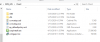
Should a program be listed it is at 0. It does appear to be in place in the client folder and it does show successfully distributed:
1580234243242.png

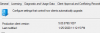
However, the Production client version still shows 5.00.8790.1007
1580234667258.png
 
The "5.00.8913.X" version is related for 1910 ConfigMgr Client, if you want make it as a production client, go under Administration>Updates & Servicing> Select the SCCM 1910 upgrade package and click to Promote Pre-Production Client.

Btw, check if you have to install the new Hotfix related to client update issue:
 
That option is greyed out. I also didn't choose the pre-production option. When I check for updates no new updates show up.

I feel like it just waiting for some event to happen so that the rest of the process can be triggered - not sure where to look though.
 
Last edited:
So newly imaged machines are not getting the Config manager agent. The error is as follows and has to do with the has value not matching.

Adding file 'http://sccm1.domain.net:80/SMS_DP_SMSPKG$/2AV00004/x64/client.msi' to BITS job, saving as 'C:\Windows\ccmsetup\client.msi'. ccmsetup 1/29/2020 3:46:15 PM 25972 (0x6574)
Starting BITS download for client deployment files. ccmsetup 1/29/2020 3:46:15 PM 25972 (0x6574)
Download Update: 48263168 out of 48263168 bytes transferred. ccmsetup 1/29/2020 3:46:16 PM 25972 (0x6574)
Successfully completed BITS download for client deployment files. ccmsetup 1/29/2020 3:46:17 PM 25972 (0x6574)
Retrieved client version '5.00.8790.1000' and minimum assignable site version '5.00.8200.1000' from client package ccmsetup 1/29/2020 3:46:18 PM 25972 (0x6574)
Checking compatibility of site version '5.00.8913.1000', expect newer than '5.00.8200.1000' ccmsetup 1/29/2020 3:46:18 PM 25972 (0x6574)
Site version '5.00.8913.1000' is compatible. Client deployment will continue. ccmsetup 1/29/2020 3:46:18 PM 25972 (0x6574)
Comparing client version '5.00.8790.1000' with baseline version '5.00.8790.1007' ccmsetup 1/29/2020 3:46:18 PM 25972 (0x6574)
Source version '5.00.8790.1000' matches with client baseline version '5.00.8790.1007'. Client deployment can use this source ccmsetup 1/29/2020 3:46:18 PM 25972 (0x6574)
Successfully downloaded client files via BITS. ccmsetup 1/29/2020 3:46:18 PM 25972 (0x6574)
File 'C:\Windows\ccmsetup\client.msi' with hash '61FE302B5EBAC617C41075C3D41537BC5E999105AEACFF9EF54DB0B5B5456EA0' from manifest doesn't match with the file hash '91728A3ED737F508AFB5D93270A2E3A54DD38BD1CE68372F9BF06E1821E46146' ccmsetup 1/29/2020 3:46:18 PM 25972 (0x6574)
Sending state '325'... ccmsetup 1/29/2020 3:46:18 PM 25972 (0x6574)
Updating MDM_ConfigSetting.ClientDeploymentErrorCode with value 2278556318 ccmsetup 1/29/2020 3:46:18 PM 25972 (0x6574)
[5.00.8790.1007] Params to send '5.0.8913.1013 Deployment client.msi' ccmsetup 1/29/2020 3:46:18 PM 25972 (0x6574)
<ClientDeploymentMessage ErrorCode="-2016410978"><Client Baseline="1" BaselineCookie="" Platform="2" Langs=""/><Additional><SourceType Value="DP"/></Additional></ClientDeploymentMessage> ccmsetup 1/29/2020 3:46:18 PM 25972 (0x6574)
Raised pending client deployment state message. ccmsetup 1/29/2020 3:46:18 PM 25972 (0x6574)
Sending state '301'... ccmsetup 1/29/2020 3:46:18 PM 25972 (0x6574)
Updating MDM_ConfigSetting.ClientDeploymentErrorCode with value 2278556318 ccmsetup 1/29/2020 3:46:18 PM 25972 (0x6574)
Deleted file C:\Windows\ccmsetup\ccmsetup.exe.download ccmsetup 1/29/2020 3:46:18 PM 25972 (0x6574)
Deleted file C:\Windows\ccmsetup\ccmsetup.xml ccmsetup 1/29/2020 3:46:18 PM 25972 (0x6574)
Deleted file C:\Windows\ccmsetup\client.msi ccmsetup 1/29/2020 3:46:18 PM 25972 (0x6574)
CcmSetup failed with error code 0x87d0029e ccmsetup 1/29/2020 3:46:18 PM 25972 (0x6574)
 
So, a brief update to this. I copied off the client folder install files to another folder and found the updated setup files within the EasySetupPayload folder and copied them into the client folder. Updated the distribution point from within the console and have yet to try to reimage another workstation to see if it works during the imaging process. However, I was able to install the updated agent through the client folder directly.

I did notice that the date on the SCEPInstall.exe file was different than what had been in the client folder and the date also matches the ccmsetup.exe and the other MSIs. The update and servicing status still shows installing on the post update steps, though. Perhaps some patience is necessary.
 
Status
Not open for further replies.

Forum statistics

Threads
7,171
Messages
27,987
Members
18,290
Latest member
adblunt

Trending content

Back
Top