Forums on Intune, SCCM, and Windows 11

Welcome to the forums. Register a free account today to become a member! Once signed in, you'll be able to participate on this site by adding your topics and posts, as well as connect with other members through your own private inbox!

PENDING gpupdate /force (Windows failed to apply)

  • Thread starter Thread starter Noor Alam
  • Start date Start date
  • Replies Replies 6
  • Views Views 3K

Noor Alam

Member
Messages
11
Reaction score
0
Points
1
Hi Team,

I had to push gpupdate /force on 100 machine script is executing successfully. though script gpupdate /force command i push from sccm but it's saying "Windows failed to apply" please suggest what is the cause and what is the fix for this issue.
 
First I would post this within the ConfigMgr forum.
Where exactly are you seeing the Windows failed to apply message? Exactly how did you deploy this?
 
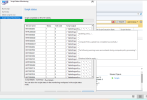
I have attached the error screenshot for your reference. here it's window failed to apply.
First I would post this within the ConfigMgr forum.
Where exactly are you seeing the Windows failed to apply message? Exactly how did you deploy this?
 

Attachments

  • windows failed to Update..png
    windows failed to Update..png
    143.3 KB · Views: 7
I have attached the error screenshot for your reference. here it's window failed to apply.
1. First check whether those clients are online or not.
2. If not online, then ask your local IT and check.
3. If they are online, get one device on which its failing, connect through psexec or RDP or a remote tool and run gpupdate /force.. If a specific GPO fails to apply it will show you the ID.
4. With that ID check which GPO is failing to apply.
5. If its overall, no GPO is getting applied.. Then remove/delete the GroupPolicy folders under C:\Windows\System32 and then re-run gpupdate /force
 
1. First check whether those clients are online or not.
2. If not online, then ask your local IT and check.
3. If they are online, get one device on which its failing, connect through psexec or RDP or a remote tool and run gpupdate /force.. If a specific GPO fails to apply it will show you the ID.
4. With that ID check which GPO is failing to apply.
5. If its overall, no GPO is getting applied.. Then remove/delete the GroupPolicy folders under C:\Windows\System32 and then re-run gpupdate /force
Hi Supriy091, I have followed the same process that you explained. but still, gpupdate /force failed to be applied on user's machine.
 
Hi Supriy091, I have followed the same process that you explained. but still, gpupdate /force failed to be applied on user's machine.
If you c$ access then you should be able to connect to the device using PSEXEC (sysinternal tools from Microsoft).. Connect to the device using psexec(psexec \\Device_name cmd) and run gpupdate /force.. Share a screenshot of the error that shows up on the CMD.
 
Back
Top