Forums on Intune, SCCM, and Windows 11

Welcome to the forums. Register a free account today to become a member! Once signed in, you'll be able to participate on this site by adding your topics and posts, as well as connect with other members through your own private inbox!

PENDING Failed to Successfully complete WinHttp request Service Unavailable

soumik0802

New Member
Messages
4
Reaction score
0
Points
1
Hi,

I'm getting the error while installing SCCM Client manually. In the other hand Client Push is not working at all. I'm getting 0x80004005 error at the end. Please suggest me what to do.
 
Hi,

I'm getting the error while installing SCCM Client manually. In the other hand Client Push is not working at all. I'm getting 0x80004005 error at the end. Please suggest me what to do.
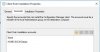
How do you install it manually, and can you please share your ccmsetup.log, you will find it under c:\windows\ccmsetup\logs
 

Attachments

  • IIS.JPG
    IIS.JPG
    24.8 KB · Views: 7
Last edited:
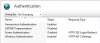
It is asking for the User Name and Password. Only if we put Domain Admin account id and password then only it is viewing list of files including ccmsetup.exe if we try with other account then it's showing access denied.

Please let me know which Role of IIS I need to Install.
 
It is asking for the User Name and Password. Only if we put Domain Admin account id and password then only it is viewing list of files including ccmsetup.exe if we try with other account then it's showing access denied.

Please let me know which Role of IIS I need to Install.
Cool, you don't need to install any roles the IIS is configured correctly you need to check the account for the client push in here, also on the machines make sure that this account is part of the administrators group.
On the SCCM Console
Administration >> Sites >>Client installation settings (at the top ribbon)
Select Client Push installation
Account tab and select the account you created for SCCM installations.
 

Attachments

  • clientpush.JPG
    clientpush.JPG
    29.2 KB · Views: 4
Correct so I've already set the Domain Admin Account name for Client Push Account. Also when I'm trying to install client manually from the Local Administration account. But both the cases are same.
 
Correct so I've already set the Domain Admin Account name for Client Push Account. Also when I'm trying to install client manually from the Local Administration account. But both the cases are same.
Ok lets go through this 1 step at a time. On the machine can you please run cmd as admin. Check if you have ccmsetup directory under c:\windows\ccmsetup, if yes please navigate to the directory on the cmd and type this command

Code:
ccmsetup.exe /mp:"your mp name without quoutes" SMSSITECODE="your site code"

If you don't have the directory on the machine. please copy it and create these directories then type the command above.

then check the ccmsetup.log and upload it here.
 

Forum statistics

Threads
7,165
Messages
27,965
Members
18,264
Latest member
markmumford

Trending content

Back
Top