Forums on Intune, SCCM, and Windows 11

Welcome to the forums. Register a free account today to become a member! Once signed in, you'll be able to participate on this site by adding your topics and posts, as well as connect with other members through your own private inbox!

SOLVED Failed to evaluate package xxxx, Error code 0x80070002

  • Thread starter Thread starter Mahmoud87
  • Start date Start date
  • Replies Replies 9
  • Views Views 17K
Status
Not open for further replies.

Mahmoud87

Well-Known Member
Messages
66
Solutions
3
Reaction score
7
Points
8
Hi folks, this is a tough one.
Fixing common issues with DPs like the inconsistency of the ContentLib and the WMI repositry. This time though, is on the management point not just a distribution point. I have been fixing it fine on distribution points using a script that will get PackageIDs in the WMI from the NameSpace "root\sccmdp" and matching what's in the contentLib and remove the ones that don't match, however this doesn't work on the management point. I finally found the correct NameSpace and adjusted the script and all good, by the way the NameSpace is "root\SMS\Site_sitecode" Classname "SMS_PackageBaseclass".

So far so good, but I looked at the MP and I still see the warning message. I have checked the smsdpmon.log and I see this;
Code:
CContentDefinition::LibraryPackagesWmi: The package data in WMI is not consistent to PkgLib    SMS_Distribution_Point_Monitoring    27/07/2019 10:30:01 AM    11156 (0x2B94)
CContentDefinition::LibraryPackagesWmi: Package HOM00017 can't be found in PkgLib    SMS_Distribution_Point_Monitoring    27/07/2019 10:30:01 AM    11156 (0x2B94)
CContentDefinition::LibraryPackagesWmi failed; 0x80004005    SMS_Distribution_Point_Monitoring    27/07/2019 10:30:01 AM    11156 (0x2B94)

I searched the WMI repositry and there is no sign of this PackageID, I check on the SCCM console also no sign for it. I have checked multiple NameSpaces and multiple classes but no luck, and everytime I validate the contents I get this in the smsdpmon.log;
Code:
Failed to evaluate package HOM00017, Error code 0x80070002

So basically it tries to validate a PackageID that doesn't exist. I don't know where to look and how to get smsdpmon.exe ignore this PackageID.

I ran out of ideas and was hoping you could help me out with this one, @Garth @Prajwal Desai @Eddy

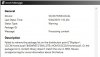
SCCM.jpg


SCCM2.jpg
 
Solution
So you redid the site in-place and because the old version of the DP install was laying around it resulted in the ghost package?

After the reinstall of the DP role did you still have to kill the orphaned Wmio?
I didn't redo anything, I have just restore an earlier snapshot that was 3 months ago.
the old version of the DP install was laying around it resulted in the ghost package?
That older version was the good one, the recent ver. was the broken one. I didn't have to reinstall the DP role it was still there when I restored the snapshot, the package that was missing, it was there after the restore, also I have checked the namespace root\sccmdp after the restore, it was there. I have no idea how the NameSpace...
If you're sure that package is orphaned you can remove it from the WMI on the DP:
Get-WMIObject -Namespace "root\sccmdp" -Query ("Select * from SMS_PackagesInContLib where PackageID = 'HOM00017'") | Remove-WmiObject

Should clear up the issue on the MP as well, have you resolved this?
 
If you're sure that package is orphaned you can remove it from the WMI on the DP:
Get-WMIObject -Namespace "root\sccmdp" -Query ("Select * from SMS_PackagesInContLib where PackageID = 'HOM00017'") | Remove-WmiObject

Should clear up the issue on the MP as well, have you resolved this?

Hi Sam, thanks for your input, but as I mentioned above this is a MP, the namespaces and classes are different there is no namespace called sccmdp on MPs, however I have found the correct namespace and class (mentioned above), and when I query the package it doesn't exist. Yet the smsdpmon.exe still tries to evaluate this package that doesn't exist on the MP namespace I have found. This is is what is driving me insane, how smsdomon.exe still tries and evaluate this package my only guess it looks at a different namesapce where this package is listed and I don't know this namespace.
 
You shouldn't have to run anything on the MP as it's pulling the info from the DP. Have you cleaned up the INI file associated to that package as well?
 
You shouldn't have to run anything on the MP as it's pulling the info from the DP
What you mean by I shouldn't have to run anything on the MP?

I have added a distribution point role to the MP, but because it's the MP it doesn't have the same namesapces as any other distribution point. Yes the contentLib is clean and doesn't have this .ini file that relates to the package ID
 
Ah I misunderstood your environment, thought you were working on a server which ran MP only communicating to another server running DP. I've had this issues happen a couple times but it was over a year ago and I managed to sort it out just by nuking the Wmio and INI. Out of curiosity, there aren't any child sites and/or replication involved in your environment is there?

Odd turnabout, interested in seeing this resolved...
 
Ah I misunderstood your environment, thought you were working on a server which ran MP only communicating to another server running DP. I've had this issues happen a couple times but it was over a year ago and I managed to sort it out just by nuking the Wmio and INI. Out of curiosity, there aren't any child sites and/or replication involved in your environment is there?

Odd turnabout, interested in seeing this resolved...
Yeah man, I have had it before but on normal DPs and sorted it out. In my previous company I was working for I had PS script running to do this cleanup for 20 DPs and they were all reporting green. Nah I am running this at home and the MP is the only site I have and added some roles to it one of them is the distribution point. I will keep trying to see what can I find, I will make sure to update the thread If I ever fixed it.
 
Finally the issue has been sorted. Sadly I had to restore my Hyper-V SCCM Server for 3 months ago, since it's my home lab it wasn't too bad. I have rebuilt some stuff and got the SCCM server functioning again. The distribution point role was still installed though I didn't have to reinstall it, also the PackageID was still there.

I tried the NameSapce "root\sccmdp" and surprisingly it existed, I was able to correct the MP and it reported green again. It seems that the distribution point role on the management point was corrupt somehow because the namespace "root\sccmdp" didn't even exist when I initially tried, but after the restore everything is working perfectly fine. I guess if reinstalling the DP role would have resolved the issue as well, but doing it on the MP would have been very hard.

@Sam Banford tagged you because you were interested to know how it was resolved.
Healthy.png
 
tagged you because you were interested to know how it was resolved.

So you redid the site in-place and because the old version of the DP install was laying around it resulted in the ghost package?

After the reinstall of the DP role did you still have to kill the orphaned Wmio?
 
So you redid the site in-place and because the old version of the DP install was laying around it resulted in the ghost package?

After the reinstall of the DP role did you still have to kill the orphaned Wmio?
I didn't redo anything, I have just restore an earlier snapshot that was 3 months ago.
the old version of the DP install was laying around it resulted in the ghost package?
That older version was the good one, the recent ver. was the broken one. I didn't have to reinstall the DP role it was still there when I restored the snapshot, the package that was missing, it was there after the restore, also I have checked the namespace root\sccmdp after the restore, it was there. I have no idea how the NameSpace disappeared in the first place, anyways it's sorted now.
 
Solution
Status
Not open for further replies.

Forum statistics

Threads
7,165
Messages
27,971
Members
18,271
Latest member
prashantrm

Trending content

Back
Top
