Manuel
Well-Known Member
- Messages
- 301
- Reaction score
- 8
- Points
- 18
Hi to all
I would like to ask you about:
Which are the steps that anyone have to do before redeploy an additional DP from SCCM administration console?
The first time I deployed it was unsuccessful. After several modifications in the configuration I deployed for second time and the result was successful
I saw this result at SCCM admin console with following message which by the way is referring to my additional DP deployed:
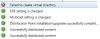
Distribution Manager successfully distributed package "XYZ" to distribution point "[Display=\\sccmaditional.dominio.local\"] MSWNET: ["SMS_SITE=XYZ"] \\sccmaditional.dominio.local\"
The former message was recorded on this view:
\Monitoring\Overview\Distribution Status\Distribution Point Configuration Status.
But my concern is located in the same view one hour earlier I have the following message referring to the unsucessfull first try:
Failed to create virtual directory on the defined share or volume on distribution point "[Display=\\sccmaditional.dominio.local\"] MSWNET: ["SMS_SITE=XYZ"] \\sccmaditional.dominio.local\"
so I think after I restart the server everything going to change.
what are you think about it?
Thanks in advanced
Manuel
I would like to ask you about:
Which are the steps that anyone have to do before redeploy an additional DP from SCCM administration console?
The first time I deployed it was unsuccessful. After several modifications in the configuration I deployed for second time and the result was successful
I saw this result at SCCM admin console with following message which by the way is referring to my additional DP deployed:
Distribution Manager successfully distributed package "XYZ" to distribution point "[Display=\\sccmaditional.dominio.local\"] MSWNET: ["SMS_SITE=XYZ"] \\sccmaditional.dominio.local\"
The former message was recorded on this view:
\Monitoring\Overview\Distribution Status\Distribution Point Configuration Status.
But my concern is located in the same view one hour earlier I have the following message referring to the unsucessfull first try:
Failed to create virtual directory on the defined share or volume on distribution point "[Display=\\sccmaditional.dominio.local\"] MSWNET: ["SMS_SITE=XYZ"] \\sccmaditional.dominio.local\"
so I think after I restart the server everything going to change.
what are you think about it?
Thanks in advanced
Manuel