Forums on Intune, SCCM, and Windows 11

Welcome to the forums. Register a free account today to become a member! Once signed in, you'll be able to participate on this site by adding your topics and posts, as well as connect with other members through your own private inbox!

PENDING error upgrading to version 1606

  • Thread starter Thread starter srs-pmo
  • Start date Start date
  • Replies Replies 16
  • Views Views 4K

srs-pmo

Member
Messages
19
Reaction score
0
Points
1
Hello, how are you?

I'm a beginner of configuration manager.

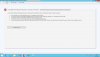
Here in the company had the SCCM 2012 R2. I upgraded to SP2, then SP1, then CU4. Success. I then upgraded to version 1606.Now, nothing works. I cannot access the console. I tried to recover the site without success. Now the only option available is to uninstall the site. It's all stopped. Help me.

Regards!!
 
Hi,

You said that you have upgraded SCCM 2012 R2 from SP2 to SP1?
For your information, the 1606 in-place upgrade with the baseline media is supported also for SCCM 2012 R2 without service pack.

Do you have a CAS or a standalone primary site?
What is the Windows Server and SQL version?
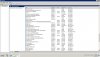
Have you checked the status of SCCM and SQL services on the site server?

More details about the in-place upgrade to 1606 LTSB: https://docs.microsoft.com/en-us/co...from-system-center-2012-configuration-manager
 
Hello.

Sorry but as I'm beginner to sccm I am having a lot of difficulties.

I have a CAS.
SCCM is installed on a Windows Server 2012 R2 Datacenter.
SQL Server 2008 R2 is installed on a Windows Server 2008 R2 Enterprise.
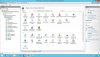
I did not check. I will send a print.

Regards.
 

Attachments

  • services sccm.jpg
    services sccm.jpg
    305.6 KB · Views: 8
  • iis default web site.jpg
    iis default web site.jpg
    279.1 KB · Views: 8
  • console error.jpg
    console error.jpg
    129.5 KB · Views: 7
  • services sql.jpg
    services sql.jpg
    245.2 KB · Views: 6
  • console error 2.jpg
    console error 2.jpg
    146 KB · Views: 3
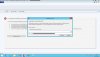
  • recover unavailable site.jpg
    recover unavailable site.jpg
    198.2 KB · Views: 2
Hello, how are you?

I'm a beginner of configuration manager.

Here in the company had the SCCM 2012 R2. I upgraded to SP2, then SP1, then CU4. Success. I then upgraded to version 1606.Now, nothing works. I cannot access the console. I tried to recover the site without success. Now the only option available is to uninstall the site. It's all stopped. Help me.

Regards!!
Good morning,

Could there be an issue with the server version of the SQL? I remember when we updated ours awhile back. ( we are currently on 1906 with the hotfixes ) We had to update our SQL server to ( at the very least ) 2012. Maybe some incompatibility with that? Also, for future reference we run ours on VM's and always do a " snapshot " before we mess with any upgrades so we can go back if needed. Good luck.
 
Good morning,

Could there be an issue with the server version of the SQL? I remember when we updated ours awhile back. ( we are currently on 1906 with the hotfixes ) We had to update our SQL server to ( at the very least ) 2012. Maybe some incompatibility with that? Also, for future reference we run ours on VM's and always do a " snapshot " before we mess with any upgrades so we can go back if needed. Good luck.

Hello,

I tried to install version 1906, but it is not possible as it only works with SQL version 2012.
The company database is a SQL Server 2008 R2 installed on a Windows 2008 R2 Enterprise Server.

Regards
 
can you tell us how did you upgrade to version 1606 ?. Was the upgrade successful ?.
Hi,

The company installed the SCCM 2012 R2 client version 5.00.7958.1000, build version 7958.

It has been updated to SP2. Then a new update for SP1. Then a new update for CU4.
So I installed version 1606, it worked, sucess, but the console stopped working. So I tried to install again with the site recovery option, gave error. I tried the setup file again, but the only option allowed is to uninstall this site from the configuration manager. Currently installed version is 8412, but nothing else works.

Is there installation log file? Log setup?

Regards
 
Last edited:
So I installed version 1606, it worked, sucess, but the console stopped working.

How did you qualify that the SCCM works?

Share with us the ConfigMgrSetup.log log file located on the C drive for more details about the upgrade/installation of the new SCCM version.

PS: SQL Server 2008 doesn't supports SCCM 1606, you need at least SQL Server 2012, if you can rollback to your snapshots and start with the SQL Server upgrade.
 
How did you qualify that the SCCM works?

Share with us the ConfigMgrSetup.log log file located on the C drive for more details about the upgrade/installation of the new SCCM version.

PS: SQL Server 2008 doesn't supports SCCM 1606, you need at least SQL Server 2012, if you can rollback to your snapshots and start with the SQL Server upgrade.
Hello Youssef,

I tried upgrading sccm to 1606 because the version that was installed years ago was "Remote Control Service on clients is disabled" (CmRcService-client-disable.jpg), attach file.

We dont't have DBA in the company, so we will have to continue to use SQL 2008.

If run the only option available, which would be to "uninstall the configuration manager site" (Uninstall this site.jpg) attach file, would we lose everything or just go back to the first installed version?

Regards
 

Attachments

  • CmRcService-client-disable.jpg
    CmRcService-client-disable.jpg
    104.6 KB · Views: 3
  • Uninstall this site.jpg
    Uninstall this site.jpg
    198.2 KB · Views: 3
  • ConfigMgrSetup.log
    ConfigMgrSetup.log
    965.6 KB · Views: 2
Why don't investigate to troubleshoot and resolve the remote control issue?
If you want still using SQL Server 2008, you have to stay in SCCM 2012 R2 SP1.

FYI, SQL Server 2008 is no longer supported, more details: https://blogs.msdn.microsoft.com/sq...t-for-sql-server-2008-and-sql-server-2008-r2/
I investigated to troubleshoot and resolve the remote control issue, but no solution worked.

As I don't have alternative, I am required to maintain SQL Server 2008 and will need to return to SCCM 2012 R2 SP1.

If run the only available option, which would be to uninstall the configuration manager site, i would lose site, database, everything, or just go back to the first installed version?

Regards
 
What is your current SCCM version?
Do you have all roles & CM Database on the same server? Did you toke a snapshot before the upgrade of this VM server?
 
What is your current SCCM version?
Do you have all roles & CM Database on the same server? Did you toke a snapshot before the upgrade of this VM server?
Hi Youssef,

What is your current SCCM version?
1606 build 8412

Do you have all roles & CM Database on the same server?
No. SCCM is installed on a Windows Server 2012 R2 Datacenter, where are the roles. The database is installed on a Windows Server 2008 R2 Enterprise with SQL Server 2008 R2.

Did you toke a snapshot before the upgrade of this VM server?
No. I don't have access.

Regards
 
Did you have toke a backup of your Site Server and CMDB before upgrading to 1606? If true, you can restore the site with recovery option; If not, I think the only options is to upgrade your SQL Server or reinstall from scratch SCCM 2012.
 
Did you have toke a backup of your Site Server and CMDB before upgrading to 1606? If true, you can restore the site with recovery option; If not, I think the only options is to upgrade your SQL Server or reinstall from scratch SCCM 2012.
Hello Youssef,

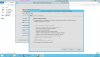
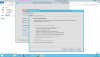
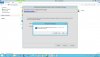
It was necessary to uninstall site 1606, (Uninstall this site.jpg) and (Uninstall this site 2.jpg) attach files.

I did restore with the SCCM 2012 SP2, it worked, success, (SCCM 2012 SP2 Install.jpg) attach file.

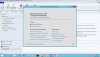
The console is working, (SCCM 2012 R2 SP1 Version.jpg) attach file.

But the old problem persists. Remote Control Service on clients is disabled (CmRcService-client-disable.jpg) attach file.

Can you help me?

I don't know what to do.

I have been trying to solve this problem for over two months and I can't.

Thanks a lot for helping me.
 

Attachments

  • Uninstall this site.jpg
    Uninstall this site.jpg
    198.2 KB · Views: 0
  • Uninstall this site 2.jpg
    Uninstall this site 2.jpg
    154.3 KB · Views: 0
  • SCCM 2012 SP2 Install.jpg
    SCCM 2012 SP2 Install.jpg
    205.4 KB · Views: 1
  • SCCM 2012 R2 SP1 Version.jpg
    SCCM 2012 R2 SP1 Version.jpg
    224.4 KB · Views: 2
  • CmRcService-client-disable.jpg
    CmRcService-client-disable.jpg
    104.6 KB · Views: 2
Last edited:
But the old problem persists. Remote Control Service on clients is disabled (CmRcService-client-disable.jpg) attach file.

Under Administration>Client Settings>Default Client Settings>Remote Tools, make sure that Enable Remote Control on clients is Enabled.

Make the same if you have another custom client settings.
 
Under Administration>Client Settings>Default Client Settings>Remote Tools, make sure that Enable Remote Control on clients is Enabled.

Make the same if you have another custom client settings.
Hi Youssef,

The Remote control settings are enabled.

Regards
 

Attachments

  • default setting - remote control.jpg
    default setting - remote control.jpg
    183.2 KB · Views: 1
  • custom setting - remote control.jpg
    custom setting - remote control.jpg
    183.6 KB · Views: 1
  • CmRcService.log
    CmRcService.log
    1.4 KB · Views: 0

Forum statistics

Threads
7,171
Messages
27,990
Members
18,297
Latest member
Kahnrym

Trending content

Back
Top