Forums on Intune, SCCM, and Windows 11

Welcome to the forums. Register a free account today to become a member! Once signed in, you'll be able to participate on this site by adding your topics and posts, as well as connect with other members through your own private inbox!

PENDING Error SMS_STATE_MIGRATION_POINT 6207

  • Thread starter Thread starter juannabis
  • Start date Start date
  • Replies Replies 8
  • Views Views 5K

juannabis

Well-Known Member
Messages
96
Solutions
1
Reaction score
0
Points
6
Hello,

I get this error:

SMP Control Manager detected SMP is not responding to HTTP requests. The http status code and text is 404, Not Found.

Possible cause: Internet Information Services (IIS) isn't configured to listen on the ports over which the site is configured to communicate.
Solution: Verify that the designated Web Site is configured to use the same ports which the site is configured to use.

Possible cause: The designated Web Site is disabled in IIS.
Solution: Verify that the designated Web Site is enabled, and functioning properly.

Possible cause: The MP ISAPI Application Identity does not have the requisite logon privileges.
Solution: Verify that the account that the MP ISAPI is configured to run under has not been denied batch logon rights through group policy.

For more information, refer to Microsoft Knowledge Base.

Any help?

Thank you.
 
What is the SCCM version ?.

Try the solution mentioned below (from technet).

Code:
I have to say that this was a last issue where the environment was suffering on. "Normal" server installation procedure from the customer includes launching serveral scripts to adjust security on drives and on IIS.

When I came on-site the server had issues on WSUS, MP & SMP. After some troubleshooting I have removed these roles (every role that needs IIS) and removed IIS from the server.  rebooted, reinstalled IIS & started to build up the functionality in SCCM again.

Maybe a way to go?
 
Hello,

The problema is in the IIS.

I put in the binding HTTP with port 80, but then it change to HTTPS with port 80.

I don't know why.

Thank you.

P.D.- I try to do te information in the post.
 
It shouldn't change to HTTPS automatically unless something is running on port 80 and altering the settings.
 
After reinstalling roles I have the error "SMP Control Manager detected SMP is not responding to HTTP requests. The http status code and text is 500, Internal Server Error."
 
I have the same problem with my IIS. I want to blame server updates, but can't because this doesn't happen every month. Port 80 changes from http to https and then NONE of my computers talk to SCCM. The only other site within IIS is WUSUS Administration and it uses completely different bindings.

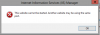
I get the attached message and then have to delete port 80 that is now https and re-add it as http and then it's good to go.
 

Attachments

  • MicrosoftTeams-image.png
    MicrosoftTeams-image.png
    10.2 KB · Views: 6
I have the same problem with my IIS. I want to blame server updates, but can't because this doesn't happen every month. Port 80 changes from http to https and then NONE of my computers talk to SCCM. The only other site within IIS is WUSUS Administration and it uses completely different bindings.

I get the attached message and then have to delete port 80 that is now https and re-add it as http and then it's good to go.


Is there a permanent fix for this?
 

Forum statistics

Threads
7,168
Messages
27,979
Members
18,281
Latest member
kerber

Trending content

Back
Top