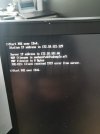
J Jelsantos New Member Messages 3 Reaction score 0 Points 1 Mar 20, 2026 #1 Hi ! When try to start pxe I get this error: The folder is not empty. And the permissions to the folder remoteinstall\smsboot\x64 are ok. Who can help me ? Thanks
Hi ! When try to start pxe I get this error: The folder is not empty. And the permissions to the folder remoteinstall\smsboot\x64 are ok. Who can help me ? Thanks
Prajwal Desai Forum Owner Staff member Messages 5,079 Solutions 148 Reaction score 985 Points 413 Mar 25, 2026 #2 Restart the WDS service and see if that helps. Upvote 0 Downvote
OP J Jelsantos New Member Messages 3 Reaction score 0 Points 1 Mar 25, 2026 Thread Starter #3 No. It not use wds Upvote 0 Downvote
OP J Jelsantos New Member Messages 3 Reaction score 0 Points 1 Apr 6, 2026 Thread Starter #4 Prajwal Desai said: Restart the WDS service and see if that helps. Click to expand... No, doesn't work. I am using SCCM without WDS. Upvote 0 Downvote
Prajwal Desai said: Restart the WDS service and see if that helps. Click to expand... No, doesn't work. I am using SCCM without WDS.
Prajwal Desai Forum Owner Staff member Messages 5,079 Solutions 148 Reaction score 985 Points 413 Apr 7, 2026 #5 Have you already repaired PXE role? https://www.prajwaldesai.com/repair-pxe-in-sccm/ Upvote 0 Downvote
S Stanley Road Well-Known Member Messages 115 Solutions 1 Reaction score 8 Points 18 Apr 7, 2026 #6 Jelsantos said: No, doesn't work. I am using SCCM without WDS. Click to expand... What are you using then? Remoteinstall path does suggest wds. Upvote 0 Downvote
Jelsantos said: No, doesn't work. I am using SCCM without WDS. Click to expand... What are you using then? Remoteinstall path does suggest wds.