Felix Fuentes
New Member
- Messages
- 2
- Reaction score
- 0
- Points
- 1
Any recommendations, I'm having trouble deploying agents with SCCM 2012 r2, it gives me the following error
Failed to send HTTP request. (Error at WinHttpSendRequest: 0x80072efd)
GetDPLocations failed with error 0x80072efd
Failed to get DP locations as the expected version from MP 'cr-apwsccm-pv.ath.fi.cr'. Error 0x80072efd
Give permissions
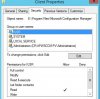
If you go to IIS and expand Web Sites> CCM_Client
Right click CCM_Client and select Permissions.
Add 'Everyone' and give them Read permissions.
Apply it and test a client push.
Thank you
Failed to send HTTP request. (Error at WinHttpSendRequest: 0x80072efd)
GetDPLocations failed with error 0x80072efd
Failed to get DP locations as the expected version from MP 'cr-apwsccm-pv.ath.fi.cr'. Error 0x80072efd
Give permissions
If you go to IIS and expand Web Sites> CCM_Client
Right click CCM_Client and select Permissions.
Add 'Everyone' and give them Read permissions.
Apply it and test a client push.
Thank you