Forums on Intune, SCCM, and Windows 11

Welcome to the forums. Register a free account today to become a member! Once signed in, you'll be able to participate on this site by adding your topics and posts, as well as connect with other members through your own private inbox!

SOLVED Downloading 0% complete

prytkov

Member
Messages
21
Reaction score
0
Points
1
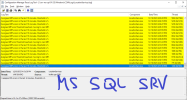
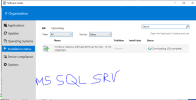
My problem concerns both installing applications and installing updates. Please tell me which way to look
Status Downloading 0% complete

I have this config
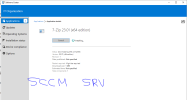
1. SCCM server no internet access
- components installed on the server:
Component server
Site server
Site system
SMS Provider

2. SQL Server no internet access
- components installed on the server:
Component server
Site database server
Site system

3. WSUS server has Internet access via proxy and SUP is installed
- components installed on the server:
Component server
Distribution point
Management point
Service connection point
Site system
Software update point
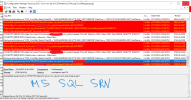
 

Attachments

  • Download_0_04.PNG
    Download_0_04.PNG
    109.3 KB · Views: 10
  • Download_0_05.PNG
    Download_0_05.PNG
    76.9 KB · Views: 9
  • Download_0_01.PNG
    Download_0_01.PNG
    41.3 KB · Views: 6
  • Download_0_02.PNG
    Download_0_02.PNG
    44.8 KB · Views: 8
Are you using IP Ranges for your Boundaries? 80% of the time that is the problem that you boundaries are not right.
 
Are you using IP Ranges for your Boundaries? 80% of the time that is the problem that you boundaries are not right.
Garth, thanks for help !
--
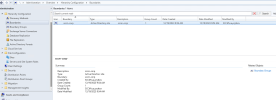
In the Boundries section I use the Active Directory site type

Also in the logs (locationServices.log) I noticed a line with the following value
--
Unable to retrieve AD site membership LocationServices 12/19/2023 6:04:07 PM 8580 (0x2184)
 

Attachments

  • Download_0_06.PNG
    Download_0_06.PNG
    122.4 KB · Views: 6
Garth, thanks for help !
--
In the Boundries section I use the Active Directory site type

Also in the logs (locationServices.log) I noticed a line with the following value
--
Unable to retrieve AD site membership LocationServices 12/19/2023 6:04:07 PM 8580 (0x2184)
Only IP Ranges will be 100% correct. All other are hit and miss, based on the IP and subnet mask of the device. Change to IP Ranges and you should be able to download from your DP.
 
Garth, thanks for the help!
Really everything worked with IP address ranges.
This is probably a bug, why doesn’t it work with AD?
 
Garth, thanks for the help!
Really everything worked with IP address ranges.
This is probably a bug, why doesn’t it work with AD?
It will not be a bug. But how the AD and the client have their IP addresses setup, so they don't match exactly. You likely (and I'm guessing) using as /24 subnet mask in AD and using a /25 subnet mask on the device or something like that.
 
It will not be a bug. But how the AD and the client have their IP addresses setup, so they don't match exactly. You likely (and I'm guessing) using as /24 subnet mask in AD and using a /25 subnet mask on the device or something like that.
You right, im using /24 subnet mask
 

Forum statistics

Threads
7,135
Messages
27,868
Members
18,159
Latest member
jordysmits
Back
Top