Forums on Intune, SCCM, and Windows 11

Welcome to the forums. Register a free account today to become a member! Once signed in, you'll be able to participate on this site by adding your topics and posts, as well as connect with other members through your own private inbox!

PENDING Delete SCCM Computer Record from Config Manager

  • Thread starter Thread starter Craiglee
  • Start date Start date
  • Replies Replies 10
  • Views Views 7K

Craiglee

Member
Messages
21
Reaction score
0
Points
1
Team, wanting some advice, we have a few machines in our fleet, where software just won't deploy to them, haven't really done a deep dive investigation on the client to ascertain what's happening, however one of my colleagues has found that deleting the SCCM record (computer object) from SCCM, and have the client check in again resolves the issue, which is great, however I'm just concerned that this is not very good practice possibly, what are the caveats of just deleting the SCCM record, and have client/SCCM rediscover, does this create duplicates SIDS/GUIDS etc, what do we need to consider before just deleting the computer object from SCCM, kindly advise.
 
Hi,

I don't think that deleting the computer from the ConfigMgr database will resolve the application installation issue, I suggest to you to investigate more in one of those clients with checking the following log files:
  • LocationServices.log
  • ClientLocation.log
  • AppDiscovery.log
  • AppEnforce.log
  • CAS.log
 
Hi,

I don't think that deleting the computer from the ConfigMgr database will resolve the application installation issue, I suggest to you to investigate more in one of those clients with checking the following log files:
  • LocationServices.log
  • ClientLocation.log
  • AppDiscovery.log
  • AppEnforce.log
  • CAS.log
thank you Youssef, it's what I'm thinking as well, another engineer has done this on 3-4 machines and it magically fixed up the issue of the apps not deploying. I would like to advise management against this sledgehammer approach.
 
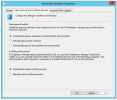
Otherwise, SCCM has a mechanism to resolve automatically the duplicate records, you have to enable the following option under: Administration > Site Configuration > Sites, select your Site and in the top ribbon, click Hierarchy Settings:

1586936650681.png
 
any other reason's why manually deleting objects from ConfigMgr DB to resolve application install issues is not recommended?
 
Team, wanting some advice, we have a few machines in our fleet, where software just won't deploy to them, haven't really done a deep dive investigation on the client to ascertain what's happening, however one of my colleagues has found that deleting the SCCM record (computer object) from SCCM, and have the client check in again resolves the issue, which is great, however I'm just concerned that this is not very good practice possibly, what are the caveats of just deleting the SCCM record, and have client/SCCM rediscover, does this create duplicates SIDS/GUIDS etc, what do we need to consider before just deleting the computer object from SCCM, kindly advise.

How exactly are you deleting the record? it almost sound like you are doing directly from the database vs the console.

If you are doing it from the console, it isn't a big deal.
 
any other reason's why manually deleting objects from ConfigMgr DB to resolve application install issues is not recommended?
Even though you are deleting the resource, you are installing the client agent on same resource and installing apps. It may have worked in your case but what you are doing is rare and you can't keep doing this frequently on all your prod workstations. So if you want to fix this issue permanently, you must examine the log files suggested by @Youssef Saad.

You also mentioned that "we have a few machines in our fleet, where software just won't deploy to them". You have to tell us what errors do you see.
 
thank you team, I've asked that our level 2 guys not do this going forward, but rather trawl through log files to see if they can spot anything, or alternatively get the logs to me to analyse, thanks for you help as always guys
 
thank you Youssef, it's what I'm thinking as well, another engineer has done this on 3-4 machines and it magically fixed up the issue of the apps not deploying. I would like to advise management against this sledgehammer approach.
Hello Craiglee and Youssef, I work in a school and we are constantly re-imaging computers and laptops and we always use the delete option. This instantly fixes the booting from PXE issues.
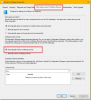
We have the settings, as you can see below, set as you have suggested, Youssef, but that does not resolve the issue.
I know you may have both moved onto fresher waters, but wanted to throw my opinion and experience into the ring.
1768485950225.png
 

Forum statistics

Threads
7,156
Messages
27,932
Members
18,237
Latest member
Causal
Back
Top