Jochen Winter
Member
- Messages
- 5
- Reaction score
- 0
- Points
- 1
I tried to start an offline upgrade off my ConfigMgr Server. The upgrade progress stucks with error 0x80004005. The problem is similar to https://www.prajwaldesai.com/fix-sccm-upgrade-error-80070005-install-files.
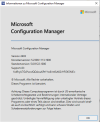
The upgrade process stops during installing files. With the serviceconnectiontool I imported 2403 upgrade package. The problem ist that the offline upgrade package was not complete. The redist files are missing for some reasons. The conclusion is the imported package is corrupt and will never come to a successfull upgrade of ConfigMgr to version 2403.
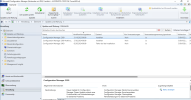
The question is how to remove the corrupt package from the ConfigMgr Update & Servicing panel und re-import a new functional package. The SCCM Update Reset Tool – CMUpdateReset.EXE Tool will not work while the corrupt package is already in post-installation mode.
Best regards
The upgrade process stops during installing files. With the serviceconnectiontool I imported 2403 upgrade package. The problem ist that the offline upgrade package was not complete. The redist files are missing for some reasons. The conclusion is the imported package is corrupt and will never come to a successfull upgrade of ConfigMgr to version 2403.
The question is how to remove the corrupt package from the ConfigMgr Update & Servicing panel und re-import a new functional package. The SCCM Update Reset Tool – CMUpdateReset.EXE Tool will not work while the corrupt package is already in post-installation mode.
Best regards