WBH
Member
- Messages
- 19
- Solutions
- 2
- Reaction score
- 0
- Points
- 1
Hi community,
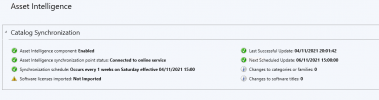
i'm trying to Configure Asset Intelligence in my CM 2010.
everything was done correctly but when i try to synchronize i get error
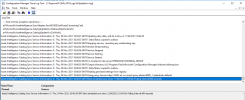
Asset Intelligence Catalog Sync Service Warning: 0 : Thu, 04 Nov 2021 14:28:52 GMT:WebException trying to enroll: Status = NameResolutionFailure
Asset Intelligence Catalog Sync Service Error: 0 : Thu, 04 Nov 2021 14:28:52 GMT:Retrieve Machine Cert, Error - The remote name could not be resolved: 'go.microsoft.com'
Asset Intelligence Catalog Sync Service Error: 0 : Thu, 04 Nov 2021 14:28:52 GMT:Exception attempting sync - The remote name could not be resolved: 'go.microsoft.com'
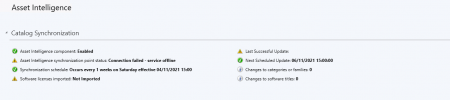
I'm using a proxy without authentification and "go.microsoft.com" is reachable when i test it on browser.
i'm trying to Configure Asset Intelligence in my CM 2010.
everything was done correctly but when i try to synchronize i get error
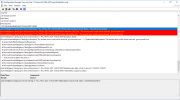
Asset Intelligence Catalog Sync Service Warning: 0 : Thu, 04 Nov 2021 14:28:52 GMT:WebException trying to enroll: Status = NameResolutionFailure
Asset Intelligence Catalog Sync Service Error: 0 : Thu, 04 Nov 2021 14:28:52 GMT:Retrieve Machine Cert, Error - The remote name could not be resolved: 'go.microsoft.com'
Asset Intelligence Catalog Sync Service Error: 0 : Thu, 04 Nov 2021 14:28:52 GMT:Exception attempting sync - The remote name could not be resolved: 'go.microsoft.com'
I'm using a proxy without authentification and "go.microsoft.com" is reachable when i test it on browser.