Forums on Intune, SCCM, and Windows 11

Welcome to the forums. Register a free account today to become a member! Once signed in, you'll be able to participate on this site by adding your topics and posts, as well as connect with other members through your own private inbox!

PENDING approved/unapproved updates in wsus

syed sameer

Well-Known Member
Messages
144
Reaction score
2
Points
18
Hi prajwal

i have a question for you

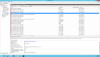
what is mean by approved and unapproved updates in WSUS? can you kindly see the screen shot
and guide me exactly what is mean by approved and unapproved updates and do i need to approve it
since im using SCCM for patch deployment ,

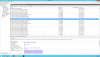
and also see the another screen shot with updates with red cross mark what it mean by those updates
 

Attachments

  • wsus.png
    wsus.png
    126 KB · Views: 5
  • updates with red mark.png
    updates with red mark.png
    121.1 KB · Views: 4
If you using SCCM for updates deployment, SCCM will take care of those updates. Do not work using WSUS.
 
Approve the updates - When you approve an update, you are essentially telling WSUS what to do with it (your choices are Install or Decline for a new update).

Decline the updates - If you select this option, the update is removed from the default list of available updates and the WSUS server will not offer the update to clients, either for evaluation or installation. If an update has been approved and you decide not to install it at this time but want to save it for a future time, you can unapprove the update. This means that the update will remain in the default list of available updates and will report client compliance, but will not be installed on clients.
 
Back
Top