

FazzaGBR
Member
- Messages
- 5
- Solutions
- 1
- Reaction score
- 0
- Points
- 1
We're currently creating a Windows 11 Golden Image ready to be deployed via SCCM and it keeps on failing during the Image Capture Wizard with error code 0x00004005
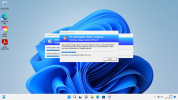
After spending a lot of time investigating the issue (we have lots of software that needs to be installed hence a Golden Image rather than adding dozens of software titles to a task sequence) and have confirmed it is the local installation of Adobe Creative Cloud (Acrobat, After Effects, Animate, Audition, Dreamweaver, Illustrator, Photoshop, Premiere etc.) that is causing this issue as if we dont install this as part of the Golden Image we're trying to create it captures correctly with no errors. To prove this I have installed Windows 11 and only Adobe CC and then run the Image Capture Wizard and it fails pretty much straight away with error code 0x00004005
Any ideas what I can do to sort this out as it'd be easier (and more reliable) to have Adobe CC as part of the Image rather than a separate item on the task sequence?
After spending a lot of time investigating the issue (we have lots of software that needs to be installed hence a Golden Image rather than adding dozens of software titles to a task sequence) and have confirmed it is the local installation of Adobe Creative Cloud (Acrobat, After Effects, Animate, Audition, Dreamweaver, Illustrator, Photoshop, Premiere etc.) that is causing this issue as if we dont install this as part of the Golden Image we're trying to create it captures correctly with no errors. To prove this I have installed Windows 11 and only Adobe CC and then run the Image Capture Wizard and it fails pretty much straight away with error code 0x00004005
Any ideas what I can do to sort this out as it'd be easier (and more reliable) to have Adobe CC as part of the Image rather than a separate item on the task sequence?

