Forums on Intune, SCCM, and Windows 11

Welcome to the forums. Register a free account today to become a member! Once signed in, you'll be able to participate on this site by adding your topics and posts, as well as connect with other members through your own private inbox!

PENDING SCCM 1802 Scheduled deployment Wake On Lan not working, but RightClickTools WOL works

Messages
16
Reaction score
1
Points
3
I have been trying to figure out why Wake On Lan works for Right Click Tools, but not for SCCM Scheduled Deployments.

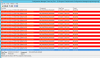
In the wolmgr.log file I found this happening every five seconds: "Failed to get WOL inbox on AMT Proxy component. Wait 5 seconds... SMS_WAKEONLAN_MANAGER 9/19/2018 11:32:24 AM 480 (0x01E0)".

In the wolcmgr.log file I don't see any errors except this happening about four times a day, which I think is referring to the endless errors shown in the other log file: "CBaseCounter::Initialize - Registered performance counter "Total Number of Packets failed" SMS_WAKEONLAN_COMMUNICATION_MANAGER 9/19/2018 2:01:59 AM 9496 (0x2518)"

I have tried to look up these error messages and haven't found anything to help me get this resolved.

I have tried various ports, including the default (9) and 12287, currently it is on 7. We are being told to use subnet directed broadcasts by our network team due to some limitations with our Cisco network configuration.

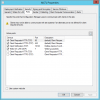
I do have a SQL Server Agent (ADK) service that was disabled. I enabled it and it starts but turns off immediately. I don't know if that is related. I did have some deployment issues with Windows 7 drivers giving errors during the task sequence, even though they were installing. So I installed a Windows 8.1 ADK after seeing an article about bugs with the latest Win10 ADK and SCCM Task Sequences installing Win7 drivers. I've since then installed Win10 1703 ADK, which works on one of my other SCCM servers on Win7 deployments fine, and I was having this WOL problem before installing 1703 ADK.

adk-sqlsrvagnt.PNG
Screen shots of log file and SCCM WOL config:
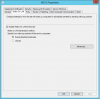
wol-config.PNG
wol-ports.PNG
 

Attachments

  • wolmgrlog.PNG
    wolmgrlog.PNG
    84 KB · Views: 42
  • adk-sqlsrvagnt.PNG
    adk-sqlsrvagnt.PNG
    4.3 KB · Views: 0
Last edited:
Under Administration > System Status > Site Status > Management Point, when I show messages I see these:

Description Severity Type Site code Date / Time System Component Message ID Thread ID Process ID
The Wake On LAN component has failed to read the site control file settings. Possible cause: The information is not yet available. Solution: The component is waiting for the information to become available and will retry obtaining the information at its next interval.
Error Milestone CML 9/20/2018 12:47:56 PM SMS_WAKEONLAN_MANAGER 6500 3384 3988

Description Severity Type Site code Date / Time System Component Message ID Thread ID Process ID
The Wake On LAN component has failed to read the site control file settings. Possible cause: The information is not yet available. Solution: The component is waiting for the information to become available and will retry obtaining the information at its next interval.
Error Milestone CML 9/20/2018 9:39:03 AM SMS_WAKEONLAN_MANAGER 6500 2924 2636
 
This is indeed a bug in SCCM Current Branch 1802, and there was no charge for my Microsoft Premiere Support ticket. We did get the problem resolved.
There were two missing registry keys, and a missing folder, that appeared to be the culprit. We did add/change a couple of other keys, but they did not change the symptoms at all.
From MS Support:
"CB 1802 is lacking the following registry keys (exported from my UPGRADED environment):"

Windows Registry Editor Version 5.00

[HKEY_LOCAL_MACHINE\SOFTWARE\Microsoft\SMS\Inbox Source\Inbox Definitions\77]
"Inbox Name"="SMS_AMT_PROXY_WOL"
"Location Type"=dword:00000001
"NAL Path"=""
"Relative Path"="inboxes\\amtproxymgr.box\\wol.box"
"Service Rights"=dword:00000054
"User Rights"=dword:00000000
"Guest Rights"=dword:00000000
"Monitoring Enabled"=dword:00000001

(and)

[HKEY_LOCAL_MACHINE\SOFTWARE\Microsoft\SMS\Inbox Source\Inbox Instances\77]
"Inbox Name"="SMS_AMT_PROXY_WOL"
"Location Type"=dword:00000001
"Assistant Flags"=dword:00000000
"NAL Path"=""
"Relative Path"="inboxes\\amtproxymgr.box\\wol.box"
"UNC Path"="\\\\PRI1.CONTOSO.LOCAL\SMS_P01\\inboxes\\amtproxymgr.box\\wol.box"
"Monitoring Enabled"=dword:00000001

On my server I had to add the two keys by creating new keys using the next available number in Inbox Definitions and Inbox Instances (mine was 76).

I also had to create the wol.box folder inside of the amtproxymgr.box folder. I simply copied the existing folder named "bad" and named it wol.box.

Make sure the UNC path has your actual server FQDN name AND SCCM site name share. The above example is from the MS support person's test install.

Yes the double backslashes are there for single backslash, and quadruple for double. Not sure why but that is how many reg keys work.

As soon as I had these registry keys and the wol.box folder, the persistent errors that had been occurring every five seconds, immediately ceased and new data showed in the log that matched what I see on my other two server.

I will post separately below this, some other relevant registry keys that you should verify you have. But these two reg keys and the wol.box folder fixed this problem for me.
I hope this will help someone else.
 
Last edited:
Other registry keys:
Windows Registry Editor Version 5.00

[HKEY_LOCAL_MACHINE\SOFTWARE\Microsoft\SMS\Inbox Source\Inbox Definitions\34]
"Inbox Name"="SMS_AMT_PROXY_COMPONENT"
"Location Type"=dword:00000001
"NAL Path"=""
"Relative Path"="inboxes\\amtproxymgr.box"
"Service Rights"=dword:00000054
"User Rights"=dword:00000000
"Guest Rights"=dword:00000000
"Monitoring Enabled"=dword:00000001

Windows Registry Editor Version 5.00

[HKEY_LOCAL_MACHINE\SOFTWARE\Microsoft\SMS\Inbox Source\Inbox Instances\34]
"Inbox Name"="SMS_AMT_PROXY_COMPONENT"
"Location Type"=dword:00000001
"Assistant Flags"=dword:00000000
"NAL Path"=""
"Relative Path"="inboxes\\amtproxymgr.box"
"UNC Path"="\\\\FQDN-server.name\\SiteNameShare\\inboxes\\amtproxymgr.box"
"Monitoring Enabled"=dword:00000001


Windows Registry Editor Version 5.00

[HKEY_LOCAL_MACHINE\SOFTWARE\Microsoft\SMS\COMPONENTS\SMS_AMT_PROXY_COMPONENT]
"Reserved"=dword:00000000
"Last Row Version"=""
"Objects Being Retried"=hex(7):00,00
"Object Repl Files Being Retried"=hex(7):00,00

Windows Registry Editor Version 5.00

[HKEY_LOCAL_MACHINE\SOFTWARE\Microsoft\SMS\Operations Management\Components\SMS_AMT_PROXY_COMPONENT]

Windows Registry Editor Version 5.00

[HKEY_LOCAL_MACHINE\SOFTWARE\Microsoft\SMS\Tracing\SMS_AMT_PROXY_COMPONENT]
"TraceFilename"="C:\\Program Files\\Microsoft Configuration Manager\\Logs\\amtproxymgr.log"
"MaxFileSize"=dword:00280000
"Enabled"=dword:00000001
"DebugLogging"=dword:00000000
"LoggingLevel"=dword:00000001
"LogMaxHistory"=dword:0000000a


Windows Registry Editor Version 5.00

[HKEY_LOCAL_MACHINE\SOFTWARE\Microsoft\SMS\MPFDM\Inboxes]
"Discovery Data Manager (Trusted)"="C:\\Program Files\\Microsoft Configuration Manager\\inboxes\\auth\\ddm.box"
"Distribution Manager (Incoming)"="C:\\Program Files\\Microsoft Configuration Manager\\inboxes\\distmgr.box\\incoming"
"Notification Manager"="C:\\Program Files\\Microsoft Configuration Manager\\inboxes\\bgb.box"
"State System (Incoming - high priority)"="C:\\Program Files\\Microsoft Configuration Manager\\inboxes\\auth\\statesys.box\\incoming\\high"
"Site System Status Summarizer"="C:\\Program Files\\Microsoft Configuration Manager\\inboxes\\sitestat.box"
"Successful Policy Requests"="C:\\Program Files\\Microsoft Configuration Manager\\inboxes\\polreq.box"
"Business App Process Manager Inbox"="C:\\Program Files\\Microsoft Configuration Manager\\inboxes\\businessappprocess.box"
"Discovery Data Manager (Registration)"="C:\\Program Files\\Microsoft Configuration Manager\\inboxes\\auth\\ddm.box\\regreq"
"Software Inventory Processor (Site Trusted)"="C:\\Program Files\\Microsoft Configuration Manager\\inboxes\\auth\\sinv.box"
"State System (Incoming)"="C:\\Program Files\\Microsoft Configuration Manager\\inboxes\\auth\\statesys.box\\incoming"
"State System (Incoming - low priority)"="C:\\Program Files\\Microsoft Configuration Manager\\inboxes\\auth\\statesys.box\\incoming\\low"
"Data Loader (Trusted)"="C:\\Program Files\\Microsoft Configuration Manager\\inboxes\\auth\\dataldr.box"
"SMS_AMT_PROXY_COMPONENT"="C:\\Program Files\\Microsoft Configuration Manager\\inboxes\\amtproxymgr.box"
"Site Server Inventory Collection"="C:\\Program Files\\Microsoft Configuration Manager\\inboxes\\inventry.box"
"Software Metering Processor Usage (Site)"="C:\\Program Files\\Microsoft Configuration Manager\\inboxes\\swmproc.box\\usage"
"Endpoint Protection Manager"="C:\\Program Files\\Microsoft Configuration Manager\\inboxes\\epmgr.box"
"Hierarchy Manager (Forwarding messages)"="C:\\Program Files\\Microsoft Configuration Manager\\inboxes\\hman.box\\ForwardingMsg"
"Asset Intelligence KB Manager"="C:\\Program Files\\Microsoft Configuration Manager\\inboxes\\aikbmgr.box"
"Status Manager"="C:\\Program Files\\Microsoft Configuration Manager\\inboxes\\statmgr.box\\statmsgs"
"Discovery Data Manager (Users)"="C:\\Program Files\\Microsoft Configuration Manager\\inboxes\\auth\\ddm.box\\userddrsonly"
 

Forum statistics

Threads
7,157
Messages
27,935
Members
18,238
Latest member
tech

Latest posts

Back
Top