i have the same issue
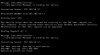
With OSD i get my IP, then the wdsnbp is downloaded.
Then "contacting server IP (gateway)"...
After a good sec's then launching pxeboot
Press F12
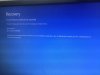
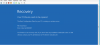
Boot failure
I did the steps as above.
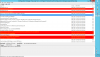
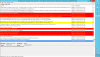
What i saw is in distmgr :
When i enabled the PXE then the images where reloaded
Running: WDSUTIL.exe /Initialize-Server /REMINST:"C:\RemoteInstall"~ $$<SMS_DISTRIBUTION_MANAGER><08-11-2018 22:32:04.242-120><thread=5876 (0x16F4)>
Waiting for the completion of: WDSUTIL.exe /Initialize-Server /REMINST:"C:\RemoteInstall"~ $$<SMS_DISTRIBUTION_MANAGER><08-11-2018 22:32:04.294-120><thread=5876 (0x16F4)>
Run completed for: WDSUTIL.exe /Initialize-Server /REMINST:"C:\RemoteInstall"~ $$<SMS_DISTRIBUTION_MANAGER><08-11-2018 22:34:40.413-120><thread=5876 (0x16F4)>
Machine is running Windows Server. (NTVersion=0X602, ServicePack=0)~ $$<SMS_DISTRIBUTION_MANAGER><08-11-2018 22:34:40.414-120><thread=5876 (0x16F4)>
No need to configure the firewall~ $$<SMS_DISTRIBUTION_MANAGER><08-11-2018 22:34:40.417-120><thread=5876 (0x16F4)>
Processing 00700005~ $$<SMS_DISTRIBUTION_MANAGER><08-11-2018 22:34:40.533-120><thread=5876 (0x16F4)>
Library path mismatch: \\?\C:\SCCMContentLib, C:\SCCMContentLib~ $$<SMS_DISTRIBUTION_MANAGER><08-11-2018 22:34:40.536-120><thread=5876 (0x16F4)>
Expanding C:\SCCMContentLib\FileLib\62ED\62EDD86927D0F50CB550B7310C1E46D19187C31F88EA1A5BC4AD1EDE46B2B4A5 from package 00700005~ $$<SMS_DISTRIBUTION_MANAGER><08-11-2018 22:34:40.547-120><thread=5876 (0x16F4)>
Finding Wimgapi.Dll ...~ $$<SMS_DISTRIBUTION_MANAGER><08-11-2018 22:34:40.550-120><thread=5876 (0x16F4)>
Found wimgapi.dll in system folder, wimgapi path: C:\Windows\system32\wimgapi.dll~ $$<SMS_DISTRIBUTION_MANAGER><08-11-2018 22:34:40.552-120><thread=5876 (0x16F4)>
SetNamedSecurityInfo() failed.~ $$<SMS_DISTRIBUTION_MANAGER><08-11-2018 22:34:40.615-120><thread=5876 (0x16F4)>
SetObjectOwner() failed. 0x80070003.~ $$<SMS_DISTRIBUTION_MANAGER><08-11-2018 22:34:40.617-120><thread=5876 (0x16F4)>
SetFileSecurity() failed.~ $$<SMS_DISTRIBUTION_MANAGER><08-11-2018 22:34:40.619-120><thread=5876 (0x16F4)>
Expanding 00700005 to C:\RemoteInstall\SMSImages~ $$<SMS_DISTRIBUTION_MANAGER><08-11-2018 22:34:45.186-120><thread=5876 (0x16F4)>
Processing 0070000D~ $$<SMS_DISTRIBUTION_MANAGER><08-11-2018 22:35:10.879-120><thread=5876 (0x16F4)>
Library path mismatch: \\?\C:\SCCMContentLib, C:\SCCMContentLib~ $$<SMS_DISTRIBUTION_MANAGER><08-11-2018 22:35:10.882-120><thread=5876 (0x16F4)>
Expanding C:\SCCMContentLib\FileLib\1A82\1A82D47348DE563EC623CBBF92447D0125F71D21D9B7AFEAF4794396C2C77ADB from package 0070000D~ $$<SMS_DISTRIBUTION_MANAGER><08-11-2018 22:35:10.896-120><thread=5876 (0x16F4)>
Finding Wimgapi.Dll ...~ $$<SMS_DISTRIBUTION_MANAGER><08-11-2018 22:35:10.900-120><thread=5876 (0x16F4)>
Found wimgapi.dll in system folder, wimgapi path: C:\Windows\system32\wimgapi.dll~ $$<SMS_DISTRIBUTION_MANAGER><08-11-2018 22:35:10.903-120><thread=5876 (0x16F4)>
SetNamedSecurityInfo() failed.~ $$<SMS_DISTRIBUTION_MANAGER><08-11-2018 22:35:11.953-120><thread=5876 (0x16F4)>
SetObjectOwner() failed. 0x80070002.~ $$<SMS_DISTRIBUTION_MANAGER><08-11-2018 22:35:19.005-120><thread=5876 (0x16F4)>
SetFileSecurity() failed.~ $$<SMS_DISTRIBUTION_MANAGER><08-11-2018 22:35:19.013-120><thread=5876 (0x16F4)>
Expanding 0070000D to C:\RemoteInstall\SMSImages~ $$<SMS_DISTRIBUTION_MANAGER><08-11-2018 22:35:22.573-120><thread=5876 (0x16F4)>
Processing 0070000E~ $$<SMS_DISTRIBUTION_MANAGER><08-11-2018 22:35:34.716-120><thread=5876 (0x16F4)>
Library path mismatch: \\?\C:\SCCMContentLib, C:\SCCMContentLib~ $$<SMS_DISTRIBUTION_MANAGER><08-11-2018 22:35:34.718-120><thread=5876 (0x16F4)>
Expanding C:\SCCMContentLib\FileLib\E233\E2332A5F3B92D7435A818588505050949477BC6853C3DFC940A02E8048008858 from package 0070000E~ $$<SMS_DISTRIBUTION_MANAGER><08-11-2018 22:35:34.731-120><thread=5876 (0x16F4)>
Finding Wimgapi.Dll ...~ $$<SMS_DISTRIBUTION_MANAGER><08-11-2018 22:35:34.733-120><thread=5876 (0x16F4)>
Found wimgapi.dll in system folder, wimgapi path: C:\Windows\system32\wimgapi.dll~ $$<SMS_DISTRIBUTION_MANAGER><08-11-2018 22:35:34.736-120><thread=5876 (0x16F4)>
SetNamedSecurityInfo() failed.~ $$<SMS_DISTRIBUTION_MANAGER><08-11-2018 22:35:35.029-120><thread=5876 (0x16F4)>
SetObjectOwner() failed. 0x80070002.~ $$<SMS_DISTRIBUTION_MANAGER><08-11-2018 22:35:35.031-120><thread=5876 (0x16F4)>
SetFileSecurity() failed.~ $$<SMS_DISTRIBUTION_MANAGER><08-11-2018 22:35:35.034-120><thread=5876 (0x16F4)>
Expanding 0070000E to C:\RemoteInstall\SMSImages~ $$<SMS_DISTRIBUTION_MANAGER><08-11-2018 22:35:39.344-120><thread=5876 (0x16F4)>
CcmInstallPXE: Deleting the DP mutex key for WDS.~ $$<SMS_DISTRIBUTION_MANAGER><08-11-2018 22:35:50.329-120><thread=5876 (0x16F4)>
DP monitoring task is disabed on server SCCM-SGVW-70-1.sgvw.be $$<SMS_DISTRIBUTION_MANAGER><08-11-2018 22:35:50.415-120><thread=5876 (0x16F4)>
No need to initialize monitoring task on SCCM-SGVW-70-1.sgvw.be $$<SMS_DISTRIBUTION_MANAGER><08-11-2018 22:35:50.438-120><thread=5876 (0x16F4)>
DP settings have been updated to SCCM-SGVW-70-1.sgvw.be. $$<SMS_DISTRIBUTION_MANAGER><08-11-2018 22:35:50.442-120><thread=5876 (0x16F4)>
Initialize usage gathering task on SCCM-SGVW-70-1.sgvw.be $$<SMS_DISTRIBUTION_MANAGER><08-11-2018 22:35:50.471-120><thread=5876 (0x16F4)>
IIS Version 10 $$<SMS_DISTRIBUTION_MANAGER><08-11-2018 22:35:50.474-120><thread=5876 (0x16F4)>
Successfully saved iis settings. $$<SMS_DISTRIBUTION_MANAGER><08-11-2018 22:35:54.263-120><thread=5876 (0x16F4)>
Log Location C:\inetpub\logs\LogFiles\W3SVC1 $$<SMS_DISTRIBUTION_MANAGER><08-11-2018 22:35:54.265-120><thread=5876 (0x16F4)>
Successfully enabled usage gathering on the local distribution point. $$<SMS_DISTRIBUTION_MANAGER><08-11-2018 22:35:54.269-120><thread=5876 (0x16F4)>
1998-01-01T00:00:00 $$<SMS_DISTRIBUTION_MANAGER><08-11-2018 22:35:54.278-120><thread=5876 (0x16F4)>
DP settings have been updated to SCCM-SGVW-70-1.sgvw.be. $$<SMS_DISTRIBUTION_MANAGER><08-11-2018 22:35:54.486-120><thread=5876 (0x16F4)>
OS information for the server - 10.0.14393 $$<SMS_DISTRIBUTION_MANAGER><08-11-2018 22:35:54.539-120><thread=5876 (0x16F4)>
~Sleep 3600 seconds... $$<SMS_DISTRIBUTION_MANAGER><08-11-2018 22:35:54.588-120><thread=5876 (0x16F4)>
Adding package '00700002' to package processing queue. $$<SMS_DISTRIBUTION_MANAGER><08-11-2018 22:36:04.599-120><thread=5876 (0x16F4)>
Adding package '00700003' to package processing queue. $$<SMS_DISTRIBUTION_MANAGER><08-11-2018 22:36:04.601-120><thread=5876 (0x16F4)>
Adding package '00700007' to package processing queue. $$<SMS_DISTRIBUTION_MANAGER><08-11-2018 22:36:04.604-120><thread=5876 (0x16F4)>
Adding package '00700008' to package processing queue. $$<SMS_DISTRIBUTION_MANAGER><08-11-2018 22:36:04.607-120><thread=5876 (0x16F4)>
~Package Thread Limit: 3 $$<SMS_DISTRIBUTION_MANAGER><08-11-2018 22:36:04.799-120><thread=5876 (0x16F4)>
~Per package Thread Limit: 5 $$<SMS_DISTRIBUTION_MANAGER><08-11-2018 22:36:04.802-120><thread=5876 (0x16F4)>
~Retry interval: 30 $$<SMS_DISTRIBUTION_MANAGER><08-11-2018 22:36:04.806-120><thread=5876 (0x16F4)>
~DP upgrade thread Limit: 50 $$<SMS_DISTRIBUTION_MANAGER><08-11-2018 22:36:04.809-120><thread=5876 (0x16F4)>
~DP upgrade retry interval: 20 $$<SMS_DISTRIBUTION_MANAGER><08-11-2018 22:36:04.812-120><thread=5876 (0x16F4)>
~Shared DP reassignment thread limit: 50 $$<SMS_DISTRIBUTION_MANAGER><08-11-2018 22:36:04.816-120><thread=5876 (0x16F4)>
STATMSG: ID=2375 SEV=I LEV=M SOURCE="SMS Server" COMP="SMS_DISTRIBUTION_MANAGER" SYS=SCCM-SGVW-70-1.SGVW.BE SITE=007 PID=2288 TID=5876 GMTDATE=za aug 11 20:36:04.854 2018 ISTR0="["Display=\\SCCM-SGVW-70-1.sgvw.be\"]MSWNET:["SMS_SITE=007"]\\SCCM-SGVW-70-1.sgvw.be\" ISTR1="" ISTR2="" ISTR3="" ISTR4="" ISTR5="" ISTR6="" ISTR7="" ISTR8="" ISTR9="" NUMATTRS=1 AID0=404 AVAL0="["Display=\\SCCM-SGVW-70-1.sgvw.be\"]MSWNET:["SMS_SITE=007"]\\SCCM-SGVW-70-1.sgvw.be\" $$<SMS_DISTRIBUTION_MANAGER><08-11-2018 22:36:04.858-120><thread=5876 (0x16F4)>
~Setting HTTPUrl to
http://SCCM-SGVW-70-1.SGVW.BE/SMS_DP_SMSPKG$/00700003 for package 00700003 on DP \\SCCM-SGVW-70-1.SGVW.BE\SCCMContentLib$ $$<SMS_DISTRIBUTION_MANAGER><08-11-2018 22:36:04.876-120><thread=5876 (0x16F4)>
STATMSG: ID=2375 SEV=I LEV=M SOURCE="SMS Server" COMP="SMS_DISTRIBUTION_MANAGER" SYS=SCCM-SGVW-70-1.SGVW.BE SITE=007 PID=2288 TID=5876 GMTDATE=za aug 11 20:36:05.610 2018 ISTR0="["Display=\\SCCM-SGVW-70-1.sgvw.be\"]MSWNET:["SMS_SITE=007"]\\SCCM-SGVW-70-1.sgvw.be\" ISTR1="" ISTR2="" ISTR3="" ISTR4="" ISTR5="" ISTR6="" ISTR7="" ISTR8="" ISTR9="" NUMATTRS=1 AID0=404 AVAL0="["Display=\\SCCM-SGVW-70-1.sgvw.be\"]MSWNET:["SMS_SITE=007"]\\SCCM-SGVW-70-1.sgvw.be\" $$<SMS_DISTRIBUTION_MANAGER><08-11-2018 22:36:05.610-120><thread=5876 (0x16F4)>
~Setting SigURL to
http://SCCM-SGVW-70-1.sgvw.be/SMS_DP_SMSSIG$/00700003 for package 00700003 on DP \\SCCM-SGVW-70-1.sgvw.be\SMSSIG$ $$<SMS_DISTRIBUTION_MANAGER><08-11-2018 22:36:05.623-120><thread=5876 (0x16F4)>
Successfully modified DP ["Display=\\SCCM-SGVW-70-1.sgvw.be\"]MSWNET:["SMS_SITE=007"]\\SCCM-SGVW-70-1.sgvw.be\ Drizzle Role to 1 $$<SMS_DISTRIBUTION_MANAGER><08-11-2018 22:36:05.669-120><thread=5876 (0x16F4)>
No DMP found.. $$<SMS_DISTRIBUTION_MANAGER><08-11-2018 22:36:05.697-120><thread=5876 (0x16F4)>
So, i think that the rights are mismatched. But how to solve?????
Please help
ask me if need more information