chrisj76
Member
- Messages
- 20
- Reaction score
- 0
- Points
- 1
Configuration Manager 2309
Microsoft SQL Server 2022 Reporting Services 16.0.1115.61
CM Database SQL Server 2022
Last week we migrated the CM Database to new supported SQL Server, today we moved the reporting service to a separate server that has SSPR running on it.
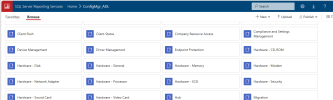
All the ConfigMgr_xxx reports are accessible via the web service link and run.
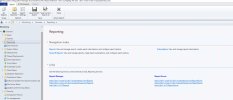
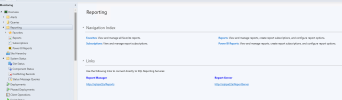
Within the console shows the Links to the correct SQL Reporting Services.
When going to Reporting > Reports in the Console they are empty.
Under Report Options I can select the Report Services Point but then get the following error.
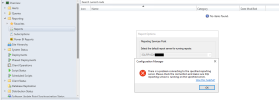
have checked the srsp.log and can not see any errors.
I did see an blog that said the to change SQL Server Reporting Services service as Local System. But our SQL Systems and Database Administrator are running all SQL Server services using domain account (pre recommended by Microsoft)
Has anyone else had this issue?
Microsoft SQL Server 2022 Reporting Services 16.0.1115.61
CM Database SQL Server 2022
Last week we migrated the CM Database to new supported SQL Server, today we moved the reporting service to a separate server that has SSPR running on it.
All the ConfigMgr_xxx reports are accessible via the web service link and run.
Within the console shows the Links to the correct SQL Reporting Services.
When going to Reporting > Reports in the Console they are empty.
Under Report Options I can select the Report Services Point but then get the following error.
have checked the srsp.log and can not see any errors.
I did see an blog that said the to change SQL Server Reporting Services service as Local System. But our SQL Systems and Database Administrator are running all SQL Server services using domain account (pre recommended by Microsoft)
Has anyone else had this issue?