

pe77
New Member
- Messages
- 2
- Reaction score
- 0
- Points
- 1
Hi all,
Hoping someone can help me with this...
I have a Configuration Manager 1910 site - very simple setup, single site server hosting MP, DP and SUP with a separate SQL server.
The environment is configured to use HTTPS with certificates issued from an internal PKI.
I have deployed the client successfully to a number of Windows 10 devices using both push and manual install methods.
I have a need to deploy the client to a number of Windows 7 devices on the same network as the existing Windows 10 clients.
I cannot use push install for these so need to use a script based/manual install (which is working fine on my Win 10 devices)
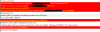
When deploying to Windows 7 I receive the errors below in the client ccmsetup.log
(I have masked the fqdn of my site server)
I also get the same errors in trying a manual install using ccmsetup.exe
(CCMSetup.exe /MP:cmserver.fqdn /UsePKICert SMSSITECODE=ABC CCMFIRSTCERT=1)
I am not seeing any related errors in the cm server IIS logs
Have spent a considerable amount of time researching these errors but yet to find any relevant fixes, particularly stumped as this is working for Windows 10 clients on the same network!
I know Windows 7 is now out of support, but assuming this should still work!?
Any advice/suggestions would be much appreciated, can't help but think I'm missing something obvious, but for it working on Win 10!
Regards,
Phil
Hoping someone can help me with this...
I have a Configuration Manager 1910 site - very simple setup, single site server hosting MP, DP and SUP with a separate SQL server.
The environment is configured to use HTTPS with certificates issued from an internal PKI.
I have deployed the client successfully to a number of Windows 10 devices using both push and manual install methods.
I have a need to deploy the client to a number of Windows 7 devices on the same network as the existing Windows 10 clients.
I cannot use push install for these so need to use a script based/manual install (which is working fine on my Win 10 devices)
When deploying to Windows 7 I receive the errors below in the client ccmsetup.log
(I have masked the fqdn of my site server)
I also get the same errors in trying a manual install using ccmsetup.exe
(CCMSetup.exe /MP:cmserver.fqdn /UsePKICert SMSSITECODE=ABC CCMFIRSTCERT=1)
I am not seeing any related errors in the cm server IIS logs
Have spent a considerable amount of time researching these errors but yet to find any relevant fixes, particularly stumped as this is working for Windows 10 clients on the same network!
I know Windows 7 is now out of support, but assuming this should still work!?
Any advice/suggestions would be much appreciated, can't help but think I'm missing something obvious, but for it working on Win 10!
Regards,
Phil
Attachments
Last edited:

