Forums on Intune, SCCM, and Windows 11

Welcome to the forums. Register a free account today to become a member! Once signed in, you'll be able to participate on this site by adding your topics and posts, as well as connect with other members through your own private inbox!

PENDING remote control service disabled

  • Thread starter Thread starter srs-pmo
  • Start date Start date
  • Replies Replies 19
  • Views Views 21K

srs-pmo

Member
Messages
19
Reaction score
0
Points
1
Hello,

Remote Control Service on clients is disabled (CmRcService-client-disable.jpg) attach file.

When I enable it, the cmrcservice service returns to alone disable (CmRcService.log) attach file.

There is failure remote access (configuration manager remote control failure.jpg) attach file..

The system is on.

The system is reachable.

The Windows Firewall is on and configured to remote access.

The resource service Remote Control is desabled, and it is not possible enable.

Regards
 

Attachments

  • CmRcService-client-disable.jpg
    CmRcService-client-disable.jpg
    104.6 KB · Views: 40
  • CmRcService.log
    CmRcService.log
    1.2 KB · Views: 21
  • configuration manager remote control failure.jpg
    configuration manager remote control failure.jpg
    149.8 KB · Views: 37
Last edited:

The ConfigMgr administrator has disabled the Remote Control feature for this machine, Remote Control Service will be disabled now - Uninstall the client agent and install it back and check.
 
The ConfigMgr administrator has disabled the Remote Control feature for this machine, Remote Control Service will be disabled now - Uninstall the client agent and install it back and check.
Hello Prajwal,

Ok, i did. I uninstall client agent and after i install the client agent. The problem persist.

When i enable the service and start, three seconds after the service alone disable.

Two months ago this problem happened and no attempt to fix it worked.

Remote access worked before, but two months ago it stopped working.

Regards.
 

Attachments

  • CmRcService.log
    CmRcService.log
    1.4 KB · Views: 6
  • ccmsetup.log
    ccmsetup.log
    166.9 KB · Views: 3
  • configuration manager properties - before unininstall.jpg
    configuration manager properties - before unininstall.jpg
    75.1 KB · Views: 15
  • configuration manager properties - after install.jpg
    configuration manager properties - after install.jpg
    60.5 KB · Views: 14
Hello,
I have a similar issue with some computers. Try the run the 2 cmdlets on the computer :
  1. Invoke-WmiMethod -Namespace root\ccm -Class SMS_Client -Name ResetPolicy -ArgumentList "1"
  2. Invoke-WmiMethod -Namespace root\ccm -Class SMS_Client -Name TriggerSchedule -ArgumentList "{00000000-0000-0000-0000-000000000021}"
 
Hello,
I have a similar issue with some computers. Try the run the 2 cmdlets on the computer :
  1. Invoke-WmiMethod -Namespace root\ccm -Class SMS_Client -Name ResetPolicy -ArgumentList "1"
  2. Invoke-WmiMethod -Namespace root\ccm -Class SMS_Client -Name TriggerSchedule -ArgumentList "{00000000-0000-0000-0000-000000000021}"
Hello,

I tested it as you asked.

The commands run with the success, (cmdlets - client sccm.jpg) attached file.

But the CmRcService continue disabled, and i when enabled and started, it's disable alone. (CmRcService-client-disable.jpg) attached file.

Regards
 

Attachments

  • cmdlets - client sccm.jpg
    cmdlets - client sccm.jpg
    126.5 KB · Views: 31
  • CmRcService-client-disable.jpg
    CmRcService-client-disable.jpg
    104.6 KB · Views: 31
Hello,
If you right-click the computer in the console, you should be able to check the resulting client settings.
Can you confirm that remote control is enabled ?
Can you check the current network profile (domain, private or public) of the computer and verify that remote control is enable for this profile ?
Capture.JPG
You can get the current network profile with the command netsh advfirewall show currentprofile
 
Hello,
If you right-click the computer in the console, you should be able to check the resulting client settings.
Can you confirm that remote control is enabled ?
Can you check the current network profile (domain, private or public) of the computer and verify that remote control is enable for this profile ?
View attachment 2511
You can get the current network profile with the command netsh advfirewall show currentprofile
Hello,

See screenshots.

Regards.
 

Attachments

  • client profile - remote control enable.jpg
    client profile - remote control enable.jpg
    166.5 KB · Views: 47
  • network profile.jpg
    network profile.jpg
    185.9 KB · Views: 40
  • network profile.jpg
    network profile.jpg
    185.9 KB · Views: 31
  • computer remote control enable.jpg
    computer remote control enable.jpg
    93.2 KB · Views: 30
  • prompt network profile.jpg
    prompt network profile.jpg
    128.9 KB · Views: 30
  • WMI - (SMS - there is not).jpg
    WMI - (SMS - there is not).jpg
    74.2 KB · Views: 29
  • prompt network profile state on.jpg
    prompt network profile state on.jpg
    146.7 KB · Views: 33
Last edited:
Hello,
The first screenshot is the custom parameters you created in Administration -> Client settings.
Could you please go to Assets and Compliance -> Devices -> right-click on a faulty computer -> select Client Settings -> select Resultant Slient Settings and check that remote control is enabled for that computer.
 
Hello,
The first screenshot is the custom parameters you created in Administration -> Client settings.
Could you please go to Assets and Compliance -> Devices -> right-click on a faulty computer -> select Client Settings -> select Resultant Slient Settings and check that remote control is enabled for that computer.
Hello,

Yes they are.

I checked it now.

See screenshoot.

Is it a problem with WMI?

Why does the service disable itself when I start it.

Regards
 

Attachments

  • Resulting client settings.jpg
    Resulting client settings.jpg
    163.3 KB · Views: 28
  • prompt network profile state on.jpg
    prompt network profile state on.jpg
    146.7 KB · Views: 24
Hello,
OK. Is the issue affecting all of your computers ?
On a faulty one, run as administrator policyspy.exe which is located on \cd.latest\SMSSETUP\TOOLS\ClientTools on your site server or here.
In the Actual tab, expand Machine then CCM_RemoteToolsConfig. Then try to delete the policy and request machine assignments (Edit and Tools menus).
Also, some machines seem to have no SMS certificate. Check and go here if needed.
Finally, you seems to run SCCM 2012 SP2 or R2 SP1 with no cumulative update. May be your issue is fixed by one of these (CU1, CU2, CU3 or CU4).
 
Hello,
OK. Is the issue affecting all of your computers ?
On a faulty one, run as administrator policyspy.exe which is located on \cd.latest\SMSSETUP\TOOLS\ClientTools on your site server or here.
In the Actual tab, expand Machine then CCM_RemoteToolsConfig. Then try to delete the policy and request machine assignments (Edit and Tools menus).
Also, some machines seem to have no SMS certificate. Check and go here if needed.
Finally, you seems to run SCCM 2012 SP2 or R2 SP1 with no cumulative update. May be your issue is fixed by one of these (CU1, CU2, CU3 or CU4).
Hello,

Yes, the problem affects all computers.

In policy spy, in the Current tab, expanded machine, there is no CCM_RemoteToolsConfig, (PolicySpy - CCM_RemoteToolsConfig.jpg) attached file.

The certificates are self-signed and are in the SMS folder, (self-signed certificate.jpg and certificates machine.jpg) attached files.

Yes, I have SCCM 2012 R2 SP1, and it has been updated to cumulative version CU4 and the problem persisted, it was not fixed.

Regards.
 

Attachments

  • PolicySpy - CCM_RemoteToolsConfig.jpg
    PolicySpy - CCM_RemoteToolsConfig.jpg
    148.4 KB · Views: 19
  • self-signed certificate.jpg
    self-signed certificate.jpg
    65.7 KB · Views: 15
  • certificates machine.jpg
    certificates machine.jpg
    143.8 KB · Views: 17
Hello,
I run out of ideas. I noticed :
  • If your client is in CU4, its version should be 5.00.8239.1501 and not 5.00.8239.1000.
  • My client certificates are located in the \Personal\SMS folder and not \SMS.
  • Something like a GPO is greying out an option in your remote desktop settings and could interfer with SCCM RC.
Regards.
 
Hello,

I needed to do a restoration, after a disaster, so I'm not sure if CU4 is installed. Where do I check this?

See screenshot (about sccm.jpg).

In the personal account certificates there is not folder \Personal\SMS and too \SMS.

Is need have the folder \Personal\SMS?

Why isn't there in mine?

Screenshots (certificates machine account - with SMS folder.jpg and certificates personal account - without SMS folder.jpg and Server Regedit - SMS-Setup-CULevel).


The machine is in the organizational unit that does not receive gpo, OU - Computers.


It looks like a Windows conflict, as soon as the service is activated, it disables itself in a few seconds.

Regards.
Hello,
I run out of ideas. I noticed :
  • If your client is in CU4, its version should be 5.00.8239.1501 and not 5.00.8239.1000.
  • My client certificates are located in the \Personal\SMS folder and not \SMS.
  • Something like a GPO is greying out an option in your remote desktop settings and could interfer with SCCM RC.
Regards.
Hello,

I needed to do a restoration, after a disaster, so I'm not sure if CU4 is installed.

How do I check this?

See screenshot (about sccm.jpg).

In the personal account certificates there is not folder \Personal\SMS and too \SMS.

Is need have the folder \Personal\SMS?

Why isn't there in mine?

Screenshots (certificates machine account - with SMS folder.jpg and certificates personal account - without SMS folder.jpg).

The machine is in the organizational unit that does not receive gpo, OU - Computers.

It looks like a Windows conflict, because as soon as I activate the service, it deactivates itself in a few seconds.

Regards.
 

Attachments

  • about sccm and client.jpg
    about sccm and client.jpg
    138.3 KB · Views: 12
  • certificates machine account - with SMS folder.jpg
    certificates machine account - with SMS folder.jpg
    143.8 KB · Views: 11
  • certificates personal account - without SMS folder.jpg
    certificates personal account - without SMS folder.jpg
    124.1 KB · Views: 10
  • Server Regedit - SMS-Setup-CULevel.jpg
    Server Regedit - SMS-Setup-CULevel.jpg
    195.6 KB · Views: 11
Last edited:

Hello,
In your first screenshot, the console displays the site version. You can see here that 5.00.8239.1000 is 2012 R2 SP1 with no CU. The control panel applet displays the client version which is also 5.00.8239.1000.
I don't know if the location of client certificates is relevent. May be you can check the ClientIDManagerStartup.log to see if there are issues with them.
According to the screenshot you attached previously, a remote desktop setting is greyed out so a policy (domain or local) seems to apply to your computer. I'd say it is something you need to double-check.
Regards.
 

Attachments

  • computer remote control enable.jpg
    computer remote control enable.jpg
    93.2 KB · Views: 6
Hello,
In your first screenshot, the console displays the site version. You can see here that 5.00.8239.1000 is 2012 R2 SP1 with no CU. The control panel applet displays the client version which is also 5.00.8239.1000.
I don't know if the location of client certificates is relevent. May be you can check the ClientIDManagerStartup.log to see if there are issues with them.
According to the screenshot you attached previously, a remote desktop setting is greyed out so a policy (domain or local) seems to apply to your computer. I'd say it is something you need to double-check.
Regards.
Hello,

The console version is 5.0.8239.1502 and the website version is 5.00.8239.1000, is that right? (about sccm and client.jpg)

CU4 already installed. (CU4 - there is.jpg)

Searching, I found a text saying that after CU4 is installed, the register has a value of 4 (Registry - CULevel - 4.jpg), but my machine's register has a value of 0 (Server Registry - SMS-Setup-CULevel.jpg).

I configured remote access enable, but the service continue desabling alone. (remote access enable.jpg)

Regards.
 

Attachments

  • about sccm and client.jpg
    about sccm and client.jpg
    138.3 KB · Views: 9
  • CU4 - There is.jpg
    CU4 - There is.jpg
    76.8 KB · Views: 6
  • Registry - CULevel - 4.jpg
    Registry - CULevel - 4.jpg
    146.9 KB · Views: 7
  • Server Registry - SMS-Setup-CULevel.jpg
    Server Registry - SMS-Setup-CULevel.jpg
    195.6 KB · Views: 7
  • remote access enable.jpg
    remote access enable.jpg
    88.6 KB · Views: 9
  • ClientIDManagerStartup.log
    ClientIDManagerStartup.log
    162.1 KB · Views: 5
Hello,
It seems there is no issue with your certificates according to ClientIDManagerStatup.log
Yes, you have no cumulative update installed (CU0). You should install CU4 to your site server and then deloy the new CU4 CM client to your computers.
The CM remote control service stops because your computers do not apply the corresponding CM policy for whaterver reason. The remote desktop setting you enabled in "remote access enable.jpg" just allows you to MSTSC your computers and have no impact on the CM RC service.
Once again check your domain and local policies (maybe with gpresult).
You can try to modify something in your client settings (for example enable/disable power management) and initiate a machine policy retrieval on a computer to check if the previous modification is applied.
Also, you can try to delete, recreate and distribute your custom client settings.
1580107614941.png1580107628807.png
 
Hello,
It seems there is no issue with your certificates according to ClientIDManagerStatup.log
Yes, you have no cumulative update installed (CU0). You should install CU4 to your site server and then deloy the new CU4 CM client to your computers.
The CM remote control service stops because your computers do not apply the corresponding CM policy for whaterver reason. The remote desktop setting you enabled in "remote access enable.jpg" just allows you to MSTSC your computers and have no impact on the CM RC service.
Once again check your domain and local policies (maybe with gpresult).
You can try to modify something in your client settings (for example enable/disable power management) and initiate a machine policy retrieval on a computer to check if the previous modification is applied.
Also, you can try to delete, recreate and distribute your custom client settings.
View attachment 2548View attachment 2549
Hello,

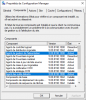
In the Configuration Manager properties - Components - CCM notification agent is disabled. Screenshot (Configuration Manager Properties - Components.jpg)

Is this correct on the Components tab Is the CCM notification agent disabled?

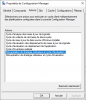
In the Configuration Manager Properties - Actions, there are only two lines, (Recovery Cycle and Computer Policy Assessment) and (Recovery Cycle and User Policy Assessment). Screenshot (Configuration Manager Properties - Actions.jpg)

Is it correct that there are only two lines on the Actions tab?

Regards
 

Attachments

  • Configuration Manager Properties - Components.jpg
    Configuration Manager Properties - Components.jpg
    115.9 KB · Views: 7
  • Configuration Manager Properties - Actions.jpg
    Configuration Manager Properties - Actions.jpg
    63.9 KB · Views: 5
Hello,
Why are you talking about CM notification agent ? Your primary issue is about CM remote control agent.

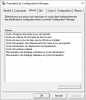
You should get other actions :
1580198628386.png
Now I have nothing to say moreover except check your domain and local policy and have a look here to check if you have corrupt policies in database.
Regards.
 
Hello,
Why are you talking about CM notification agent ? Your primary issue is about CM remote control agent.

You should get other actions :
View attachment 2559
Now I have nothing to say moreover except check your domain and local policy and have a look here to check if you have corrupt policies in database.
Regards.
Hello,

Do you have any other ideas for me?

If not, I think I will have to delete everything and do a new installation.

The problem is, I don't know how to do that.

Could you help me again?

Regards.
 

Forum statistics

Threads
7,171
Messages
27,989
Members
18,296
Latest member
kigraa

Trending content

Back
Top