

matteobarreo
Member
- Messages
- 21
- Reaction score
- 2
- Points
- 3
Good morning all,
I've been working on this problem for quite some time and keep hitting a wall, I was hoping if someone could provide some help. Basically, my Endpoint Protection Client Status is only at about 83%, and it was as low as 79% at one point. Many of the clients that are at risk have very old definitions, some a few weeks or a few months old and one of them even has definitions that are over a year out of date.
How we are pushing definition updates
Two different ADR's, one for Windows 10 and one for Windows 7. They both have the following selected:
Deployment Settings: Automatically deploy all software updates found by this rule, and approve any license agreements.
Software updates: Product "Forefront Endpoint Protection 2010" OR "Windows Defender", Superseded=No, Update Classification=Definition Updates
Evaluation Schedule: Runs every 12 hours
Language: English
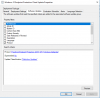
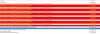
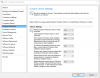
Please see attached for screenshots, along with a sample endpointprotection.log from one of my computers with very old definitions.
I've been working on this problem for quite some time and keep hitting a wall, I was hoping if someone could provide some help. Basically, my Endpoint Protection Client Status is only at about 83%, and it was as low as 79% at one point. Many of the clients that are at risk have very old definitions, some a few weeks or a few months old and one of them even has definitions that are over a year out of date.
How we are pushing definition updates
Two different ADR's, one for Windows 10 and one for Windows 7. They both have the following selected:
Deployment Settings: Automatically deploy all software updates found by this rule, and approve any license agreements.
Software updates: Product "Forefront Endpoint Protection 2010" OR "Windows Defender", Superseded=No, Update Classification=Definition Updates
Evaluation Schedule: Runs every 12 hours
Language: English
Please see attached for screenshots, along with a sample endpointprotection.log from one of my computers with very old definitions.
Last edited:


