
Joe Clough
Active Member
- Messages
- 39
- Reaction score
- 2
- Points
- 8
Morning All,
In a real pickle here and need some further understanding.
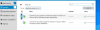
I have deployed Windows 10 August updates and Adobe Flash player monthly updates to my Windows 10 estate but all devices seem to be stuck at "downloading 0%" after a period of time (roughly an hour) the status changes to "Failed". I can "Install All" and its just this on repeat.
What is the purpose for this.
At first I thought it was my test machines so did the norm of restarting BITs, Rebuilding WMI, Reinstall SCCM client etc. bounce the primary server to no avail but jumping on to more workstations and laptop it seems to be happening across the estate.
I can see something downloaded in C:\Windows\SoftwareDistribution\Download because the time stamp reflects this.
In a real pickle here and need some further understanding.
I have deployed Windows 10 August updates and Adobe Flash player monthly updates to my Windows 10 estate but all devices seem to be stuck at "downloading 0%" after a period of time (roughly an hour) the status changes to "Failed". I can "Install All" and its just this on repeat.
What is the purpose for this.
At first I thought it was my test machines so did the norm of restarting BITs, Rebuilding WMI, Reinstall SCCM client etc. bounce the primary server to no avail but jumping on to more workstations and laptop it seems to be happening across the estate.
I can see something downloaded in C:\Windows\SoftwareDistribution\Download because the time stamp reflects this.


