

monotosh
New Member
- Messages
- 2
- Reaction score
- 0
- Points
- 1
Hi All,
first of all many thanks for this forum, which helping me for long time with multiple sccm issues, but this time I am stuck and confused.
last few days we are getting issue with wsus sync below are the error logs. Could you please help on this. We have a proxy in place and running below sccm and wsus version, we have configured wsus role on a test vm windows 2012r2 with the same proxy it sync well with the same proxy, so pretty confused now what went wrong all of a sudden. we had patched this 2008 server(sccm) on 19th of last month as our normal patching window and below patches are installed that was the last change on it. had restored the server from 18th backup but unfortunately it still failed to sync. So please help...
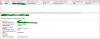
software update point sync status:
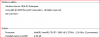
last patches are installed:

sccm version

Wsus version

server os
WSYNCMGR.log errors
1. STATMSG: ID=6703 SEV=E LEV=M SOURCE="SMS Server" COMP="SMS_WSUS_SYNC_MANAGER" SYS=XXXXX.com SITE=AL1 PID=4660 TID=5204 GMTDATE=Sat Dec 07 03:29:03.333 2019 ISTR0="CWSyncMgr: oSync" ISTR1="WSUS server not configured. Please refer to WCM.log for configuration error details." ISTR2="" ISTR3="" ISTR4="" ISTR5="" ISTR6="" ISTR7="" ISTR8="" ISTR9="" NUMATTRS=0
2.Sync failed: WSUS server not configured. Please refer to WCM.log for configuration error details.. Source: CWSyncMgr:oSync
WCM logs error:
4.System.Net.WebException: The request failed with HTTP status 403: Forbidden.~~ at Microsoft.UpdateServices.Administration.AdminProxy.CreateUpdateServer(Object[] args)~~ at Microsoft.SystemsManagementServer.WSUS.WSUSServer.ConnectToWSUSServer(String ServerName, Boolean UseSSL, Int32 PortNumber)
5.Remote configuration failed on WSUS Server.
WSUS sync page error
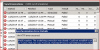
WebException: The underlying connection was closed: Could not establish trust relationship for the SSL/TLS secure channel. ---> System.Security.Authentication.AuthenticationException: The remote certificate is invalid according to the validation procedure.
at System.Web.Services.Protocols.WebClientProtocol.GetWebResponse(WebRequest request)
at System.Web.Services.Protocols.HttpWebClientProtocol.GetWebResponse(WebRequest request)
at Microsoft.UpdateServices.ServerSync.ServerSyncCompressionProxy.GetWebResponse(WebRequest webRequest)
at System.Web.Services.Protocols.SoapHttpClientProtocol.Invoke(String methodName, Object[] parameters)
at Microsoft.UpdateServices.ServerSyncWebServices.ServerSync.ServerSyncProxy.GetAuthConfig()
at Microsoft.UpdateServices.ServerSync.ServerSyncLib.InternetGetServerAuthConfig(ServerSyncProxy proxy, WebServiceCommunicationHelper webServiceHelper)
at Microsoft.UpdateServices.ServerSync.ServerSyncLib.Authenticate(AuthorizationManager authorizationManager, Boolean checkExpiration, ServerSyncProxy proxy, Cookie cookie, WebServiceCommunicationHelper webServiceHelper)
at Microsoft.UpdateServices.ServerSync.CatalogSyncAgentCore.SyncConfigUpdatesFromUSS()
at Microsoft.UpdateServices.Serve
first of all many thanks for this forum, which helping me for long time with multiple sccm issues, but this time I am stuck and confused.
last few days we are getting issue with wsus sync below are the error logs. Could you please help on this. We have a proxy in place and running below sccm and wsus version, we have configured wsus role on a test vm windows 2012r2 with the same proxy it sync well with the same proxy, so pretty confused now what went wrong all of a sudden. we had patched this 2008 server(sccm) on 19th of last month as our normal patching window and below patches are installed that was the last change on it. had restored the server from 18th backup but unfortunately it still failed to sync. So please help...
software update point sync status:
last patches are installed:
sccm version
Wsus version
server os
WSYNCMGR.log errors
1. STATMSG: ID=6703 SEV=E LEV=M SOURCE="SMS Server" COMP="SMS_WSUS_SYNC_MANAGER" SYS=XXXXX.com SITE=AL1 PID=4660 TID=5204 GMTDATE=Sat Dec 07 03:29:03.333 2019 ISTR0="CWSyncMgr:
oSync" ISTR1="WSUS server not configured. Please refer to WCM.log for configuration error details." ISTR2="" ISTR3="" ISTR4="" ISTR5="" ISTR6="" ISTR7="" ISTR8="" ISTR9="" NUMATTRS=02.Sync failed: WSUS server not configured. Please refer to WCM.log for configuration error details.. Source: CWSyncMgr:
oSyncWCM logs error:
4.System.Net.WebException: The request failed with HTTP status 403: Forbidden.~~ at Microsoft.UpdateServices.Administration.AdminProxy.CreateUpdateServer(Object[] args)~~ at Microsoft.SystemsManagementServer.WSUS.WSUSServer.ConnectToWSUSServer(String ServerName, Boolean UseSSL, Int32 PortNumber)
5.Remote configuration failed on WSUS Server.
WSUS sync page error
WebException: The underlying connection was closed: Could not establish trust relationship for the SSL/TLS secure channel. ---> System.Security.Authentication.AuthenticationException: The remote certificate is invalid according to the validation procedure.
at System.Web.Services.Protocols.WebClientProtocol.GetWebResponse(WebRequest request)
at System.Web.Services.Protocols.HttpWebClientProtocol.GetWebResponse(WebRequest request)
at Microsoft.UpdateServices.ServerSync.ServerSyncCompressionProxy.GetWebResponse(WebRequest webRequest)
at System.Web.Services.Protocols.SoapHttpClientProtocol.Invoke(String methodName, Object[] parameters)
at Microsoft.UpdateServices.ServerSyncWebServices.ServerSync.ServerSyncProxy.GetAuthConfig()
at Microsoft.UpdateServices.ServerSync.ServerSyncLib.InternetGetServerAuthConfig(ServerSyncProxy proxy, WebServiceCommunicationHelper webServiceHelper)
at Microsoft.UpdateServices.ServerSync.ServerSyncLib.Authenticate(AuthorizationManager authorizationManager, Boolean checkExpiration, ServerSyncProxy proxy, Cookie cookie, WebServiceCommunicationHelper webServiceHelper)
at Microsoft.UpdateServices.ServerSync.CatalogSyncAgentCore.SyncConfigUpdatesFromUSS()
at Microsoft.UpdateServices.Serve




