Forums on Intune, SCCM, and Windows 11

Welcome to the forums. Register a free account today to become a member! Once signed in, you'll be able to participate on this site by adding your topics and posts, as well as connect with other members through your own private inbox!

SOLVED Wsus import problem with error 80131509

  • Thread starter Thread starter sclmi
  • Start date Start date
  • Replies Replies 9
  • Views Views 5K

sclmi

Member
Messages
24
Solutions
1
Reaction score
2
Points
3
Hi the community,
I just finished installing wsus on windows server 2016 and everything seems to be fine. However, I cannot import any updates into wsus. This ends with error 80131509.
I've already tried setting SchUseStrongCrypto to 1 as recommended in this forum but that doesn't solve my problem.
Is there another way to skip this?
I would really appreciate some help.

Thanks !!
 
What browser are you using to import the updates?. And are the updates not available in WSUS?
Thanks for your reply.
I use IE 11 which is natively installed with windows server 2016.
The updates are not yet available in wsus as it is a fresh installation.
Thanks,
 

Attachments

  • problem wsus.PNG
    problem wsus.PNG
    112.2 KB · Views: 12
Thanks for your reply.
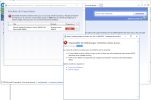
As you can see in the attached screenshot, everything was initiated correctly.
Sorry if it is in french as we are in a french-speaking country.

Thanks in advance.
Hi,
I'd appreciate if I get some help.

Thanks,
 
I want to ask if you have followed all the steps covered in this guide: https://www.prajwaldesai.com/wsus-update-import-error-80131509-catalog/
Hi Prajwal,

First of all, thanks for your reply and very sorry for the late. I preferred to check it once again before replying back to you.
Of course, I already followed this article before opening this ticket. even, I have already tried to create both of these entries in regedit :
- HKEY_LOCAL_MACHINE\SOFTWARE\Microsoft.NETFramework\v4.0.30319 /V SchUseStrongCrypto
- HKEY_LOCAL_MACHINE\SOFTWARE\Microsoft\NETFramework\v4.0.30319 /V SchUseStrongCrypto


For now, I'd wonder if it is a good idea to stay with Windows server 2016
Thanks,
 
Hi everyone,
Finally, I could sort out this issue with the following PS script :

$Properties = @{
Name = 'SchUseStrongCrypto'
Value = '1'
Type = 'DWord'
}

$null,'Wow6432Node' | Foreach-Object {
Set-ItemProperty @Properties -Path "HKLM:\SOFTWARE$("\$_")\Microsoft\.NetFramework\v4.0.30319" -Verbose
}

reg add HKEY_LOCAL_MACHINE\SOFTWARE\Microsoft\.NETFramework\v4.0.30319 /V SchUseStrongCrypto /T REG_DWORD /D 1

Now, I can download my updates.
Maybe it could help.

Thanks for all the team for your support.
 

Forum statistics

Threads
7,144
Messages
27,894
Members
18,191
Latest member
escdarck

Trending content

Back
Top