Forums on Intune, SCCM, and Windows 11

Welcome to the forums. Register a free account today to become a member! Once signed in, you'll be able to participate on this site by adding your topics and posts, as well as connect with other members through your own private inbox!

SOLVED Windows 7 missing drivers

Status
Not open for further replies.

lalajee2018

Well-Known Member
Messages
143
Reaction score
6
Points
18
Hi,
I created a task sequence to install Windows 7 but When it install windows 7 I always missing drivers for all machines.

I can see a task which say downloading drivers and installing drivers but when system build is finish its always missing drivers and PC is not on domain.

I download the drivers from https://pcsupport.lenovo.com/sv/en/...RIES-LAPTOPS/THINKPAD-L440/downloads/DS038259

Import the drivers into sccm and also added the drivers into boot image and then created new boot USB media.

We are running SCCM 1806.
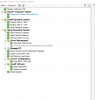
1.PNG
 
Can you upload smsts.log file ?. What is the logic that you are using under driver management to apply drivers ?.
 
I had this wmi query SELECT * FROM Win32_ComputerSystem WHERE Model LIKE "%20AT00%"
But I also tried without the setting up wmi query
 
After Change the Windows 7 WIM image to new image, i got it working for some drievrs. Some drivers are being install but others are not. Please check smsts.log
 

Attachments

Failed to add driver to driver store. Code 0x80004005
Failed to install driver package. Code 0x80004005
Failed to run the action: ThinkPad L440 & L540. Unspecified error (Error: 80004005; Source: Windows)
Exiting with return code 0x80004005
Task sequence execution failed with error code 80004005


Let me know if the steps mentioned in this post helps. Else we will troubleshoot the issue further.
 
The execution of the group (Install Operating System) has failed and the execution has been aborted. An action failed.
Operation aborted (Error: 80004004; Source: Windows) TSManager 19/12/2018 10:13:25 2264 (0x08D8)
Failed to run the last action: Apply Driver Package - E73. Execution of task sequence failed.
Unspecified error (Error: 80004005; Source: Windows) TSManager 19/12/2018 10:13:25 2264 (0x08D8)
 
Please see the logs and let me know what I can do to fix this. I try everything but nothing is working. I check all of the accounts and i dont see any problems, The OSD account i'm using have access to join PC to domian
 

Attachments

Failed to install driver package. Code 0x80004005 OSDDriverClient 19-12-2018 10:13:24 948 (0x03B4)
Exiting with return code 0x80004005 OSDDriverClient 19-12-2018 10:13:24 948 (0x03B4)
Failed to run the action: Apply Driver Package - E73.
Unspecified error (Error: 80004005; Source: Windows) TSManager 19-12-2018 10:13:24 2264 (0x08D8)


What is the logic that you are using to deploy the driver package ?. I see the TS is failing at "Apply driver package step"
 
WMI Query, I test same wmi query on the PC which this is failing on and it does show the wmi query is correct. SELECT * FROM Win32_ComputerSystem WHERE Model LIKE "10AW%"
 
After changeing the query to SELECT * FROM Win32_ComputerSystem WHERE Model LIKE "%10AW00%" It worked fine, Install all drivers and its on domian. I dont understand why it will do that the model number begains with 10AW so 10AW% means starting is same its just end is different
 
Status
Not open for further replies.

Forum statistics

Threads
7,164
Messages
27,964
Members
18,257
Latest member
sujata

Trending content

Back
Top